
You can find a lot of good deals for Presidents' Day, but to say it's a tech-deal boon would be an overstatement. The best Presidents' Day deals are usually on mattresses, appliances and furniture, but you can find some decent tech sales thrown in as well. This year, Presidents' Day comes right after Valentine's Day and Super Bowl 2026, which means there are even more chances to save as sales and discounts overlap. If you're looking for a new streaming device, a fresh iPad or an upgraded vacuum so you can enter the spring-cleaning season properly, we have you covered. These are the best President Day sales on tech we could find this year.
Presidents' Day deals under $50
Roku Streaming Stick Plus 2025 for $24 (40 percent off): This is one of the most affordable ways to get 4K streaming on almost any TV set. The dongle has a sleek design, it comes with handy remote that can also control your TV's power and volume and the device gives you access to Roku's TV operating system, which has tons of ways to watch free content.
Anker Nano 45W USB-C charger for $30 ($10 off): Anker's latest 45W charger has a small smart display on it that can show you real-time charging stats. It's compact design is great for travel, as are its foldable prongs.
Blink Mini 2K+ — 2 cameras for $45 (50 percent off): Blink's latest plug-in security cameras support 2K video and improved audio quality. Like previous versions, these cameras have two-way talk, motion alerts and support for Alexa voice commands.
TurboTax Deluxe for $45 (44 percent off): While it pains us to recommend Intuit's software, it may be the best (and cheapest) option for some this tax season — particularly those who don't qualify for Free File.
Anker Nano 5K ultra-slim magnetic power bank for $46 (16 percent off): This Qi2 power bank measures less than a half inch thick and snaps onto the backs of the latest iPhones for wireless charging. Its 5K capacity will be enough to top up your phone when it's close to empty, preventing you from searching for a charger or outlet.
Presidents' Day deals on Apple devices
Apple iPhone Air MagSafe battery pack for $79 (20 percent off): This magnetic power bank will add up to 65 percent additional battery charge to the iPhone Air, but note that it only works with Apple's new, ultra-slim smartphone. We've tested plenty of others that also work with other iPhone and smartphone models.
Apple Watch Series 11 for $299 ($100 off): The latest flagship Apple Watch has excellent performance, a boosted battery life and a lightweight design that you can comfortably wear all day long — and even into the night to track sleep.
iPad mini (A17 Pro ) for $399 ($100 off): The updated iPad mini runs on the A17 Pro chip for improved performance, plus it has an 8.3-inch Liquid Retina display, a 12MP ultra wide camera with Center Stage, USB-C charging and compatibility with the Apple Pencil Pro.
Beats Studio Pro for $170 (51 percent off): Beats updated these cans to have improved sound quality, and you can really hear the difference from models that came before it. These headphones also have solid Transparency mode, good voice performance and USB-C audio.
Beats Solo 4 headphones for $130 (35 percent off): These on-ear headphones support spatial audio and dynamic head tracking, and they have up to 50 hours of battery life. The "fast fuel" feature allows them to get up to five hours of playback time with just a quick 10-minute power-up.
More Presidents' Day deals on tech
Disney+ and Hulu bundle (one month) for $10 ($3 off)
Shark Steam & Scrub steam mop for $125 (22 percent off)
Levoit LVAC-200 cordless vacuum for $150 (25 percent off)
Google Pixel Buds Pro 2 earbuds for $179 (22 percent off)
Roku 55-inch 4K smart TV for $248 (29 percent off)
Sonos Beam Gen 2 soundbar for $369 ($130 off)
Sony WH-1000XM6 headphones for $398 (13 percent off)
Anker Nebula Capsule 3 projector for $540 (28 percent off)
Hisense 75-inch QD7 Mini-LED 4K smart TV for $548 (16 percent off)
DJI Mini 3 Fly More Combo drone bundle for $575 (20 percent off)
Google Pixel 10 Pro for $899 (18 percent off)
Sony 55-inch Bravia XR8B 4K smart TV for $998 (9 percent off)
This article originally appeared on Engadget at https://www.engadget.com/deals/presidents-day-sales-2026-the-best-tech-deals-from-apple-sony-roku-and-others-163000379.html?src=rssEgyptian regulators have banned Roblox, a popular children's video game, Bloomberg reports. The nation's Supreme Council for Media Regulation is coordinating with the National Telecommunications Regulatory Authority on the decision to ensure its enforcement.
The state-owned outlet reported that Senator Walaa Hermas Radwandid had proposed regulation of the platform to "protect children's moral and educational values." The senator outlined his concerns with the nature of the Roblox platform, including the ability to communicate directly with strangers as well as "potential psychological and behavioral effects on young users." In a statement to Bloomberg, Roblox stated that it has "built rigorous safeguards that go beyond those of many other platforms."
Egypt joins others including Iraq, Algeria, Saudi Arabia and the UAE that have banned or heavily restricted the US-based gaming platform; Turkey and Russia also enacted blanket bans on Roblox recently, citing the "promotion of homosexuality" and "LGBT propaganda."
Roblox has a significant presence in the Middle East and North Africa (MENA) region. The company's most recent economic impact report claims it added $15 million to total GDP across Egypt, Saudi Arabia, Morocco, Qatar and the UAE between 2021 and 2024.
Roblox recently tightened its age verification requirements for certain in-game features following pressure from numerous US state attorneys general over child safety, though the new system is reportedly a mess.
All of this comes against the backdrop of globally internet restrictions, especially for social media services. A raft of nations including Australia, Spain and Denmark have moved to ban social media entirely for children.
This article originally appeared on Engadget at https://www.engadget.com/gaming/egypt-to-block-roblox-for-all-users-161343443.html?src=rssAmazon's next-generation AI assistant is now available to everyone in the US for $20 per month, or for free if you're a Prime member. Amazon has also introduced a try-before-you-buy free tier for non-Prime members, but it's limited to text-based chat.
Alexa+ has been in early access since last year, and Amazon says it's listened to user insights ahead of rolling out the update nationwide today. If you're a Prime member, you can start using the new assistant by saying "Alexa, upgrade to Alexa+" or by heading to Alexa.com and signing into your Amazon account. The Alexa website is also where you'll find the new free Alexa chat feature, which lets you ask questions and research various topics with usage limits.
Given that a Prime membership costs less ($15 per month) than Alexa+ on its own, Amazon is no doubt hoping that the introduction of its now more conversational Alexa assistant will entice some would-be subscribers. Amazon also offers a 30-day free trial of Prime to first-time customers.
As well as allowing more complex and naturally flowing interactions, Alexa+ also has new agentic capabilities, making it more effective at managing your schedule, providing recommendations, making reservations and controlling your smart home devices. It's also a more personalized experience, with the idea being that Alexa keeps an eye on your digital activity so it gives you more useful answers.
Whether the overhauled Alexa will work for everyone remains to be seen. In our preview last summer, Engadget's Cherlynn Low wrote about her conflicted feelings on the next-gen assistant. While impressed by its ability to handle more complex tasks, she found the experience to be inconsistent and "just incompetent enough to be annoying."
This article originally appeared on Engadget at https://www.engadget.com/ai/alexa-is-now-available-nationwide-with-a-free-text-based-version-for-non-prime-members-to-try-155550342.html?src=rssDespite its supremely sleek design, the iPhone Air actually has a pretty respectable battery life, lasting for somewhere in the region of 27 hours if you're continuously streaming video. But you're still going to be wary of it dying on you if you're on a trip or just having a particularly screen-heavy day. That's where Apple's iPhone Air MagSafe battery pack comes in, and it's currently on sale for $79.
This accessory only works with the iPhone Air, but much like the phone it attaches to, it's extremely slim at 7.5mmm, so crucially doesn't add so much bulk when attached that it defeats the point of having a thin phone in the first place. The MagSafe Battery isn't enormous at 3,149mAh (enough to add an extra 65 percent of charge to the Air), but it can wirelessly charge the AirPods Pro 3 as well, making it an even more useful travel companion. You can also charge your iPhone while charging the battery pack.
At its regular price of $99, the MagSafe battery pack is an admittedly pricey add-on to what is already an expensive phone, but for $20 off it's well worth considering what Engadget's Sam Rutherford called an "essential accessory" for some users in his iPhone Air review.
Many Apple loyalists will always insist on having first-party accessories for their iPhone, but there are plenty of third-party MagSafe chargers out there too, a lot of them considerably cheaper than Apple's lineup. Be sure to check out our guide for those.
Follow @EngadgetDeals on X for the latest tech deals and buying advice.
This article originally appeared on Engadget at https://www.engadget.com/deals/apples-iphone-air-magsafe-battery-is-cheaper-than-ever-144516608.html?src=rssIt's hard to tell the difference between Apple's second-generation AirTag and the almost-five-year-old original just by looking at them. In fact, the only way to tell is the many scratches on my old tracker, picked up from all those years attached to my keyring, living in my pocket.
While the price is still $29, Apple's latest tracker packs some core upgrades. The new AirTag has a second-generation ultra-wideband (UWB) chip that extends its Precise Finding range up to 50 percent, though it requires an iPhone 15 or newer to do so. It's also apparently 50 percent louder and has a new, higher-pitched chime. Still no keyring hole, though.
The new AirTag looks… the same. It's arguably the most understated hardware design Apple has ever made, with no buttons or ports, just a company logo on one side. It's made from a combination of a stainless steel plate and a (now 85-percent recycled) plastic enclosure. It's like a thick coin, a little bigger than a quarter, and slips into any small pocket or wallet. The battery can be replaced by rotating the backing off, but it's still solid enough that I never felt there was a risk of coming off accidentally.
Apple's accessories to attach the AirTag to your keys are still more expensive than the tracker itself. However, compared to when the original tracker launched, there's now a rich collection of third-party options from the likes of Mophie, Belkin and more, many of which are more reasonably priced at around $15. A $35 keyring for a $29 tracker is a very tough sell, Apple.
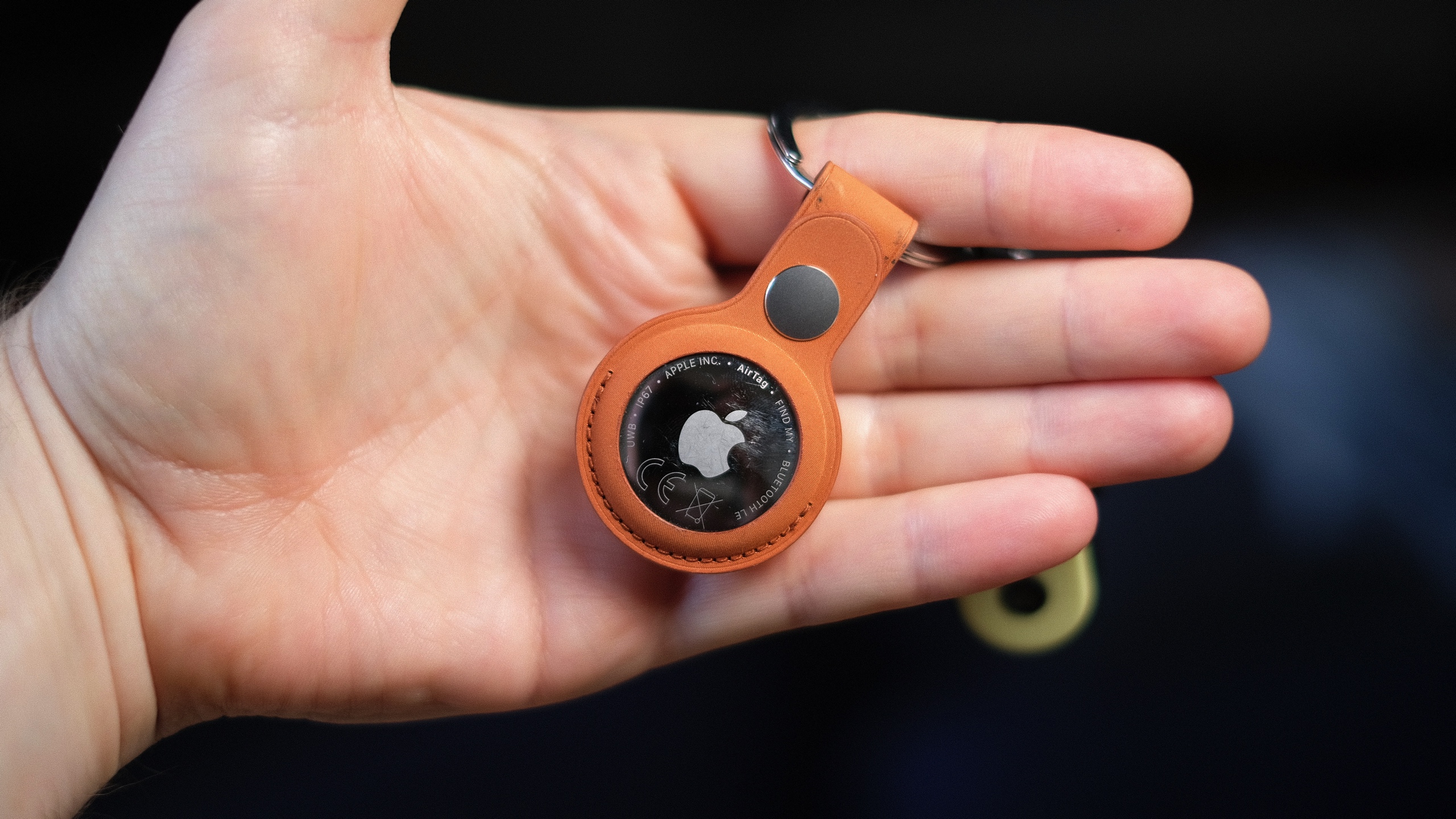 Apple's new AirTag promises increased range and a louder ring chime.
Mat Smith for Engadget
Apple's new AirTag promises increased range and a louder ring chime.
Mat Smith for Engadget
Setting up a new AirTag is just as effortless as its predecessor. Pull out the plastic tag, connecting the battery, and a notification will pop up on your nearby iPhone. You can then name it, assign it to an item and it'll join your list of findable Apple hardware.
I've been testing the range of the new AirTag, and if anything, the 50 percent increase in Precision Finding range is a conservative estimate. Naturally, tracking can be affected by building structure, walls, a lack of nearby Find My network devices and other interference, but the next-generation AirTag's "getting closer" screen consistently appeared on my phone when I was around 80 feet away. The older tracker, however, needed me to be around 30-40 feet away to do the same. The benefit of Precision Finding was limited on the debut AirTag, because its range was so tiny — especially in busy environments. The hardware upgrades now make it truly useful. The new AirTag is also faster to connect and more responsive to my movements and sudden turns, thanks, I expect, to the new ultra-wideband chip.
You can now also use newer Apple Watches (Series 9, Ultra 2 and up) with precision location detection. After updating her Apple Watch Series 11 to the latest software, my colleague Cherlynn Low reported that locating the new AirTag was pretty much the same as on an iPhone. She did find it slightly counterintuitive to have to first add the Find My shortcut to the Control Center on the watch instead of going to the Find My Items app to do so, but ultimately, once she did that, it mirrored the existing setup for Precision Finding on iPhones.
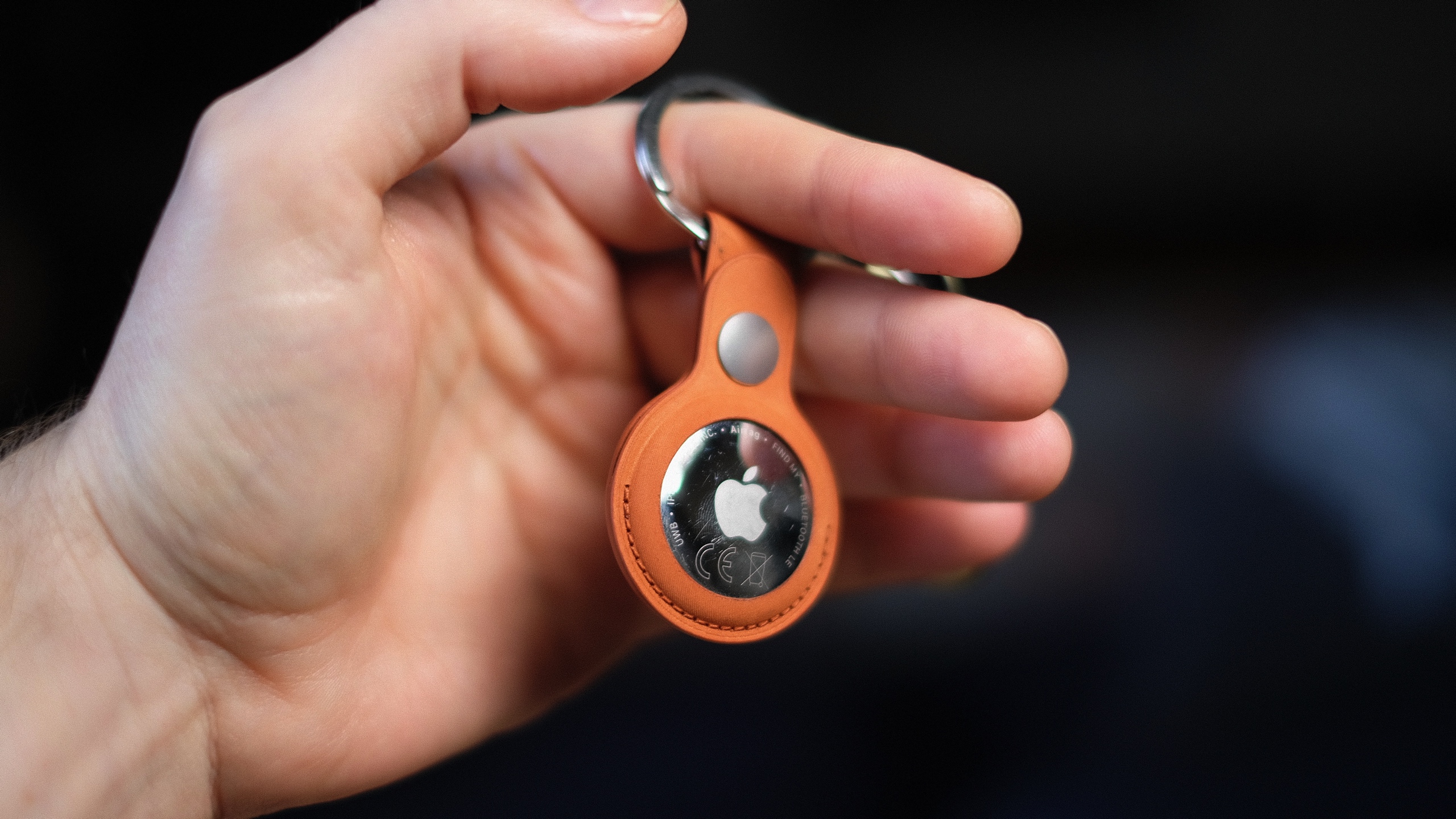 Apple's new AirTag promises increased range and a louder ring chime.
Mat Smith for Engadget
Apple's new AirTag promises increased range and a louder ring chime.
Mat Smith for Engadget
Apple also redesigned the AirTag's speaker assembly, which it says makes sounds 50 percent louder. Possibly the most effective audio upgrade is a higher-pitched chime that's easier to hear over ambient noise and in busy public spaces. I could hear it ringing out from the other side of my gym's locker room, while inside a locker, over music playing in the background. My old AirTag was inaudible until I was a few feet away from my locker. I always thought the sound on the original AirTag was a little too low-key for something you were urgently trying to find. (I'd love to be able to customize the chime, though.)
It's the Find My network that makes the AirTag shine. Apple's massive footprint of over a billion devices, from iPhones to Macs, continues to offer a tracking range and finer precision than GPS and Bluetooth alone. If anything, this network is even more built out since the launch of the first Apple tracker.
Since we tested the first AirTag, Apple has added multiple new features, usually through iOS updates, that expanded the utility and versatility of its trackers. In iOS 17, you could share an AirTag through Family Sharing. In iOS 18.2, Share Item Location allowed you to share your tracking information with third parties (such as airlines or train companies), improving the chances of finding the AirTag.
There have also been subsequent safety upgrades, including expanding unknown tracker alerts to Android devices without needing to install an app. Apple also reduced the time an AirTag takes to emit a sound when separated from its owner, shifting the interval to a random range between 8 and 24 hours. At launch, this was a three-day span.
Wrap-up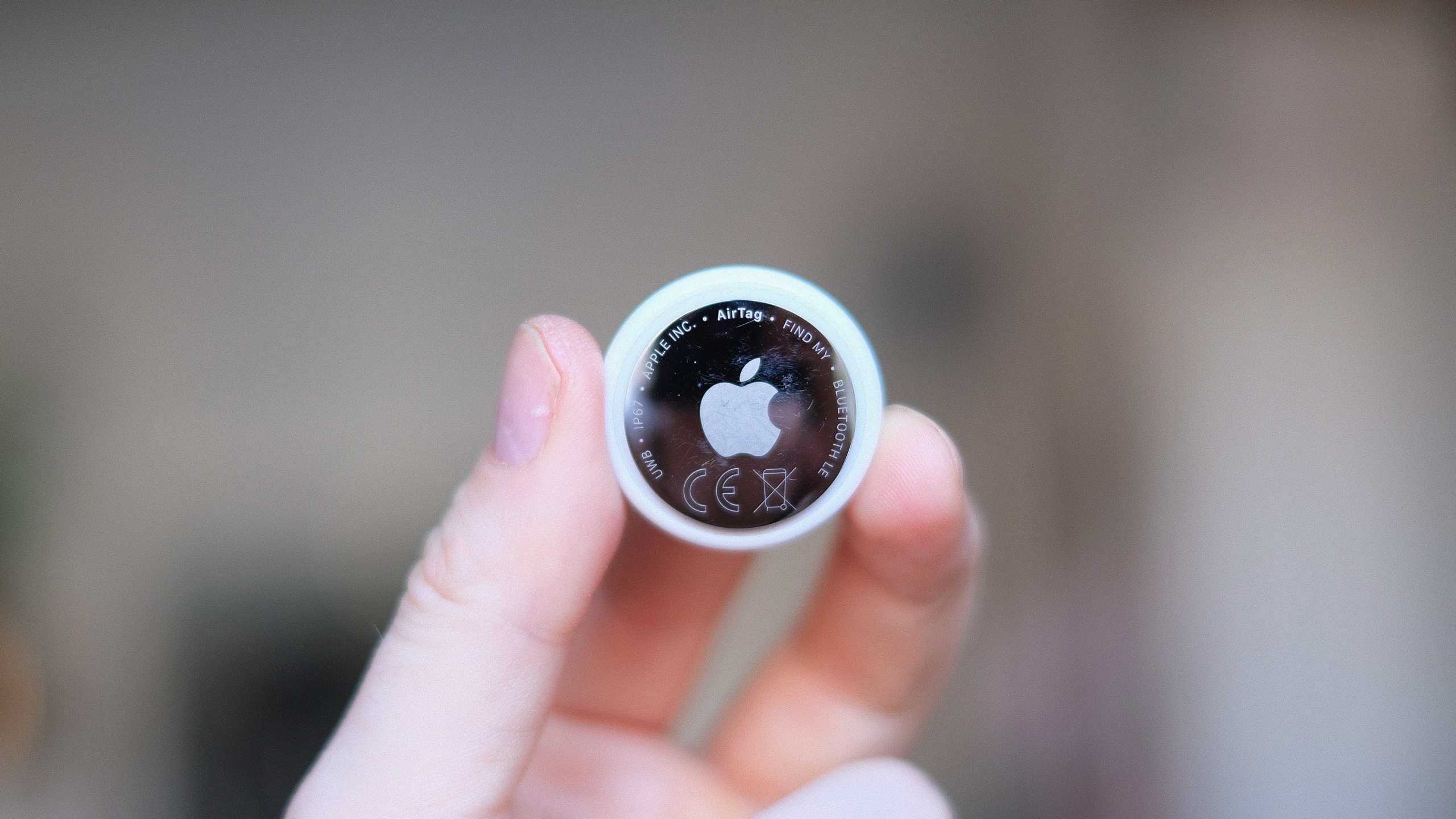 Apple's second-gen AirTag is still $29.
Mat Smith for Engadget
Apple's second-gen AirTag is still $29.
Mat Smith for Engadget
Do you need the new AirTag? While improved in every way, it's pretty much the same device. However, the AirTag's simplicity and ease of use are second to none when it comes to Bluetooth trackers. If you already own a single AirTag for your keys or wallet, upgrading to the second-gen iteration and repurposing the old one to track, say, your luggage, makes a lot of sense. You get the more precise location tracking and sensing for your smaller item, while you can reduce your bag anxiety if your suitcase doesn't make it to your destination.
There's no doubt the second-gen AirTags are improved, and thankfully, upgrading to the new capabilities doesn't come at too steep a cost.
This article originally appeared on Engadget at https://www.engadget.com/computing/accessories/apple-airtag-2026-review-143000427.html?src=rssNintendo has lined up its first showcase of the year. The next Nintendo Direct is taking place on February 5 at 9AM ET, the company has announced. It will run for around 30 minutes.
As previous reports suggested, it will focus on third-party titles from partners instead of first-party games from Nintendo itself. So if you were hoping for new Mario or Zelda announcements, that may not happen during this event. Still, you can expect to hear about new games that are coming to Switch and Switch 2. You can tune into the Direct via the YouTube video embedded above.
FromSoftware's The Duskbloods, a Nintendo Switch 2 exclusive, is slated to arrive this year, so we may get another look at that (or the Switch 2 version of Elden Ring, for that matter). Meanwhile, Resident Evil Requiem will hit the console later this month, so it wouldn't be surprising to see Capcom making an appearance during this Direct.
This article originally appeared on Engadget at https://www.engadget.com/gaming/nintendo/nintendos-first-direct-showcase-of-2026-is-scheduled-for-february-5-141931154.html?src=rssApple's AirTag makes it easy to keep tabs on everyday items like keys, bags and luggage using the Find My network. Setup is quick, requires no tools and takes just a minute or two as long as you have a compatible iPhone or iPad. Once paired, your AirTag quietly works in the background to help you locate misplaced belongings. This guide walks through how to set up an AirTag, how to name it so you can easily identify what it's attached to and what to do if setup doesn't go as planned.
What you need before setting up an AirTagBefore you begin, make sure you have the following:
An iPhone or iPad signed in to your Apple Account
Bluetooth enabled on that device
Location Services enabled
iOS or iPadOS 14.5 or later (AirTag 2nd generation requires iOS or iPadOS 26.2.1 or later)
A stable Wi-Fi or cellular connection
You'll also want to ensure iCloud Keychain is enabled and that your Apple Account setup is fully completed in Settings.
How to set up an AirTag using your iPhone or iPadThe easiest way to set up an AirTag is directly through the on-screen setup prompt.
Remove the plastic tab from your AirTag to activate the battery.
Hold the AirTag near your unlocked iPhone or iPad.
When the setup animation appears, tap Connect.
Choose a category for your AirTag, such as Keys, Backpack or Luggage. If you select Custom Name, you can type your own label and choose an emoji.
Tap Continue to link the AirTag to your Apple Account.
Tap Done to finish setup.
Once completed, the AirTag will appear under the Items tab in the Find My app. If you're setting up multiple AirTags, make sure only one is near your device at a time. If more than one is detected, a notification will appear saying "More than one AirTag detected". If this happens, move the others farther away and try again.
How to add an AirTag using the Find My appIf the setup animation doesn't appear automatically, you can add an AirTag manually through Find My.
Open the Find My app on your iPhone or iPad.
Tap the Items tab.
Tap the Add button.
Select Add AirTag or Other Item (if you're adding a compatible FindMy Network accessory).
Follow the on-screen instructions to complete setup.
You can add up to 32 items in Find My, including AirTags, shared items and compatible accessories. If you've reached the limit, you'll need to remove an item before adding a new one.
What to do if your AirTag won't connectIf setup fails or the pairing animation disappears, try the following steps:
Lock your iPhone or iPad, unlock it again and wait about 15 seconds for the animation to reappear.
Make sure Bluetooth and Location Services are turned on in Settings.
Check that Find My has permission to use Precise Location.
Ensure you're signed in to your Apple Account and iCloud Keychain is enabled.
Verify your device is running the latest version of iOS or iPadOS (iOS or iPadOS 26.2.1 or later).
If the AirTag still won't connect, the battery may need replacing. AirTags use a standard CR2032 coin cell battery, and swapping it only takes a minute. If issues persist after replacing the battery, you may need to reset the AirTag and try setup again.
How to name and label your AirTagNaming your AirTag makes it much easier to identify when you're tracking multiple items. During setup, Apple offers preset labels like Keys or Backpack, but you can customize these at any time.
To rename an AirTag after setup:
Open the Find My app.
Tap Items and select your AirTag.
Tap Add Name or Rename Item.
Choose a preset label or select Custom Name.
Optionally add an emoji for quick visual identification.
Clear labels are especially helpful if you use AirTags for travel, work gear or shared household items.
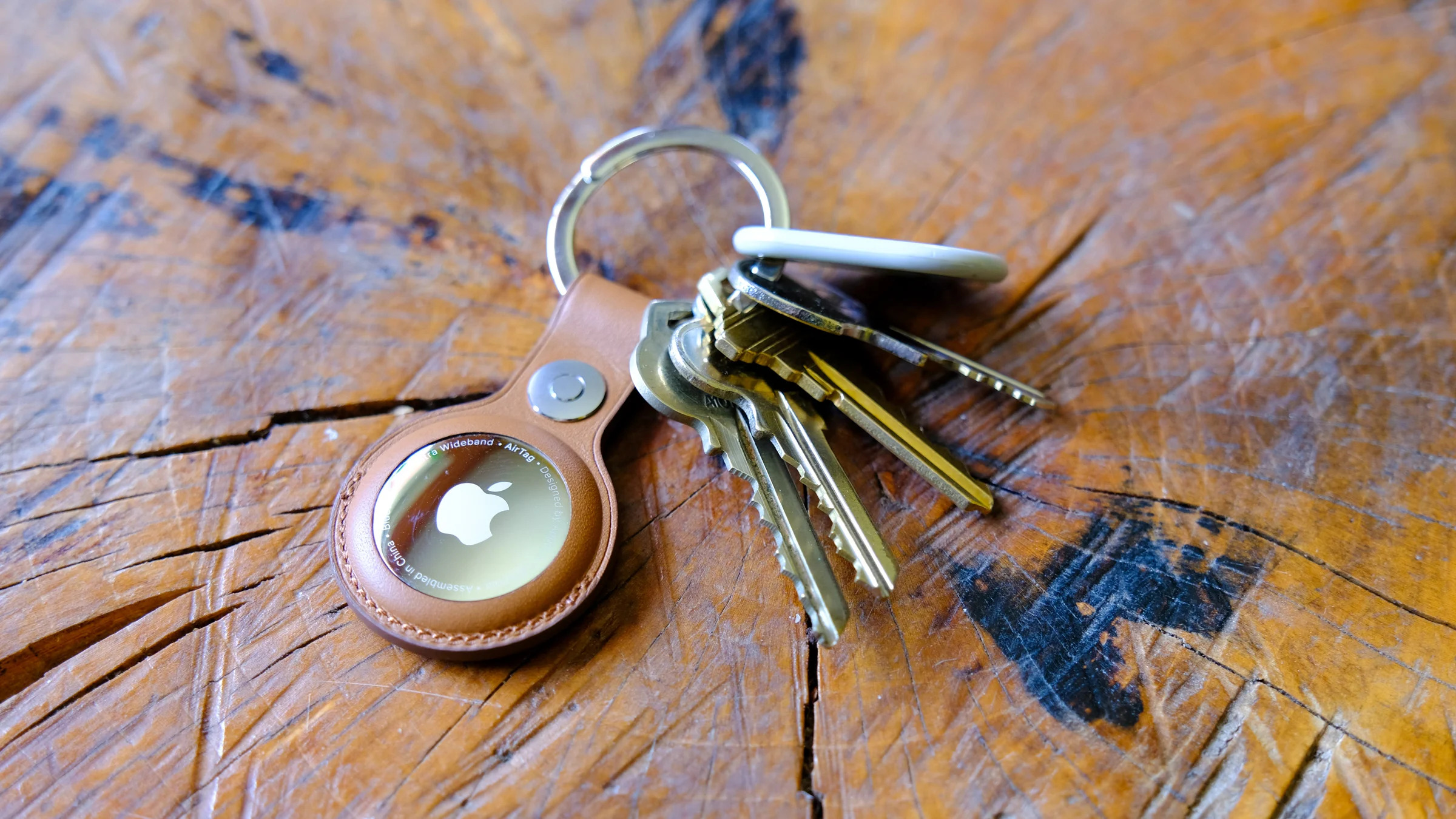 Apple AirTagEngadgetAttaching your AirTag to everyday items
AirTags don't have built-in clips or adhesive, so you'll usually need an accessory to attach one securely. Depending on how you plan to use it, that could mean a key ring, luggage tag, wallet insert or bike mount.
If you're unsure which style works best, Engadget has rounded up the best Apple AirTag accessories, covering options for keys, bags, wallets and more. Choosing the right accessory helps ensure your AirTag stays attached and works the way you expect.
Wrap-upAfter setup, your AirTag will automatically update its location using Apple's Find My network. You can view its last known location, play a sound to help locate it nearby or use Precision Finding on supported iPhones to guide you directly to it. With just a few minutes of setup and a clear label, an AirTag can become a reliable way to keep track of important belongings, whether you're at home or on the move.
This article originally appeared on Engadget at https://www.engadget.com/computing/accessories/how-to-set-up-an-airtag-120000789.html?src=rssStepping into VR is about more than strapping on a headset and loading a game. The best VR headsets today are gateways to fully realized experiences, whether that's gaming, fitness, creative work or simply spending time inside a richly rendered virtual world. As the hardware has improved, so has the sense of presence, with sharper displays, wider fields of view and tracking systems that make movement feel more natural and responsive. The result is VR that feels less like a novelty and more like a platform you can actually spend time in.
That said, not every headset is built for the same function. Some prioritize ease of use and standalone play, while others demand a powerful PC in exchange for higher fidelity. Compatibility also matters more than ever, especially as VR begins to overlap with mixed reality and early smart glasses experiments. Whether you want a simple way to explore virtual spaces or a high-end rig that pushes immersion as far as possible, this guide breaks down the best VR headsets you can buy in 2026 and explains who each one is really for.
How we test VR headsets
I tend to judge candidates for the best VR headset on a few basic criteria: Ergonomics, immersion and controls. It's not that hard to shove a mobile display into a plastic headset and strap some cheap elastic headbands onto it. But it takes real design skill to craft something that's well balanced, includes a supportive headstrap, and doesn't feel uncomfortable after 30 minutes.
My test for ergonomics is fairly simple: How long can I wear a headset until I start to feel discomfort? For the most ergonomic devices, like the Quest 3, that could easily be an hour or two. But heavier PC hardware often feels cumbersome after just 15 minutes — you won't find those kinds of devices in our list of the best VR headsets.
Immersion, meanwhile, comes from having high resolution screens with fast refresh rates, like a 120Hz refresh rate, helping users feel fully present inside a virtual world. Field of view is also a major element, as it describes how well VR screens can cover what you see. A narrow FOV makes it feel like you're peering through a pair of binoculars, which limits your sense of "presence." The best VR headsets aim for a wider field of view, helping virtual environments feel more natural and fully surround you.
A wide field of view, on the other hand, can make it seem like you're actually flying over the globe in Google Earth. We look at a few popular video games, like Superhot, Beat Saber and Pistol Whip, on every headset to judge how immersed we feel and how enjoyable the gaming experience is overall.
The best controllers fit naturally in your hands and offer accurate tracking. The industry has basically adopted the design of Meta's excellent touch controllers, but we're also seeing intriguing leaps forward like Valve's finger tracking gamepads. We judge controllers based on how easy they are to hold, how they hold up to sweaty gameplay sessions and how easily headsets can track their position in space.
However, it's important to look at a virtual reality headset's specs as a whole, including compatibility with your existing hardware and the kind of experiences you plan to use it for. Depending on what you're looking for in yourVR headset, you'll want to consider factors like your PC's CPU and graphics card if you plan to use the headset to play the best VR games. You might not need a super powerful PC, but you should check the minimum requirements for the headset you're looking to purchase. If you're not looking to invest in a VR headset solely for gaming, features like head tracking allow you to explore your environment just by simply moving your head in the simulator. This often results in a more immersive and realistic experience.
Other VR headsets we've tested HTC Vive Focus VisionThe Vive Focus Vision is a sleek premium standalone VR headset that can also deliver solid PC VR. But it's also running aging hardware, it's riddled with software issues and it's expensive compared to the Meta Quest 3.
Meta Quest ProAs great as the Meta Quest 3 is, the Quest 2 is still a very good entry-level VR headset, and it's worth considering if it's on sale below its current $250 list price. The Meta Quest Pro, on the the hand, is an expensive boondoggle best ignored.
HTC Vive Pro 2Outside of Meta's hardware, the HTC Vive Pro 2 remains a fantastic PC headset, but it's far more expensive than the Valve Index, which is more comfortable and offers better audio.
VR headset FAQs How do VR headsets work?At the most basic level, a VR headset is simply a high quality screen that you're holding up to your face. For a wired headset, the actual work of rendering a game is done on either a PC or game console. For completely wireless devices, like the Meta Quest 3, that work is handled right on the headset. They rely on either external sensors, or sensors built into the headsets, to map your physical space. While you can use a traditional gamepad or keyboard and mouse in VR, they typically use motion tracking controllers to immerse you in their 3D environments.
What VR headset is best for full body tracking?While we're still waiting for a truly great haptic VR bodysuit to arrive, you can still achieve accurate body tracking with most Steam VR-compatible PC headsets. The Valve Index and HTC Vive Pro 2 both rely on room-tracking sensors that can map your body more effectively than the built-in sensors on competitors. You can also add HTC Vive Trackers to wrist and leg straps, as well as belts, for even better coverage. The Meta Quest 3 doesn't have any easy body tracking solutions, but you can add Vive trackers when it's plugged into your PC to mimic a Steam VR headset.
Only a few experiences, like VRChat, take advantage of full body tracking at the moment. Currently there aren't any body tracking solutions for the PlayStation VR and VR2, but we're intrigued by the company's Mocopi body trackers, which were really announced in Japan.
What VR headsets are better than Oculus?Oculus is the previous name for Meta's VR hardware. Currently, Meta only supports the Quest 3, Quest 3S and Quest Pro, all of which are wireless headsets. As we explain above, PC VR headsets can generally achieve better quality virtual reality, since they rely on more powerful graphics hardware.
What VR headsets work with Xbox?Currently, Microsoft's Xbox consoles don't support any VR headsets.
Recent updatesNovember 2025: Updated to include the Apple Vision Pro M5.
April 2025: Updated to include review scores for our top picks, where applicable.
November 2024: Added the HTC Vive Focus Vision to the "others we tested" section.
October 2024: Updated our "best cheap VR headset" top pick to be the Meta Quest 3S.
This article originally appeared on Engadget at https://www.engadget.com/ar-vr/best-vr-headsets-140012529.html?src=rssOne of the toughest parts of any new computer build or upgrade is finding the right video card. In a gaming PC, the GPU is easily the most important part, and you can limit your experience by going with the wrong model. The buying process can be frustrating, especially right now with memory shortages leading to higher prices. In this guide, we'll help you navigate the market and find the right GPU for your needs.
It's all about the gamesThe first question to ask yourself is what kind of games do you want to play. Competitive shooters like Valorant, Overwatch and Marvel Rivals were designed to run on older hardware. As such, even entry-level GPUs like the GeForce RTX 5060 can push those games at 120 frames per second and above at 1080p (more on why that's important in a moment).
By contrast, if you want to play modern, single-player games with ray tracing and other graphical extras, you'll need a more powerful GPU. Just how much more powerful will depend on the resolution of your monitor.
A 1440p or QHD monitor has 78 percent more pixels than a 1080p screen, and a 4K display has more than twice as many pixels as a QHD panel. In short, running a game at 4K, especially at anything above 60 frames per second, is demanding, and most GPUs will need to use upscaling techniques like NVIDIA's Deep Learning Super Sampling (DLSS) and AMD's FidelityFX Super Resolution (FSR) to push new games at high refresh rates.
On the subject of resolution, it doesn't make sense to spend a lot of money on a 4K monitor only to pair it with an inexpensive GPU. That's a recipe for a bad experience. As you're shopping for a new video card, you should think about the resolution and frame rate you want to play your games. If you're in the market for both a GPU and display, be sure to check out our guide to the best gaming monitors.
If your budget allows, a good bet is to buy a midrange card that can comfortably render all but the most demanding games at 1440p and at least 144 frames per second. Put another way, you want a GPU that can saturate a monitor at its native resolution and refresh rate in as many games as possible. That will give you the smoothest possible experience in terms of motion clarity, and allow you to dabble in both competitive shooters and the latest single-player games as the mood strikes you.
One of the confusing aspects of the GPU industry are all the players involved. What you need to know is that there are three main players: AMD, Intel and NVIDIA. They design the cards you can buy, but delegate the manufacturing of them to so-called add-in board (AIB) partners like ASUS, XFX, Gigabyte and others.
As you can imagine, this creates some headaches. The most annoying of which is that AMD, Intel and NVIDIA will often set recommended prices for their graphic cards, only for their partners to sell their versions of those GPUs for more than the manufacturer's suggested retail price (MSRP). For example, NVIDIA's website lists the RTX 5070 with a starting price of $549. On Newegg, there are no new 5070s listed at that price. The only models anywhere close to $549 are refurbished and open box specials. If you want one that comes sealed, that will cost you at least $630.
As for what company you should buy your new GPU from, before 2025, NVIDIA was the undisputed king of the market. Specific GeForce cards may have not offered the best rasterization performance in their price range, but between their performance in games with ray tracing and the fact NVIDIA was ahead on features like DLSS, an RTX GPU was a safe bet.
However, with this year's RTX 50 series release (and excluding models like the RTX 5080 and 5090 where there's no competition), it's safe to say NVIDIA missed the mark this generation. If you're in the market for an entry- or mid-level GPU, AMD and Intel offer better value, with cards that come with enough VRAM for now and into the future. That said, there are still a few reasons you might consider an NVIDIA GPU, starting with ray tracing.
Ray tracingFor decades, developers have used rasterization techniques to approximate how light behaves in the real world, and the results have been commendable. But if you know what to look for, it's easy to see where the illusion falls apart. For that reason, real-time ray tracing has been a goal of industry for years, and in 2018 it became a reality with NVIDIA's first RTX cards.
In some games, effects like ray-traced reflections and global illumination are transformational. Unfortunately, those features are expensive to run, often coming at a significant frame rate drop without upscaling. Since ray tracing was optional in many games before 2025, you could save money by buying an AMD GPU. For example, even if the RX 7800 XT was worse at ray tracing than the RTX 4070, the former was often cheaper to buy, had more onboard VRAM and offered as good or better rasterization performance in many games.
However, you can't ignore ray tracing performance anymore. We're starting to see releases like Doom: The Dark Ages where the tech is an integral part of a game's rendering pipeline, and more are likely to follow in the future. Thankfully, AMD's newest cards are much better in that regard, though you'll still get an edge running an NVIDIA model. For that reason, if ray tracing is important to you, NVIDIA cards are still the way to go.
Refresh rates and frame ratesIf you're new to the world of PC gaming, it can be tricky to wrap your head around refresh rates. In short, the higher the refresh rate of a monitor, the more times it can update the image it displays on screen every second, thereby producing a smoother moving picture.
For example, moving elements on a monitor with a 240Hz refresh rate will look better than on one with a 120Hz refresh rate. However, that's dependent on your GPU being able to consistently render a game at the appropriate frame rates. In the case of a 120Hz monitor, you want a GPU with enough headroom to drive most games at 120 fps. Realistically, most video cards won't be able to achieve that in every game, but it's a good baseline to aim for when shopping for a new GPU.
Frame generationSince the release of NVIDIA's RTX 40-series GPU, the company has offered a feature called frame generation. As the name suggests, it allows NVIDIA's latest video cards to generate an additional frame for every frame they render normally. With the 50-series, NVIDIA has since begun offering multi-frame generation, which gives those GPUs the ability to generate up to three additional frames for every rendered frame. AMD has its own take on the tech, as does Intel, though NVIDIA's offering is considered superior to both due to how it handles frame pacing.
Frame generation is nice to have, but it's not the silver bullet it might seem. Enabling it will increase system latency, reducing how responsive your games feel. Somewhat unintuitively, high-end GPUs also benefit more from the tech than their entry-level counterparts since they can naturally render more frames. For that reason, it's best to think of frame generation as a way to get the most out of a high refresh rate display.
Upscaling and latencyI've mentioned DLSS a few times already. Alongside FSR and Intel XeSS, DLSS is an example of what's known as an image reconstruction technology. More and more, native rendering is going out of fashion in game design. With ray tracing and other modern effects enabled, even the most powerful GPUs can struggle to render a game at 1440p or 4K and a playable framerate. That's why many developers will turn to DLSS, FSR or XeSS to eke out additional performance by upscaling a lower resolution image to QHD or UHD.
Upscaling in games is nothing new. For example, the PS4 Pro used a checkerboard technique to output games in 4K. What's different now is how modern GPUs go about it. With DLSS, NVIDIA pioneered an approach that uses machine learning to recreate an image at a higher resolution, and in the process, addressed some of the pitfalls of past upscaling methods. If you're sensitive to these sorts of things, there's still blur and shimmer with DLSS, FSR and XeSS, but it's much less pronounced and can lead to significant performance gains.
To DLSS, NVIDIA later added single and multi-frame generation. DLSS is only available on NVIDIA cards, and following the recent release of DLSS 4.5, widely considered to offer the best image quality. That's another reason why you might choose an NVIDIA card over one of its competitors.
However, if you decide to go with an AMD GPU, don't feel like you're missing out. The company recently released FSR 4. While it's not quite on par with DLSS 4 and 4.5 in terms of support and image quality, it's a major leap over FSR 3 and FSR 2.
While on the subject of DLSS, I'll also mention NVIDIA Reflex. It's a latency-reducing technology NVIDIA introduced in 2020. AMD has its own version called Radeon Anti-Lag, but here again Team Green has a slight edge. If you're serious about competitive games, Reflex can significantly reduce input lag, which will make it easier to nail your shots in Counter-Strike 2, Valorant and other shooters.
Driver supportPreviously, one of the reasons to pick an NVIDIA GPU over the competition was the company's solid track record of driver support. With one of the company's video cards, you were less likely to run into stability issues and games failing to launch. At the start of 2025, NVIDIA's drivers were abysmal, but the company has since corrected course.
VRAMAs you're comparing different GPUs, especially those in the same tier, pay close attention to the amount of VRAM they offer. Many modern games will eat up as much VRAM as a GPU can offer, and if your card has a low amount, such as 8GB, you're likely to run into a performance bottleneck.
If your budget allows for it, always go for the model with more VRAM. Consider, for instance, the difference between the $379 RTX 5060 Ti 8GB and $429 RTX 5060 Ti 16GB. Spending an extra $50 is going to be a lot for some people, but it's the difference between a card that is only adequate for many recent releases and one that will last you for a few years. In many cases, more VRAM is better.
A slight caveat to this is when comparing models that have different memory bandwidths. A GPU that can access more of its memory faster can outperform one with more memory, even if it has less of it outright. Here, you'll want to read reviews of the models you're comparing to see how they perform in different games.
Size and power drawModern GPUs are big. Most new cards will take up at least two PCI slots on the back of your motherboard. They can also vary dramatically in length, depending on the number of fans the AIB has added to cool the PCB. To be safe, be sure to check the length of the card you want to buy against the maximum clearance listed by your case manufacturer. If you have a radiator at the front of your case, you will also need to factor the size of that in your measurements. The last thing you want is to buy a card that doesn't fit in your case.
Lastly, be sure to check the recommended power supply for the card you want. As a rule of thumb, unless you know what you're doing, it's best to just stick with the manufacturer's recommendation. For instance, NVIDIA suggests pairing the RTX 5070 Ti with a 750 watt PSU. So if you're currently running a 650 watt unit, you'll need to factor in the price of a PSU upgrade with your new GPU.
It depends. If you can find a deal on an old RTX 40 series GPU, then yes. NVIDIA's RTX 50 series don't offer greatly improved performance over their predecessors, and with most models selling for more than their suggested retail price, it's not the best time to buy a new NVIDIA card.
That said, I suspect finding a good deal on a used GPU will be difficult. Most people will know the value of what they have, and considering the current market, will probably try to get as much as they can for their old card.
You may find better deals on older AMD and Intel GPUs, but I think you're better off spending more now on a new model from one of those companies since the generational gains offered by their latest cards are much more impressive. Simply put, the 9070 XT and B580 are two of the best cards you can buy right now.
Anything older than a card from NVIDIA's 40 series or AMD's RX 6000 family is not worth considering. Unless your budget is extremely tight or you mostly play older games, you're much better off spending more to buy a new card that will last you longer.
When is a good time to buy a new GPU?If you've read up to this point, you're probably wondering if it's even worth buying a GPU right now. The answer is (unsurprisingly) complicated. There are a handful of great cards like the Radeon RX 9060 XT and 9070 that are absolutely worth it. The problem is finding any GPU at a price approaching those set by AMD, Intel or NVIDIA.
The AI boom, and in particular actions by OpenAI, have led to memory shortages. In turn, those shortages have caused the price of consumer GPUs, SSDs and RAM kits to skyrocket in recent months. As of our latest update to this guide, some models like the GeForce RTX 5070 Ti are selling for hundreds of dollars above MSPR.
As such, if you own a relatively recent GPU, you're probably best off trying to hold onto your current card until things settle down. But if your GPU isn't cutting it anymore, you face a difficult decision: overpay now, or wait and potentially pay even more later.
To make that decision easier, I've been maintaining a separate guide that lists a selection of GPU models you can buy close to MSPR. My goal is to update that article at least once per month, so be sure to check often.
Best GPUs for 2026: Engadget ecommendations Entry-level (1080p)As we mentioned above, if you're only aiming to play basic competitive shooters like Valorant and Overwatch 2 in 1080p, an entry-level GPU may be all you need. While 1080p isn't an ideal resolution when it comes to sharpness, many gamers prefer it since it's easier to reach higher framerates. And it also helps that 1080p gaming monitors, like the AOC 24G15N 24-inch we recommend, tend to offer speedy refresh rates for between $100 and $200. When you're zipping through matches, you likely won't have time to take a breath and appreciate the detail from higher resolutions.
Here are our recommendations for entry-level video cards:
AMD Radeon RX 9060 XT 8GB: Surprisingly enough, you can actually find this AMD GPU for $300. While you'll have to live with 8GB of RAM, that's more than enough for 1080p gaming, and it also has the benefit of DLSS 4 upscaling.
AMD Radeon RX 7600: While it's a last-gen card, the RX 7600 is still powerful enough to handle basic shooters.
While entry-level cards can dabble with 1440p gaming, it's worth stepping up to something a bit more powerful if you actually want to achieve higher refresh rates. For most gamers, 1440p is the best balance between sharpness and high frame rates. It looks noticeably better than 1080p, and doesn't require the horsepower overhead of 4K. (And there's a good chance you won't really see a visual difference with the jump to 4K.)
Here are our recommendations for midrange GPUs:
NVIDIA RTX 5060 Ti: Forget the disappointing RTX 5070, the 5060 Ti delivers excellent 1080p and 1440p performance. And best of all, you can still find it under $500. (Read our NVIDIA RTX 5060 Ti review.)
AMD Radeon RX 9060 XT 16GB: A step up from the 8GB model we recommend above. The 16GB 9060 XT offers excellent performance across many of the latest games, and is less expensive than the 5060 Ti.
AMD Radeon RX 9070: AMD surprised us all with the Radeon RX 9070 and 9070 XT, two midrange cards that offered similar power to and more VRAM than NVIDIA's more expensive cards. While you won't see the RX 9070 for its $550 launch price today, you can still snag one for a slight premium at $650. (Check out our AMD Radeon RX 9070 and 9070 XT review.)
If you want the most of what modern PC games have to offer, including 4K and all of the benefits of ray tracing, then be ready to spend big bucks on a high-end GPU. If you're going this route, though, be sure you're also gaming on a high-end monitor that befits these powerful GPUs.
Here are our recommendations for premium GPUs:
NVIDIA RTX 5070 Ti: The RTX 5070 Ti surprised me with excellent 4K gaming performance for a launch price that was well below the RTX 5080. It's the best overall NVIDIA card if you want to play in 4K at 120Hz or beyond, but it's also the hardest to find at MSRP. (Check out our NVIDIA RTX 5070 Ti review.)
AMD Radeon RX 9070 XT: I already mentioned the RX 9070 XT. With shortages of the 5070 Ti, it's the best GPU you can buy now without paying a ridiculous premium. (Check out our AMD Radeon RX 9070 and 9070 XT review.)
NVIDIA RTX 5080: If the RTX 5070 Ti isn't enough for you, the RTX 5080's additional power and 24GB of VRAM should suit your fancy. Just be prepared to pay around $1,500 for it, a 50 percent jump from its $999 launch price.
 AMD suggests the next-gen Xbox will arrive in 2027 [ 04-Feb-26 5:27am ]
Microsoft could launch the next-generation Xbox console sometime in 2027, AMD CEO Lisa Su has revealed during the semiconductor company's latest earnings call. Valve is on track to start shipping its AMD-powered Steam Machine early this year, she said, while Microsoft's development of an Xbox with a semi-custom SOC from AMD is "progressing well to support a launch in 2027." While it doesn't necessarily mean Microsoft is releasing a new Xbox console next year, that seems to be the company's current goal.
Xbox president Sarah Bond announced Microsoft's multi-year partnership with AMD for its consoles in mid-2025. Based on Bond's statement back then, Microsoft is embracing the use of artificial intelligence and machine learning in future Xbox games. She also said that the companies are going to "co-engineer silicon" across devices, "in your living room and in your hands," implying the development of future handheld consoles.
Leaked documents from the FTC vs. Microsoft court battle revealed in the past that Microsoft was planning to make the next Xbox a "hybrid game platform," which combines local hardware and cloud computing. The documents also said that Microsoft was planning to release the next Xbox in 2028. Whether the company has chosen to launch the new Xbox early remains to be seen, but it is possible when the Xbox X and S were released in 2020, and they haven't sold as well as the Xbox One.
This article originally appeared on Engadget at https://www.engadget.com/gaming/xbox/amd-suggests-the-next-gen-xbox-will-arrive-in-2027-052707822.html?src=rss DOJ and states appeal Google monopoly ruling to push for harsher penalties against the company [ 03-Feb-26 11:51pm ]Google might have been officially ruled to have a monopoly, but we're still a long way from figuring out exactly what that determination will change at the tech company. Today, the US Department of Justice filed notice of a plan to cross-appeal the decision last fall that Google would not be required to sell off the its Chrome browser. The agency's Antitrust Division posted about the action on X. According to Bloomberg, a group of states is also joining the appeal filing.
At the time of the 2025 ruling, the Justice Department had pushed for a Chrome sale to be part of the outcome. Judge Amit Mehta denied the request from the agency. "Plaintiffs overreached in seeking forced divesture of these key assets, which Google did not use to effect any illegal restraints," Mehta's decision stated. However, he did set other restrictions on Google's business activities, such as an end to exclusive deals for distributing some services and a requirement to share select search data with competitors.
Google has already filed its own appeal over this part of its ongoing antitrust battle. Of course, the tech giant is hoping to get off the hook with fewer penalties rather than the heavier ones the DOJ is seeking.
This article originally appeared on Engadget at https://www.engadget.com/big-tech/doj-and-states-appeal-google-monopoly-ruling-to-push-for-harsher-penalties-against-the-company-235115249.html?src=rss Take-Two hit pause on the Switch 2 port of Borderlands 4 [ 03-Feb-26 10:25pm ]2K owner Take-Two has paused development on Borderlands 4 for the Nintendo Switch 2, the company shared during its Q3 2026 earnings presentation. The Switch 2 port was originally planned to be released on October 3, 2025, a few weeks after the game's September 12 launch on all other platforms, but was indefinitely delayed on September 23.
"We made the difficult decision to pause development on that SKU," Take-Two told Variety. "Our focus continues to be delivering quality post-launch content for players on the ongoing improvements to optimize the game. We're continuing to collaborate closely with our friends at Nintendo. We have PGA Tour 2K25 coming out and WWE 2K26, and we're incredibly excited about bringing more of our titles to that platform in the future."
When the Borderlands 4 Switch 2 port was originally delayed, the game's developer Gearbox shared that the port needed "additional development and polish time" and that it hoped to "better align this release with the addition of cross saves." In Take-Two's Q2 earnings presentation on November 6, 2025, the Switch 2 port was still listed as having a "TBA" release date. The lack of mention in the company's Q3 presentation and Take-Two's comment to Variety pretty much confirm that if a Switch 2 version happens, it won't be anytime soon. The official Borderlands 4 post-release content roadmap currently lists plans for paid and free story DLC and raid bosses, but nothing related to additional ports of the game.
Grand Theft Auto VI's planned November 19 release date is still on the books, however. Rockstar Games' next blockbuster title was originally supposed to be released in fall 2025, before it was delayed to May 2026 last May. The game was delayed a second and final time — at least for now — in November 2025, to its current November 2026 release date.
There's still room for another delay, but in the earnings statement Take-Two projected confidence, sharing that Rockstar would start marketing the game this summer. The franchise remains a cash cow, so it's only natural the company would want to get the rollout of Grand Theft Auto VI right. As part of its earnings presentation, Take-Two shared that Grand Theft Auto V, which was originally released all the way back in 2013, has sold 225 million units.
This article originally appeared on Engadget at https://www.engadget.com/gaming/take-two-hit-pause-on-the-switch-2-port-of-borderlands-4-222546776.html?src=rssIf you've had trouble using ChatGPT today, you aren't alone. The AI chatbot is experiencing a partial outage for many users this afternoon. Down Detector reports of issues with the service leapt from almost nothing to more than 12,000 around 3PM ET.
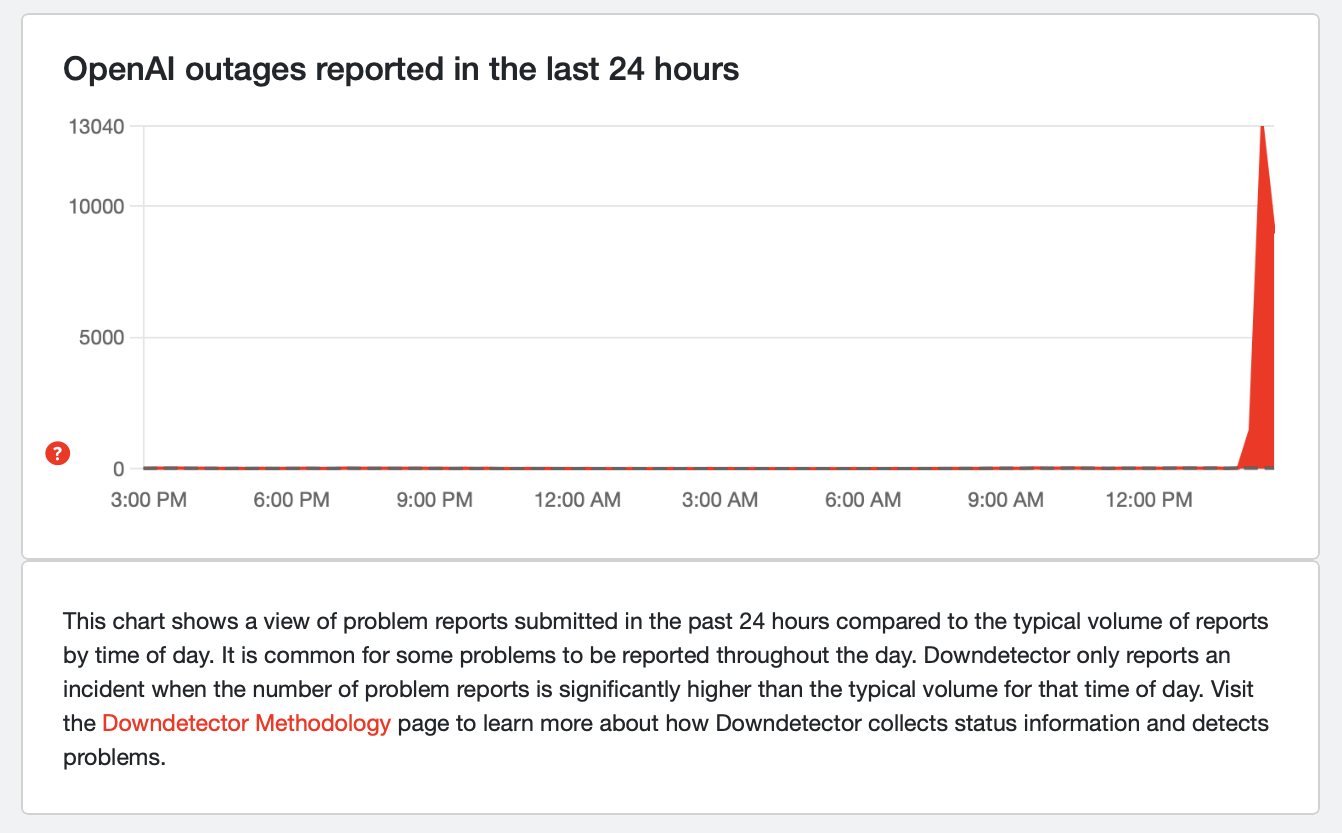 Down Detector
OpenAI issued a status update noting that "elevated error rates" are occurring for ChatGPT and Platform users. All 13 components of ChatGPT are marked as having "degraded performance" on the OpenAI status page. "We are working on implementing a mitigation," the company said, although it didn't provide an anticipated timeline for when the issue might be resolved.
The story is developing…
This article originally appeared on Engadget at https://www.engadget.com/ai/chatgpt-is-down-for-many-users-this-afternoon-210238573.html?src=rssApple has just released Xcode 26.3, and it's a big step forward in terms of the company's support of coding agents. The new release expands on the AI features the company introduced with Xcode 26 at WWDC 2025 to give systems like Claude and ChatGPT more robust access to its in-house IDE.
With the update, Apple says Claude and OpenAI's Codex "can search documentation, explore file structures, update project settings, and verify their work visually by capturing Xcode Previews and iterating through builds and fixes." This is in contrast to earlier releases of Xcode 26 where those same agents were limited in what they could see of a developer's Xcode environment, restricting their utility. According to Apple, the change will give users tools they can use to streamline their processes and work more efficiently than before.
Developers can add Claude and Codex to their Xcode terminal from the Intelligence section of the app's setting menu. Once a provider is selected, the interface allows users to also pick their preferred model. So if you like the outputs of say GPT 5.1 over GPT 5.2, you can use the older system.
The tighter integration with Claude and Codex was made possible by Model Context Protocol (MCP) servers Apple has deployed. MCP is a technology Anthropic debuted in fall 2024 to make it easier for large language models like Claude to share data with third-party tools and systems. Since its introduction, MCP has become an industry standard — with OpenAI, for instance, adopting the protocol last year to facilitate its own set of connections.
Apple says it worked directly with Anthropic and OpenAI to optimize token usage through Xcode, but the company's adoption of MCP means developers will be able to add any coding agent that supports the protocol to their terminal in the future. Xcode 26.3 is available to download for all members of the Apple Developer Program starting today, with the Mac Store availability "coming soon."
This article originally appeared on Engadget at https://www.engadget.com/ai/apple-just-made-xcode-better-for-vibe-coding-195653049.html?src=rss Obsidian has no plans to make The Outer Worlds 3, likely due to poor sales [ 03-Feb-26 7:27pm ]Developer Obsidian recently announced that it currently has no plans to make The Outer Worlds 3, according to a report by Bloomberg. Company head Fergus Urquhart didn't give a reason as to why Obsidian won't be working on a sequel, but he did note that the performance of The Outer Worlds 2 was "disappointing" and that it needs to "think a lot about how much we put into the games, how much we spend on them and how long they take."
Urquhart also said that Avowed was something of a miss for the company, but that it remains committed to the franchise. Obsidian plans to "keep making games in the Avowed universe," but that doesn't necessarily mean a legitimate sequel. Avowed is, after all, set in the same world as Pillars of Eternity.
Obsidian is still working on DLC for The Outer Worlds 2, so fans have that to look forward to. Urquhart also confirmed the company is making some DLC for Grounded 2, which was actually a hit. It released three games last year, which Urquhart said was a bad move for support teams.
"Spacing those releases helps the company manage its resources and not burn everybody out. It's not good to release three games in the same year. It's the result of things going wrong," he said.
The developer is also making some entirely new games, of which we know nothing about. As for Avowed, it's coming to PS5 on February 17. All versions are getting an anniversary update that includes a New Game Plus mode, new races, new weapon types and more. It's a good game and well worth the time of PlayStation fans, especially those who have dabbled with The Elder Scrolls franchise.
This article originally appeared on Engadget at https://www.engadget.com/gaming/obsidian-has-no-plans-to-make-the-outer-worlds-3-likely-due-to-poor-sales-192756351.html?src=rss Sony's WH-1000XM6 headphones are down to a record-low price [ 03-Feb-26 5:50pm ]Sony's wireless WH-1000XM6 headphones are on sale for $398 via Amazon. This is a record-low price, as it drops $62 from the price tag. The sale applies to all three colorways.
These easily topped our list of the best wireless headphones. They are, in a word, fantastic. The headphones are packed with premium features, like advanced ANC. There are a whopping 12 ANC microphones throughout and a brand-new chip to power the feature. The end result? It successfully blocks background noise at medium and high frequencies, including the human voice.
The sound quality is extremely pleasing to the ears, thanks to new audio drivers and a team of mastering engineers that assisted with tuning. There are perforations in the driver's voice coil, which extends high frequency reproduction.
The design has been upgraded from the previous iteration and we found them extremely comfortable to wear for long periods of time, which is important with headphones. The battery gets around 30 hours, which is a fairly standard metric for this type of thing.
The only real major nitpick here is the original asking price. It's tough to recommend any pair of headphones for $460, but a bit easier at under $400.
Follow @EngadgetDeals on X for the latest tech deals and buying advice.
This article originally appeared on Engadget at https://www.engadget.com/deals/sonys-wh-1000xm6-headphones-are-down-to-a-record-low-price-175038776.html?src=rss Fitbit founders launch Luffu, a way to integrate your family's health data [ 03-Feb-26 5:32pm ]Fitbit's founders have a new startup. Two years after leaving Google, James Park and Eric Friedman announced a new platform that shifts the focus from the individual to the family. They say the Luffu mobile app "uses AI quietly in the background" to collect and organize family health information.
"At Fitbit, we focused on personal health — but after Fitbit, health for me became bigger than just thinking about myself," Park said in a press release. The app is particularly focused on the "CEO of the family" — the person who manages appointments, prescriptions and other health-related tasks.
But the definition of family isn't limited to parents raising children. The company sees its tool as especially valuable for caregivers in their 40s and 50s who may be managing the needs of both aging parents and kids. It even tracks pets' health habits.
"We're managing care across three generations — kids at home, busy parents in the middle, and my dad in his 80s who's living with diabetes and still wants to stay fiercely independent," Friedman wrote. "And the moments that matter most are often the most chaotic: a late-night fever, a sudden urgent care visit, a doctor asking questions you can't answer quickly because the details are scattered."
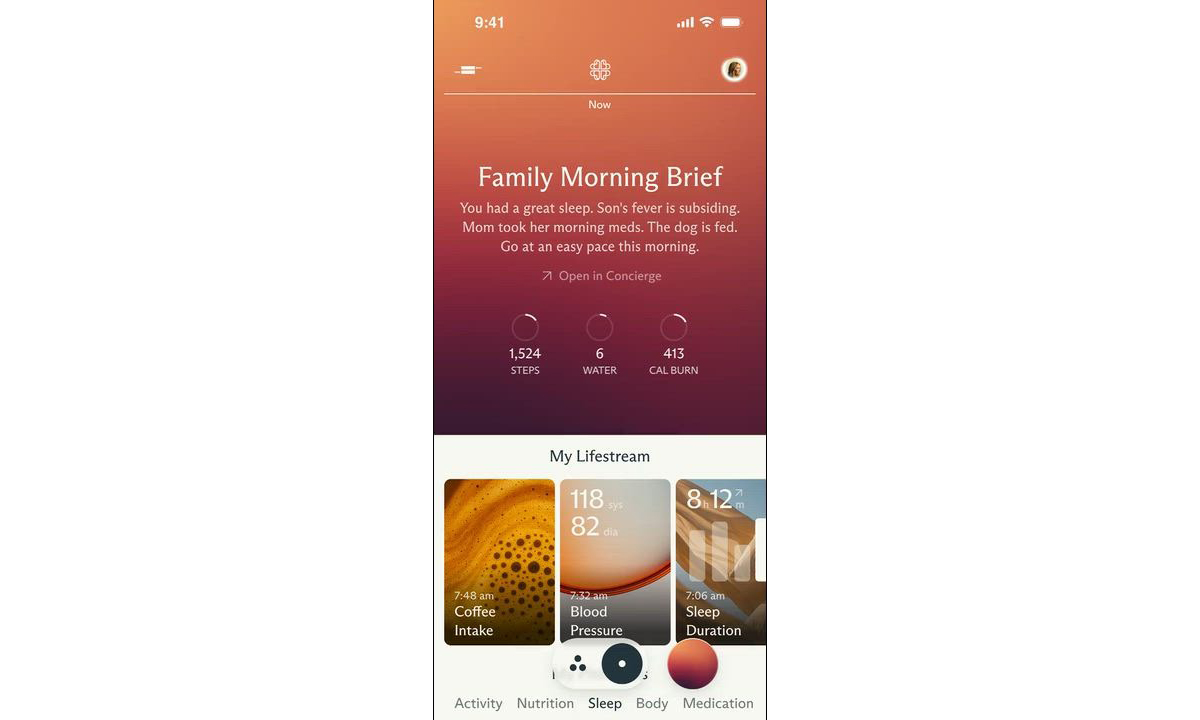 The app's AI includes a Morning Brief that recaps everyone's health.Luffu
The company claims the app's AI "isn't a chatbot layer." Rather, it serves as a "guardian" — proactively monitoring for changes silently in the background. The AI then provides insights and triggers alerts when something is out of whack. You can also ask the app health data questions using plain language (so, there is some kind of chatbot) and share data with family members.
The company clearly wants to make entering data as easy as possible. Luffu allows family members to log info using voice, text or photos. It integrates with health platforms such as Apple Health and Fitbit. And the company eventually wants to expand into a hardware ecosystem — presumably, devices that make health data collection even easier.
Speaking of data collection, Luffu says, "Users are always in control of exactly what is shared, with whom, and privacy and security are paramount for all family data." In addition, the company told Axios that users can choose whether their data is used to train its AI. On the other hand, Big Tech has repeatedly shown that its most egregious data-collection practices are always wrapped in comforting language. So, at the very least, I'd take their pitch with grains of salt and, most importantly, make sure each family member knows exactly what they're consenting to. After all, this is a for-profit company, and we don't yet know its monetization strategy.
Luffu is currently in a limited public beta. You can learn more and sign up for the waitlist on the company website.
This article originally appeared on Engadget at https://www.engadget.com/mobile/fitbit-founders-launch-luffu-a-way-to-integrate-your-familys-health-data-173251994.html?src=rss The best gifts for coffee lovers in 2026 [ 03-Feb-26 5:00pm ]When it comes to making a great cup at home, us coffee nerds are constantly learning and love to try new things. Whether the person you're shopping for is a newly indoctrinated pour over lover or obsessive over every brewing parameter, we've compiled a list of the best gear for coffee geeks that you can get. Spanning brewing, grinding and, of course, drinking, we've got a range of options that can help the java geek in your life expand their at-home setup or just try something new. And for the person that already has it all, we've got something for them too.
Best gifts for coffee lovers
Check out the rest of our gift ideas here.
This article originally appeared on Engadget at https://www.engadget.com/home/kitchen-tech/the-best-gifts-for-coffee-lovers-in-2026-184515579.html?src=rss How much do VPNs cost? [ 03-Feb-26 5:00pm ]So you've decided you need a virtual private network to hide your browsing activity from your ISP, change your virtual location, stay safe on public Wi-Fi and enjoy all the other benefits. The inevitable next question is: "Should I pay for one? If so, how much?"
All the best VPNs cost money, but it can be hard to tell an overpriced service apart from one that's priced according to its value. On this page, I'll share the costs for top VPN services, calculate the industry average and explain what makes VPNs cost as much as they do. At the end, I'll share a few tips for making a VPN fit your budget.
How much is a VPN?I'd like to start by introducing the complexity of the problem. If you just want the numbers, you'll find those in the sections below.
The main thing that makes VPNs so hard to budget for is that providers aren't always honest about how much they're charging. They rarely lie outright, but they often overcomplicate their pricing structures and hide increases in the fine print.
Let's take CyberGhost as an example, since I just reviewed it. A one-month subscription to CyberGhost costs $12.99 — simple enough. However, you can also get a six-month subscription by paying $41.94 upfront, though the website more prominently calls this "$6.99 per month." Finally, you can pay $56.94 for a 28-month subscription, but only once; after that, it'll be $56.94 for a year.
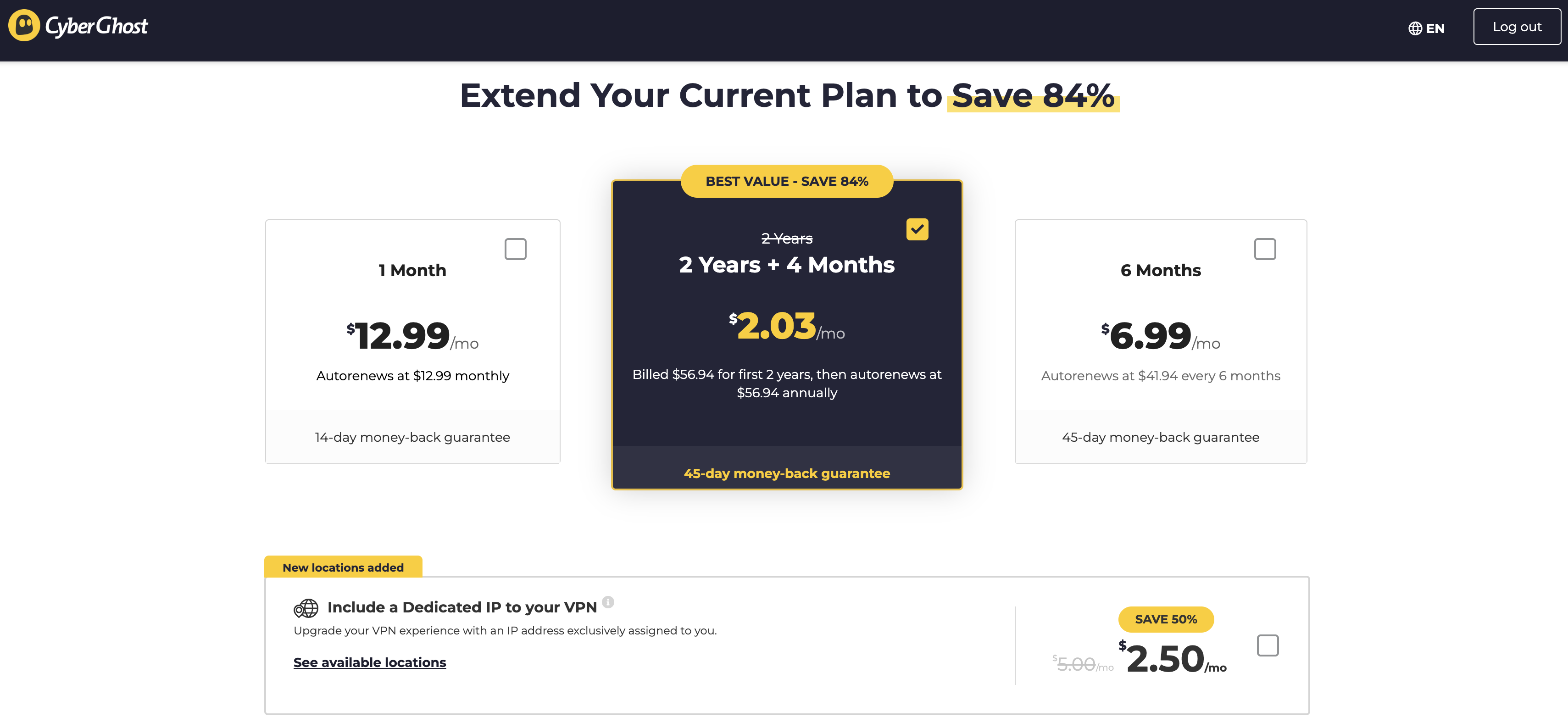 These prices are subject to change.Sam Chapman for Engadget
As you can see in the image, the website heavily emphasizes the average monthly price, in text that dwarfs the actual price you'll pay at checkout. This gets even worse with services like NordVPN that have multiple tiers of subscription as well as multiple durations. It's not uncommon to see 10 or more prices quoted for the exact same VPN.
The best way to cut through the confusion and shop on your own terms is to compare different VPNs at the same duration and subscription tier. For example, you could find the cost of one year of the most basic available plan, since most basic subscriptions still include full VPN service. In the next two sections, I'll compare and average the basic tiers of my top seven VPNs at the monthly and yearly levels.
Average monthly cost of a VPNHere's what the best VPNs cost per month. The numbers below are for subscribing to one month at a time, excluding any discounts and special deals.
Proton VPN: $9.99
ExpressVPN: $12.99
Surfshark: $15.45
NordVPN: $12.99
CyberGhost: $12.99
Mullvad: $5.98 (depends on dollar/euro exchange rate)
hide.me: $11.99
Average: $11.77
As you can see, $12.99 is a normal price for one month of a VPN — but the average price is somewhat lower, as several providers sell monthly plans for less. In general, expect to pay in the range between $10 and $13. Companies like Surfshark sometimes inflate their monthly prices in a bid to drive more traffic toward the longer plans.
Mullvad is also an outlier, since you can only ever subscribe to it month-by-month. There are other outliers, such as Astrill, which costs a whopping $30 per month. But the above holds true for all the best-regarded providers.
Average yearly cost of a VPNIf you choose to sign up for a year at a time, you'll probably save money but you'll have to pay more upfront. VPNs offer long-term deals to pump their cash flow and active user numbers. One-year costs for the top seven VPNs are written below as a lump sum, since several of them add extra months to the first subscription period so they can quote a lower monthly price. Since CyberGhost doesn't have a one-year plan, I've replaced it with Windscribe.
Proton VPN: $47.88
ExpressVPN: $52.39 for the first subscription, $99.95 afterwards
Surfshark: $47.85
NordVPN: $59.88 for the first subscription, $139.08 afterwards
Windscribe: $69.00
Mullvad: $71.82 (depends on dollar/euro exchange rate)
hide.me: $54.99
Average: $57.69
For one year of a VPN service, you can expect to pay somewhere between $45 and $70. Note that at least two services, ExpressVPN and NordVPN, raise prices after the first year, so account for that in your budget if you really like them.
Why do VPNs cost so much?The length of the subscription is the biggest factor in determining how much you'll pay. Beyond that, it's all a bit fuzzy. Commercial VPNs are still a relatively new industry, so there's not a lot of standardization in the pricing.
Most of the variation in cost comes from competition: VPNs value themselves lower to offer a better deal than their rivals, or higher if they think they've got a unique differentiator. Astrill gets away with charging $30 a month because of a widespread belief that it's the best VPN for China (in truth, no VPN can be sure of working in China 100 percent of the time).
Another factor that might influence a VPN's price is the cost of maintaining its infrastructure. For each new server location, the provider has to either rent space in an existing data center, build its own physical server farm or set up a virtual server with an IP address from a particular location.
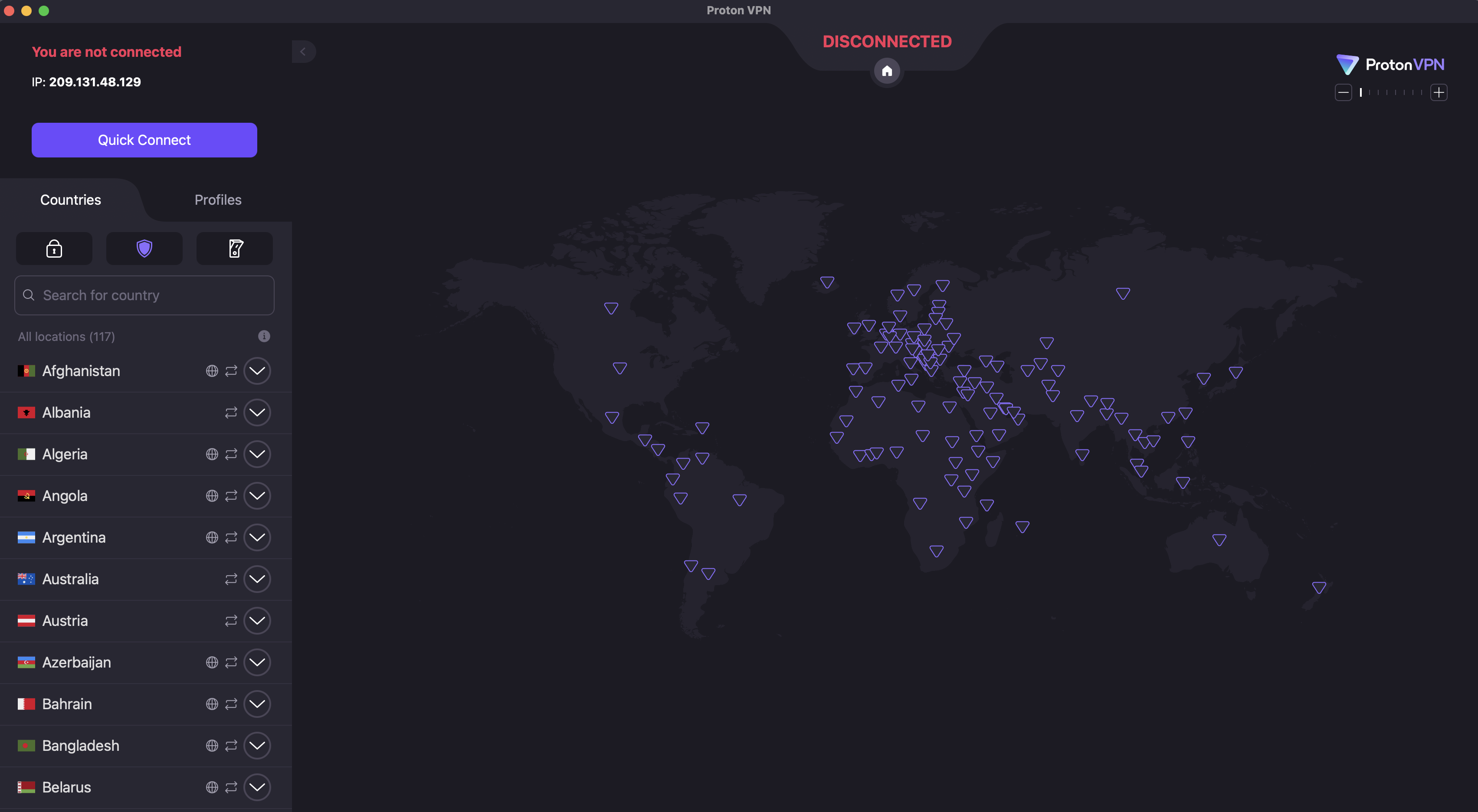 On Proton VPN, for example, you can switch locations by clicking the name of any country in the list on the left.Sam Chapman for Engadget
Once the locations exist, they have to be maintained, including regular changes to their IP address so firewalls don't identify and block them. Loads at locations need to be balanced between servers and technology has to be upgraded as faster solutions become available.
Since VPNs can have hundreds of server locations, all that upkeep doesn't come cheap, and customers often eat the cost. Factor in the price of extra features outside core VPN functionality and you'll understand why these companies are so desperate for liquidity that they'll offer discounts over 80 percent — as long as you hand over a lump sum right now.
What about free VPNs?VPNs can get pricey, especially if you want high quality. But some VPNs charge nothing at all. Is there any reason not to go with free VPNs every time?
The answer is a pretty clear yes; paying for a VPN is almost always a better idea. When we rounded up the best free VPNs, only three got our unqualified recommendation. All three were paid services with free plans, and all come with strict limitations on server locations, data usage and other privileges.
The unfortunate reality is that free VPNs come with downsides no matter which one you use. Plenty of them are hacked-together apps with little value, thrown together to make a quick buck. Others turn you into the product by selling your data to advertisers or renting out your home IP address. Some drop any pretense and plant malware directly on your device.
These risks, which are often invisible to the end user, are the reason I almost always advise going with a free VPN funded by a paid plan, like Proton VPN, hide.me or Windscribe. Those plans may be restricted, but at least the provider's motives are out in the open: they make money off the paid plan and they want you to switch to it.
How to save money on a VPNIf you've decided to pay for a VPN but want to stretch your budget as much as possible, the tips below can push your cybersecurity dollar a bit farther. To begin with, the general advice on choosing a VPN always applies: read expert opinions, check the reviews and use the free trial to test its speed and security.
Get a long-term plan. If you're confident that you'll actually use the VPN for the whole duration, there's no reason not to go with a 12-month or 24-month subscription. These are win-win deals that genuinely do save you a lot of money overall.
Cancel auto-renewal. VPN accounts are set to automatically renew by default. In some cases, this can inadvertently lock you into a higher-priced long-term plan. I recommend cancelling auto-renew right after subscribing even if you're sure you want to continue. From there, you can create a new account to get the introductory rate again — or go with a different VPN to get a better deal.
Look for resubscription deals. Another perk of cancelling immediately is that the VPN will often try to woo you back with exclusive discounts. Stay strong until your subscription is a month or two from expiring, then look for emails offering better rates.
Wait for seasonal discounts. If you can hold off until November, most VPNs offer steep discounts from Black Friday season all the way through New Year's. Check around other holidays too, as VPNs will take any excuse for marketing; CyberGhost is offering a Valentine's Day deal as I type this. We also keep track of the best VPN deals you can get at any time of the year.
Use the VPN to save money on streaming. Most streaming services are more expensive than VPNs. If you use a VPN to access more content without adding a new streaming subscription, you'll come out ahead. For example, if you only have Netflix but want to watch Schitt's Creek, you can pay $16.99 per month for Peacock without ads — or $9.99 per month for Proton VPN to unblock Netflix Canada, which features that show.
Shop for regional discounts. Like the previous point, this won't save you money on the VPN itself, but might save you enough money on other expenses that you turn a profit. Changing your virtual location can get you discounts on purchases where prices vary by region, especially travel costs.
This article originally appeared on Engadget at https://www.engadget.com/cybersecurity/vpn/how-much-do-vpns-cost-170000567.html?src=rssStop me if you've heard this one before. Disney has announced a successor to outgoing CEO Bob Iger, effective in March. Josh D'Amaro, current chairman of Disney Experiences, was tapped for the role in a unanimous vote by the company's board of directors.
D'Amaro has been at Disney for 28 years, where he oversaw theme parks, cruises and consumer products including video games. The company had previously appointed Bob Chapek, the Disney Parks chairman at the time, as successor to Bob Iger in 2020. At the time, Iger had served as CEO since 2005. But Chapek only lasted until 2022, when Bob Iger returned to take the helm once again amid company struggles. Disney formed a committee to find an appropriate successor in 2023, with Iger mentoring potential candidates along the way.
Iger's time at the helm saw the media giant make a number of significant moves such as launching the Disney+ streaming service, buying Hulu and acquiring 20th Century Fox's film and television studios. Iger will continue to serve as a board member and senior advisor until his retirement at the end of the year.
This article originally appeared on Engadget at https://www.engadget.com/entertainment/disney-announces-josh-damaro-will-be-its-new-ceo-after-iger-departs-161616420.html?src=rssMicrosoft has revealed the first wave of Xbox Game Pass additions for February, and it feels like there's a bit of something for everyone this time around. Two of the titles land on the service today across the Game Pass Ultimate, Premium and PC Game Pass tiers: Final Fantasy II (cloud, Xbox Series X/S and PC) and Like A Dragon: Pirate Yakuza in Hawaii (cloud, console, handheld and PC). Final Fantasy II is a "remodeled 2D take" on the classic 1988 RPG, while Pirate Yakuza in Hawaii is a wild-looking spin-off of the main Like a Dragon series with pirates and naval combat.
Madden NFL 26 is hitting Game Pass Ultimate and PC Game Pass across cloud, console and PC on February 5, so subscribers will be able to get in a few virtual downs before the Super Bowl on Sunday at no extra cost. Paw Patrol Rescue Wheels: Championship will join the Game Pass Ultimate, Premium and PC Game Pass lineups on the same day across cloud, console, handheld and PC.
On February 10, a game I've been looking forward to, Relooted, joins Game Pass Ultimate and PC Game Pass on cloud, Xbox Series X/S and PC. I really enjoyed the demo of this heist game, in which the goal is to recover African artifacts from Western museums. Two days later, you can check out BlazBlue Entropy Effect X, which is a 2D roguelite action game set in the BlazBlue universe, on Game Pass Ultimate and PC Game Pass (cloud, Xbox Series X/S and PC).
Also on February 12, Roadside Research will become available in game preview on cloud, Xbox Series X/S and PC on Game Pass Ultimate and PC Game Pass. This is a co-op (or solo) game for up to four players in which you run a gas station as a group of aliens. You'll examine humans and try to gather as much data as you can without raising suspicion and a potential visit from the feds. The aliens' disguises, as shown in the trailer, are pretty funny.
A third game is on the docket for February 12, with life sim Starsand Island arriving on Game Pass Ultimate and PC Game Pass (cloud, Xbox Series X/S, and PC). A day later, High on Life 2 lands on the same tiers and platforms with a whole new bunch of strange, talking weapons. That's a day-one addition to the line up. Also on February 13, Kingdom Come Deliverance will become delivered to Game Pass Ultimate, Premium and PC Game Pass across cloud, console and PC.
On February 17, you can embrace your inner Na'vi in Avatar: Frontiers of Pandora on cloud, Xbox Series X/S, handheld and PC on Game Pass Ultimate and PC Game Pass. I quite enjoyed my initial hands-on with the game, but I haven't jumped into the full version as yet.
Last, but not least, Avowed will join the lower Game Pass Premium tier on February 17 across cloud, Xbox Series X/S and PC. It will do so almost exactly a year after its debut and on the same day it hits PlayStation 5 and a major update goes live. Avowed was one of our favorite games of 2025.
This article originally appeared on Engadget at https://www.engadget.com/gaming/xbox/februarys-xbox-game-pass-additions-include-high-on-life-2-madden-nfl-26-and-avatar-frontiers-of-pandora-160656985.html?src=rssThe Dyson PencilVac stick vacuum is finally available for purchase in the US after being revealed in the first half of last year. It costs $600. The company says this is the "world's slimmest vacuum cleaner." We haven't broken out any rulers to confirm that statement, but it's certainly a ridiculously thin stick vac.
It achieves this thinness by using a motor inspired by the company's Supersonic hair dryer. This is a small motor that can actually rest in the shaft, so there's not a noticeable bulge where the components have been placed. This stick vacuum is actually, well, a stick. Just take a look at it.
It does come with attachments that increase the size a bit. For instance, the conical brush bar cleaner head makes it resemble a traditional stick vacuum. However, everything else is in the long cylinder. This includes the bin, filter and motor.
Other attachments include something called the "Fluffycones" cleaner head. This has four cones in two brush bars that rotate in opposite directions to "strip and eject even long hair, preventing hair tangling around the brush bar." There are also lights at both ends to help illuminate any lingering dust particles.
It weighs nearly four pounds and features the same diameter throughout. This makes it easy to grip anywhere along the body, which can help with overhead cleaning. It ships with a swappable battery pack that lasts for around an hour and there's a magnetic charging dock to get things juiced up.
The vacuum works with the MyDyson app, which lets users check on battery life and adjust settings. Some of this information is also displayed on the LCD screen at the top of the handle.
We got a chance to try it out last year and came away impressed. The motor is plenty powerful, despite the diminished size, and the device was easy to maneuver. If you have $600 to spare and a dirty home, this could be a good purchase.
This article originally appeared on Engadget at https://www.engadget.com/home/the-dyson-pencilvac-is-finally-available-and-costs-600-160059016.html?src=rssMSI Prestige 14 Flip AI+ is a surprisingly powerful ultraportable held back by a clunky trackpad. It's a shame, really, because it's very well-designed and thanks to Intel's Panther Lake CPU, it can even run games like Arc Raiders without breaking a sweat. It also has more ports than most thin and light machines, its OLED screen is great for productivity work and at three pounds it's easy to carry around all day. But curse its mechanical trackpad — why does it even exist when Apple, Microsoft and others have been able to implement excellent haptic touchpads for years? Come on now.
Hardware
With its grey case, subdued design and somewhat chunky bezels, the MSI Prestige 14 Flip AI+ doesn't exactly make a striking impression. From afar, you can tell it's certainly thin, and it's also clear that MSI made the most of its slim case by shoving in two USB-A ports, two USB-C connections, a single HDMI port and a headphone jack. It would have been nice to have some sort of SD card slot too, but at least the Prestige 14 can connect to older accessories, monitors and TVs without a USB-C hub.
Once you pick it up, though, the Prestige 14's three-pound frame feels downright remarkable. It's just a tad heavier than the 2.7-pound MacBook Air, but its screen size directly competes with the 3.4- to 3.6-pound 14-inchMacBook Pro. The "Flip" in its name also means it's versatile, with the ability to rotate its screen into a tablet mode, or a variety of tent configurations.
What makes the MSI Prestige 14 Flip AI+ truly interesting is its Intel Core Ultra X7 358H processor, which features 16 cores and a maximum speed of 4.8GHz. Specifically, it features four P-cores for speedy performance, eight efficient E-cores and four low-power E-cores. The Ultra X7 is also one of the new Panther Lake chips with gobs of graphics power in Intel's Arc B390 GPU, giving them far more gaming chops than previous ultraportable chips. The laptop also sports 32GB of RAM, which is the ideal amount for serious productivity work, and a roomy 1TB SSD.
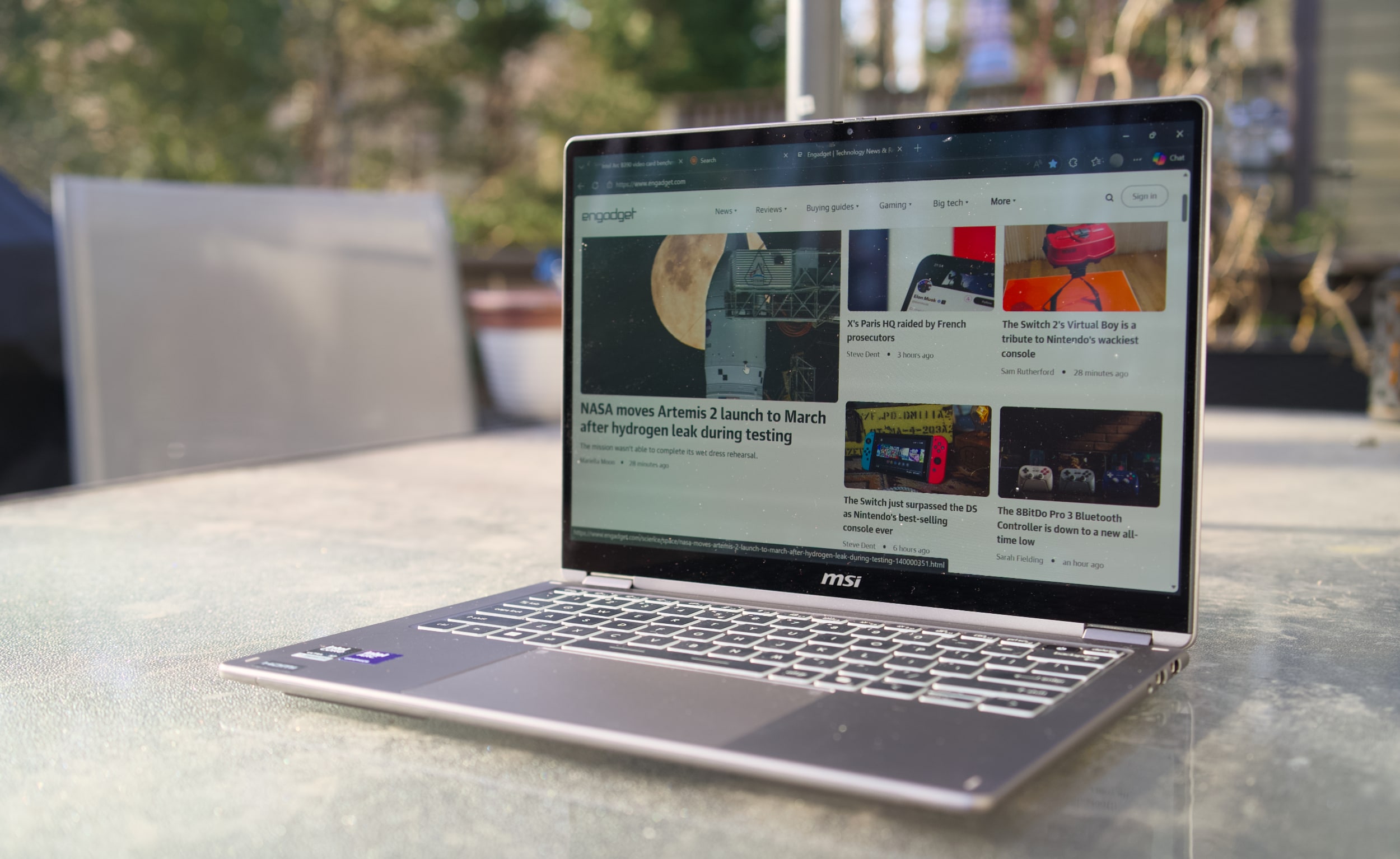 MSI Prestige 14 Flip AI+
Devindra Hardawar for Engadget
MSI Prestige 14 Flip AI+
Devindra Hardawar for Engadget
The Prestige 14's stylus-friendly 14-inch OLED screen helps to distract from its mundane case design, with the typical deep black levels and excellent contrast I appreciate from OLED, together with bold 100 percent DCI-P3 color coverage. It makes just about everything look great, though I wish MSI offered more than a 60Hz refresh rate — a 90Hz or 120Hz screen would make scrolling through web pages look far smoother.
And speaking of the stylus, that's tucked away at the bottom of the Prestige 14. I didn't find it particularly useful for notetaking, but for those who do it's easy to stow away. It's just too thin for extended handwriting, and anyone doing serious notetaking or digital art would be better off with a larger stylus or dedicated drawing pad.
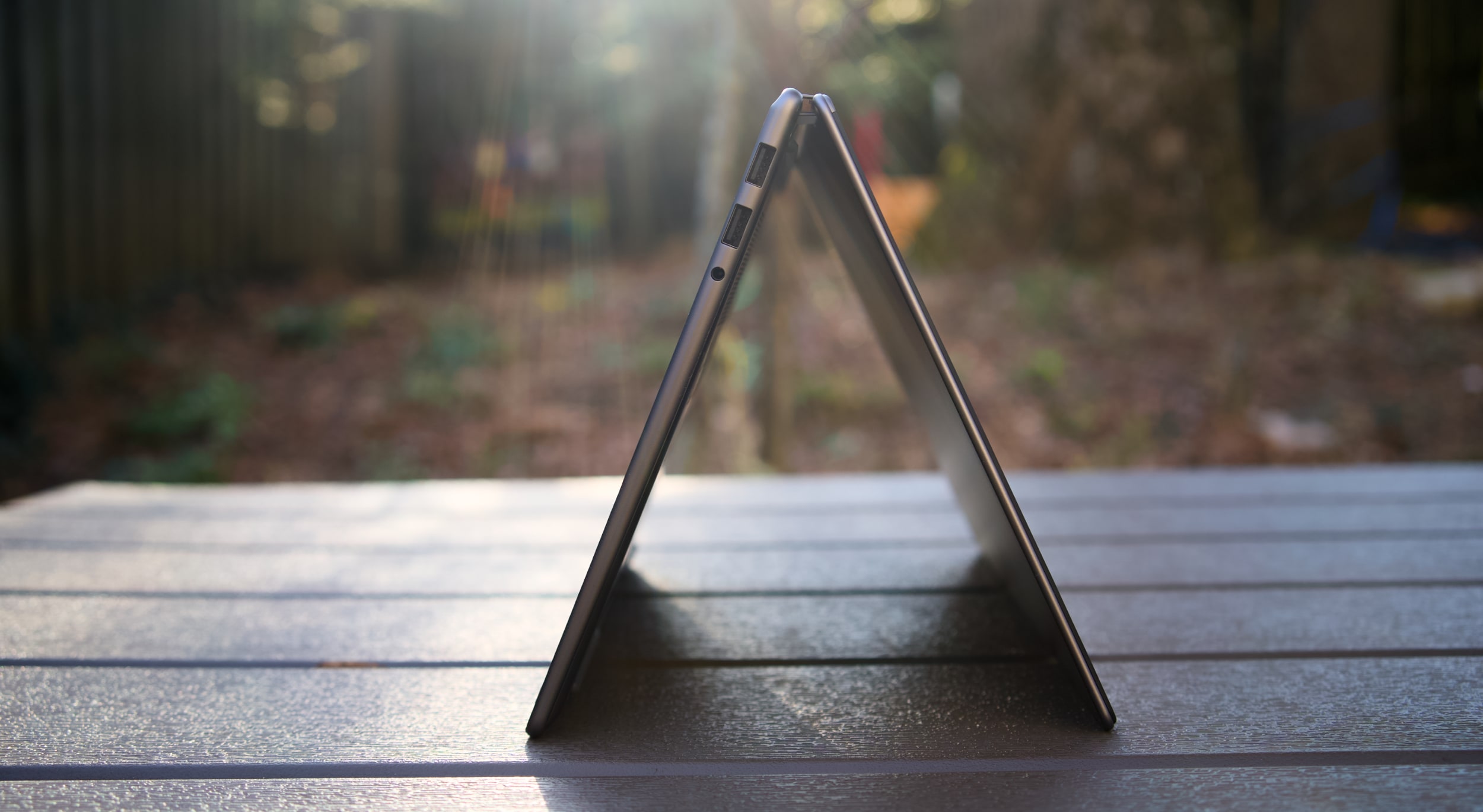 MSI Prestige 14 Flip AI+ in tent mode
Devindra Hardawar for Engadget
In-use: A stealth performer
MSI Prestige 14 Flip AI+ in tent mode
Devindra Hardawar for Engadget
In-use: A stealth performer
After seeing a relatively slim Lenovo Panther Lake laptop reaching 190 fps in Battlefield 6, using only Intel's built-in Arc B390 GPU, I was eager to see how that new hardware would perform in the real world. Simply put, the MSI Prestige 14 Flip AI+ didn't disappoint. It scored 10,169 points in PCMark 10, the highest score we've seen yet on a Windows PC.
And yes, that includes plenty of powerful gaming systems like the Alienware 16 Area 51 (8,245 points) and the Razer Blade 18 (7,703), both of which were running Intel's last-gen Core Ultra 9 275HX chip. Of course, those systems have faster GPUs, like NVIDIA's RTX 5080, but PCMark 10 doesn't lean too heavily on graphics performance. The Prestige 14 edged close to the M5 MacBook Pro in Geekbench 6's multi-threaded CPU test, scoring 16,633 points compared to Apple's 18,003. But the MacBook Pro reigned supreme in the single-threaded test, scoring 4,310 points compared to the MSI's 2,864.
Computer
PCMark 10
Geekbench 6
Geekbench 6 GPU
Cinebench 2024
MSI Prestige 14 Flip AI+ (Intel Core Ultra X7 358H)
10,169
2,864/16,633
56,425
117/719
Apple MacBook Pro 14-inch (M5, 2025)
N/A
4,310/18,003
48,840
197/1,034 | GPU: 6,143
Dell 16 Premium (Core Ultra 7 255H, NVIDIA RTX 5070)
7,780
2,711/15,919
109,443
127/1,104
When it came to games, the Prestige 14 reached a surprisingly high 80-95 fps in Arc Raiders while playing in 1080p with medium graphics settings, as well as AMD's FSR3 upscaling and 2x frame generation. Without those AMD features, Arc Raiders ran at 45-50 fps, which is still respectable for an ultraportable. To my surprise, Intel's XeSS upscaling technology wasn't available in Arc Raiders during my testing, but there's a good chance that tool would eke out even more performance. (I've asked Intel about XeSS's omission, and will update when I hear back.)
In Cyberpunk 2077, The Prestige 14 hit 35 fps while playing in 1080p with default settings. Flipping on Intel's XeSS frame generation bumped that to 45 fps. If you're used to the 30 fps performance of consoles, those numbers are still vaguely playable, but they certainly fall short of the 60 fps PC players typically look for. It's best to think of the MSI Prestige 14 Flip AI+ as a laptop where you can play games sometimes, perhaps while you're away from your gaming desktop. It's certainly not a replacement for a dedicated gaming laptop.
For more prosaic productivity tasks, like juggling dozens of browser tabs and editing large images, the Prestige 14 didn't break a sweat. Its healthy 32GB of RAM gave it plenty of breathing room for multi-tasking, and unlike other ultraportables, I didn't notice any serious performance dips while running on battery. On that note, the Prestige 14 also lasted a whopping 22 hours and 15 minutes in PCMark 10's battery benchmark. That's the highest figure we've ever seen from a laptop, and it's a promising sign of what we can expect from other Panther Lake systems.
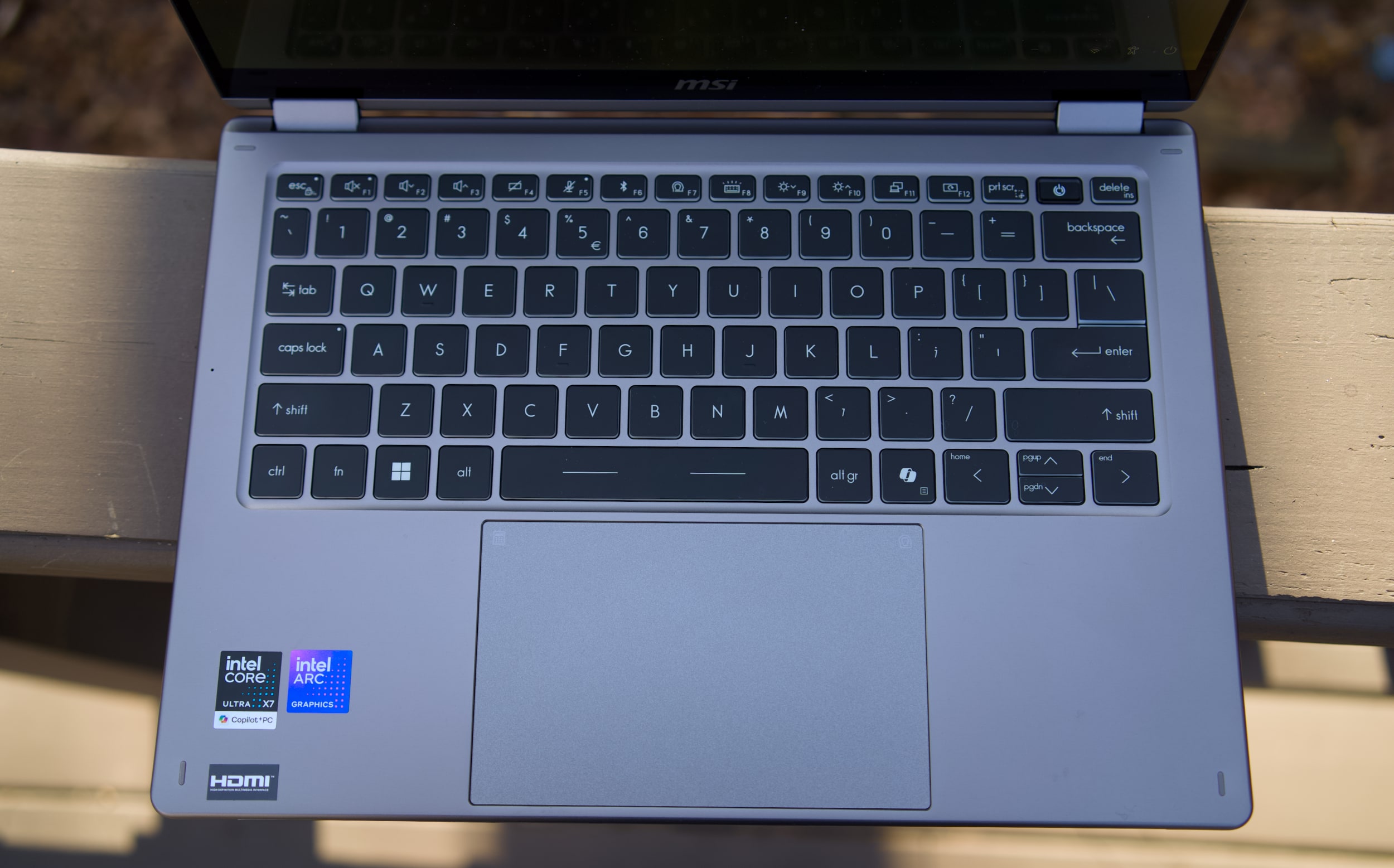 MSI Prestige 14 Flip AI+ keyboard and trackpad
Devindra Hardawar for Engadget
MSI Prestige 14 Flip AI+ keyboard and trackpad
Devindra Hardawar for Engadget
While there's clearly plenty to love about the MSI Prestige 14 Flip AI+, I was less impressed with its mechanical trackpad and keyboard. Perhaps I've been spoiled by the more responsive haptic trackpads from the competition, but the Prestige 14's old-school trackpad kept slowing me down with missed clicks and other annoyances. The laptop's keyboard felt similarly cheap, with a lack of depth and comfort that I've come to expect from other ultraportables in the $1,299 price range. Even after hours of testing, I had a hard time typing on the Prestige 14 at full speed without errors. It's a shame that MSI gets so much right, but is hindered by these weak components.
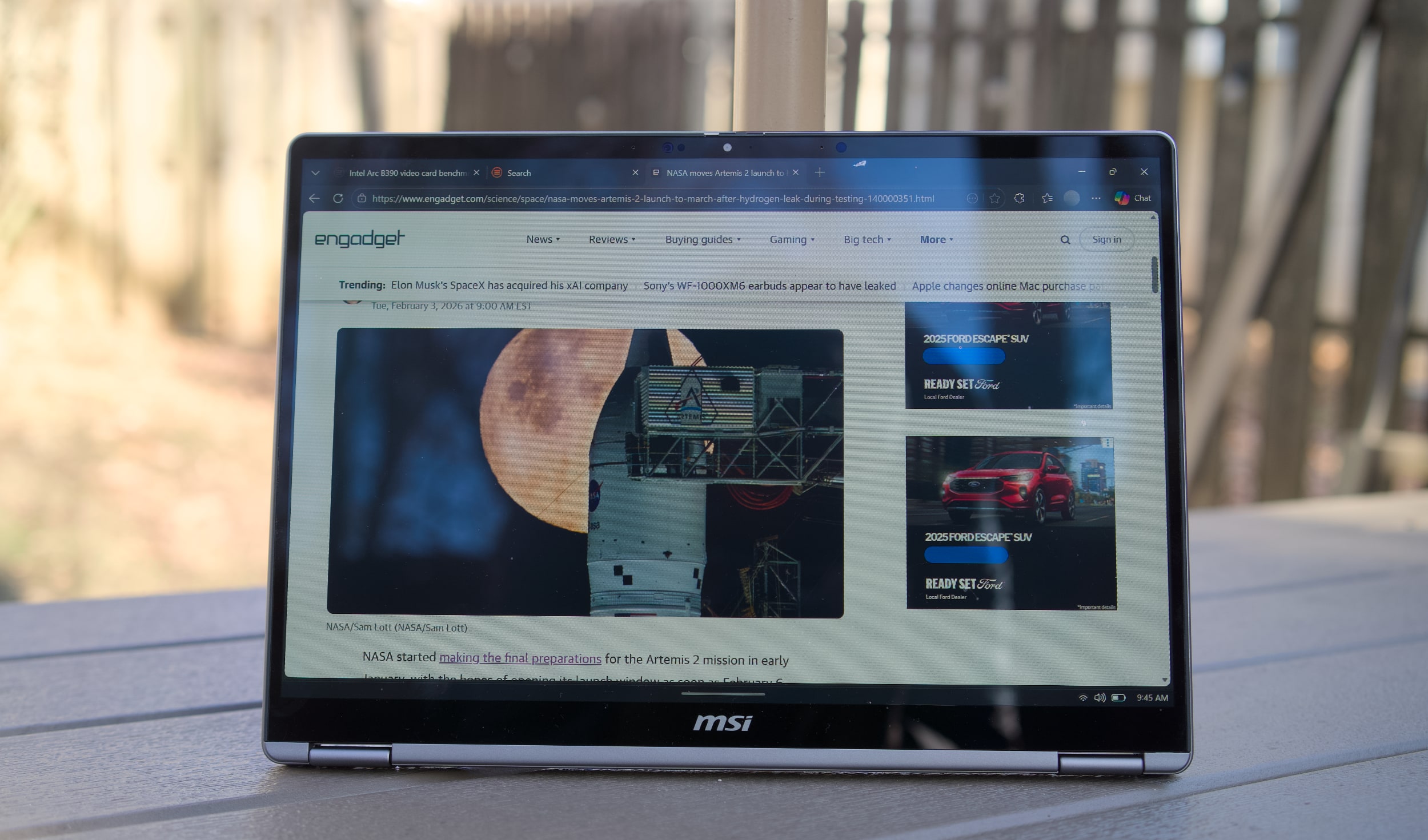 MSI Prestige 14 Flip AI+ in tablet mode
Devindra Hardawar for Engadget
Should you buy the MSI Prestige 14 Flip AI+?
MSI Prestige 14 Flip AI+ in tablet mode
Devindra Hardawar for Engadget
Should you buy the MSI Prestige 14 Flip AI+?
As one of the earliest Panther Lake laptops on the market, the $1,299 Prestige 14 Flip AI+ is a solid machine, if you're willing to overlook its touchpad flaws. More than anything though, the Prestige 14 makes me excited to see what other PC makers offer with Intel's new chips. It's taken a while, but now Intel finally has some decent competition against Apple's M-series hardware. The era of gaming with ultralight machines is finally here.
This article originally appeared on Engadget at https://www.engadget.com/computing/laptops/msi-prestige-14-flip-ai-review-an-ultraportable-for-arc-raiders-thanks-to-intels-panther-lake-160000606.html?src=rssNetflix is back with another livestream production guaranteed to excite K-POP fans worldwide. The streamer has announced that BTS will be performing live on Netflix. It marks the band's first performance after almost four years — the members took a hiatus to complete South Korea's mandatory military service.
The live concert will air on Saturday, March 21, one day after BTS releases their new album Arirang and will be aptly titled BTS The Comeback Live | Arirang. The show will physically take place in Seoul's Gwanghwamun Square and stream live at 8PM KST/7 AM ET/4 AM ET. Yes, viewers in the US will have to choose between a really early Saturday or a very late Friday night. Alternatively, you can skip out on any potential livestream glitches and likely watch it later (or catch the K-Pop group on their upcoming world tour).
Plus, come Friday, March 27, Netflix will be releasing BTS: The Return, a documentary all about the making of Arirang. As Netflix puts it: "The film offers rare behind-the-scenes access as the group comes back together and charts an unprecedented path forward together after a nearly four-year hiatus."
Netflix has leaned further into livestreaming over the last few years — though the BTS concert is arguably their biggest coup. Livestreams have included everything from reality shows to sports, with some serious infrastructure issues along the way. Here's hoping the BTS concert goes off without a hitch.
This article originally appeared on Engadget at https://www.engadget.com/entertainment/the-first-bts-concert-in-over-three-years-will-stream-live-on-netflix-in-march-155428505.html?src=rssLast year, the creator of Notepad++ rolled out an update for the text and source code editor after security experts reported that bad actors were hijacking its update mechanism to redirect traffic to malicious servers. It led to users downloading compromised executables that could infect their devices. Now, Don Ho has revealed that multiple security experts investigated the breach and determined that the threat actor "is likely a Chinese state-sponsored group." He said it explained why experts observed highly selective targeting during the campaign and why only traffic from certain users were redirected so that they would download malicious files. It's not clear what kind of users were specifically targeted and what the files did to their devices.
The attackers started redirecting traffic from Notepad++ to their servers sometime in June 2025, and that went on until December 2. Their method involved compromising the system at the hosting provider level, though the exact technical mechanism that allowed them to intercept traffic remains under investigation. In addition to releasing a security patch, Notepad++ also migrated to a new hosting provider with much stronger security practices. Ho now encourages anyone who wants to install the app to download version 8.9.1, which comes with the security update, and running the installer manually.
This article originally appeared on Engadget at https://www.engadget.com/apps/notepad-says-it-was-hijacked-by-chinese-state-sponsored-hackers-153000268.html?src=rssSpain will join the growing list of countries banning access to social media for children, Prime Minister Pedro Sanchez announced Tuesday. The law will apply to users under 16 years of age amidst a broader push to hold social media companies accountable for hate speech, social division and illegal content.
Speaking at the World Governments Summit in Dubai, Prime Minister Sanchez excoriated social media, calling it a "failed state" where "laws are ignored and crime is endured." He spoke to the importance of digital governance for these platforms, highlighting recent incidents like X's AI chatbot Grok generating sexualized images of children, Meta "spying" on Android users and the myriad election interference campaigns that have taken place on Facebook.
In light of what Sanchez called the "integral" role social media plays in the lives of young users, he said the best way to help them is to "take back control." Next week, his government will enact a slew of new regulations, with a ban on users under 16 years of age among them. Social media companies will be required to implement what he calls "effective age verification systems" and "not just checkboxes." A specific timeline on enforcement of the coming ban has not been announced.
Spain will also make "algorithmic manipulation and amplification of illegal content" into a new criminal offense and Sanchez says tech CEOs will face criminal liability for hateful or illegal content on their platforms. The Prime Minister further announced that Spain has formed a coalition with five other unnamed European nations to enact stricter governance over social media platforms.
Sanchez said children have been "exposed to a space they were never meant to navigate alone," and that it's the government's job to intervene. He added social media has fallen from its promise to be a "tool for global understanding and cooperation."
Australia enacted an under-16s ban on social media last year, which has prompted many nations to follow suit. It is under active consideration in the UK, while Denmark and Malaysia have announced plans to enact similar bans.
This article originally appeared on Engadget at https://www.engadget.com/social-media/spain-set-to-ban-social-media-for-children-under-16-151546884.html?src=rssAmazon is running a sale on two of its newest devices. First, there's the Echo Show 8, which is down to $150 from $180 — a 17 percent discount. Next up is the Echo Show 11, which is more or less the same device, just bigger. This model has dropped 18 percent to $180 from $220. Both deals bring the Echo Shows down to new all-time low prices.
The Echo Show 8 and 11 came out in mid-November with the main difference being screen size. The Echo Show 8 has an 8.7-inch HD screen that Amazon claims is 15 percent larger than its predecessor. Meanwhile, the Echo Show 11 is, you guessed it, an 11-inch Full-HD display that has 60 percent more viewing area than the Echo Show 8.
Both of the devices come with an AZ23 Pro chip and Omnisense technology, which Amazon describes as "our custom sensor platform designed for ambient AI." They also have Prime Video and Netflix apps, while other streamers can be reached through the browser. Each comes with spatial audio, dual full-range drivers and a 2.8-inch woofer. Plus, they have a 13MP camera with auto-framing.
Follow @EngadgetDeals on X for the latest tech deals and buying advice.
This article originally appeared on Engadget at https://www.engadget.com/deals/amazons-echo-show-8-and-11-are-down-to-new-all-time-lows-150021328.html?src=rssNew Mario sports games typically only come around once in a generation. So to get a fresh installment of tennis featuring a deep roster of characters this early in the Switch 2's lifecycle is rather exciting. And after getting a chance to play Mario Tennis Fever prior to its official release on February 12, the best entry to the franchise yet might only be a couple of weeks away.
Once again, Mario Tennis Fever relies on the series' familiar mix of topspin, slice and flat (power) shots used in previous games. The big new mechanic for this title is that instead of Zone Shots from Mario Tennis Aces, you can equip each character with a different racket, similar to how you can choose between a range of vehicles in Mario Kart. Every racket features a different special ability that you can charge up by rallying back and forth. When the gauge is full, you can unleash a Fever Shot to potentially devastating results.
 The Fever Shot is just one of the special abilities from the 30 different rackets available in Mario Tennis Fever.Sam Rutherford for Engadget
For example, the Fire Racket turns the ball into a fireball that leaves multiple embers on the court. If your opponent gets burned, they will slowly lose health, which will make them move slower or knock them out (but only temporarily) if you're playing doubles. Alternatively, the Pokey Racket can summon the giant cactus monster it's named after onto the court, which not only blocks your view but gets in the way as you chase down shots. And just like the game's large stable of characters (38 in total), there are almost just as many different Fever Rackets (30) to choose from.
The thing I like most is that compared to special shots in previous titles, Fever Shots have built-in counterplay. Zone Shots from Mario Tennis Aces sometimes made it feel like you were playing a fighting game as people battled to conserve meter, while signature moves in Mario Tennis: Ultra Smash often turned into automatic points. If someone sends a Fever Shot at you, you can send it back simply by returning the ball before it bounces. This naturally sets up some frenetic sequences as characters try to volley back and forth without letting the ball hit the ground in order to prevent the Fever Shot from taking effect on their side of the court. This is exactly the kind of chaos that makes Mario Tennis so fun — it just feels a bit more balanced now.
 Pokey is here to be a thorn on your court. Nintendo
That said, if you prefer a different kind of mayhem, there are also new Wonder Court Matches, which borrow the titular blue flower seeds from Mario's most recent 2D platformer. This game mode nixes Fever Rackets in favor of changing up the rules of the sport on the fly in weird and unexpected ways. Don't be surprised when you have a hard time hitting seeds with your shots to activate wondrous effects while spike balls get tossed at you or a parade of piranha decides to have a party on top of the net.
Unfortunately, I wasn't able to play Mario Tennis Fever's Adventure mode, which is a bit of a shame as I've heard that it's deeper and more fleshed out. This is a welcome upgrade from the somewhat thin single-player campaign from Aces. Thankfully, the game still supports motion controls for younger players or anyone who'd rather swing a virtual racket instead of mashing buttons. I also appreciate that Nintendo is making it easy to get into multiplayer matches, as the game supports both online matches (ranked and unranked) and local wireless connectivity (LAN). For the latter, you can also use the Switch 2's Game Share feature to send the title to other nearby systems so people can try out Mario Tennis Fever for themselves, even if they don't own a copy.
 Wonder Court Matches are another new way to upend the rules of Mario Tennis. Nintendo
So if you're like me and you've always preferred sports games that are more bombastic instead of realistic, Mario Tennis Fever ($70) is shaping up to be a real grand slam. Pre-orders are live now ahead of the title's official release on February 12.
Even in 2026, VR still feels like tech that isn't quite ready for prime time. When Nintendo released the original Virtual Boy way back in 1995, it was hard for my 10-year-old brain to comprehend a 3D console with a bipod, a facemask and a monochrome red display. Then, when you factor in weak sales that led to the system being discontinued after only a year, you end up with a gadget that felt more like a mythical creature than something you could actually buy. But that's changing later this month when the Virtual Boy returns as an add-on for the Switch 2. After getting an early demo of Nintendo's new accessory, I can confirm that this thing feels just as weird and quirky as it did when it first came out more than 30 years ago.
 The biggest difference on the new model is that it uses the Switch 2's screen as its main display and processor. Sam Rutherford for Engadget
The most impressive thing about the revamped Virtual Boy is how much it looks and feels like the original. It still features that classic red and black color scheme along with a stand for propping it up. The biggest difference is that instead of having a built-in display, there's a slot where you can slide in a Switch 2 (with its Joy-Con detached). This brings several advantages: Since the Switch 2 has its own battery, there's no need for cords anymore. It also means you don't have to worry about swapping in individual game carts, as software can be downloaded directly from Nintendo's online store. Graphics also look much sharper than I remember, though I admit that could just be me getting old. Finally, instead of reviving the Virtual Boy's archaic gamepad, Nintendo smartly opted to let us use the Switch 2's current lineup of controllers. The end result is a design that's faithful to the original but doesn't suffer from many of the pitfalls that plagued so many 90s gadgets — like tangled wires, awkward controls and fuzzy displays.
 One thing Nintendo didn't change is Virtual Boy's monochrome red visuals. Sam Rutherford for Engadget
However, even with a fair bit of modernization, it's hard to prepare your mind for the journey back in time that happens when you actually use it. Unlike every other contemporary VR headset, you still don't strap the new Virtual Boy onto your face. Instead, you have to adjust its bipod so that its facemask is level with your face and then you kind of just lean in to immerse yourself in a world where red is the only color. It's definitely a bit awkward, but it works. Nintendo even included a way to adjust IPD, so visuals look just as crisp (if not moreso) as they did on the original.
That said, the clunkiest thing about the Virtual Boy is its games. While Nintendo updated its exterior and internals, the company didn't really mess with its software — for better and worse. This means you get a relatively unadulterated look at where people thought VR was headed 30 years ago, which becomes immediately evident as soon as you boot into one of the console's first seven games. Galactic Pinball is slow and trying to time when to hit the flippers to prevent the ball from getting past you is an exercise in frustration. Meanwhile, Red Alarm feels like a cheap port of Battlezone, just with a vaguely Arwing-shaped plane instead of a tank. And once again, the pacing on this aerial shooter is glacial. Then there's 3D Tetris, which just kind of hurts your head as you try to drop pieces from a top-down perspective while the entire stage pivots around and never stops moving. The only title that really stands out is Virtual Boy Wario Land, which was and still is the best game on the entire platform.
 There's no getting around it, the Virtual Boy's bipod is just kind of awkward.Sam Rutherford for Engadget
After playing with the revamped Virtual Boy for just under half an hour, it's just as eccentric and ungainly as the original was three decades ago. But you know what, I wouldn't have it any other way because this thing is just as much of a time capsule as it is a nostalgic revival of a forgotten system. And if you want to experience a hazy concept of what people thought the future was going to be, there still isn't anything like the Virtual Boy.
The Virtual Boy add-on for the Switch 2 officially goes on sale on February 17 for $100, with the caveat that buyers will need an active Nintendo Switch Online + Expansion pack membership. Also, in addition to the seven games available at launch, Nintendo is planning to add nine more throughout the year including Mario's Tennis and previously unreleased titles such as Zero Racers and D-Hopper.
This article originally appeared on Engadget at https://www.engadget.com/gaming/nintendo/the-switch-2s-virtual-boy-is-a-tribute-to-nintendos-wackiest-console-140000003.html?src=rssNASA started making the final preparations for the Artemis 2 mission in early January, with the hopes of opening its launch window as soon as February 6. After issues showed up during the mission's wet dress rehearsal in the early hours of February 3, however, the agency had to push back its earliest launch opportunity to March.
"With more than three years between SLS launches, we fully anticipated encountering challenges. That is precisely why we conduct a wet dress rehearsal. These tests are designed to surface issues before flight and set up launch day with the highest probability of success," NASA administrator Jared Isaacman said on X.
During a wet dress rehearsal, the spacecraft to be used for a mission is loaded with propellants to simulate the actual preparations and countdown to liftoff. NASA explained that Artemis 2's Space Launch System, which was already on the launch pad, suffered from a liquid hydrogen leak that its engineers spent hours troubleshooting. They were ultimately able to fill all the rocket's tanks and started the countdown to launch. But with approximately five minutes left in the countdown, the ground launch sequencer automatically stopped due to a spike in the spacecraft's liquid hydrogen leak rate.
The agency admits that it has other issues to fix, based on what happened during the rehearsal. It has to make sure that the cold weather doesn't affect the mission's equipment during the actual launch in the same way it did in testing . The Orion crew module's hatch pressurization process took longer than expected, and that should must not happen on launch day. NASA also has to troubleshoot the audio communication channels for its ground teams after they dropped several times during the rehearsal. Artemis' ground crew will review data from the wet dress rehearsal and address the aforementioned problems. NASA then has to conduct another test to confirm that they were taken care of before announcing the mission's launch window.
This article originally appeared on Engadget at https://www.engadget.com/science/space/nasa-moves-artemis-2-launch-to-march-after-hydrogen-leak-during-testing-140000351.html?src=rssNASA completed a wet dress rehearsal for the Artemis II mission in the early morning hours on Feb. 3. To allow teams to review data and conduct a second wet dress rehearsal, NASA will now target March as the the earliest possible launch opportunity for the Artemis II mission.… pic.twitter.com/jSnCUPLQb6
— NASA (@NASA) February 3, 2026
If you've been inside all winter gaming then it might be time to upgrade your gear. Right now, the 8Bitdo Pro 3 Bluetooth Controller is available for just over $48, down from $70. The 31 percent discount is the lowest price we've seen yet for the controller. Notably, the sale is only available on the Gray model.
The new 8Bitdo Pro 3 came out in August and offers TMR Joysticks with a 12-bit ADC sampling chip. It also has a Trigger Mode Switch, 2 Pro paddle buttons and swappable magnetic ABXY buttons for moving between the Switch and Xbox layouts. Plus, it has an integrated charging dock.
This 8Bitdo controller is compatible with Apple, SteamOS, Android devices, PC, Switch, and Switch 2 devices.
Follow @EngadgetDeals on X for the latest tech deals and buying advice.
This article originally appeared on Engadget at https://www.engadget.com/deals/the-8bitdo-pro-3-bluetooth-controller-is-down-to-a-new-all-time-low-143036684.html?src=rssProton VPN is running a solid deal right now, dropping its two-year Proton VPN Plus plan to $2.99 per month. That works out to $72 billed upfront for the first 24 months, which represents a 70 percent discount compared to its regular pricing.
We've rated Proton VPN highly thanks to its strong privacy credentials, transparent nonprofit backing and consistently fast performance. It's one of the services we recommend in our guide to the best VPNs, and this deal also shows up alongside other standout offers in our ongoing roundup of the best VPN deals. It's a good option if you're looking to lock in long-term protection at a lower monthly cost.
In our Proton VPN review, the service impressed us with consistently fast performance and strong privacy protections. We measured average download speeds at 88 percent of our unprotected connection and upload speeds at 98 percent, which is more than enough for 4K streaming, gaming and torrenting. It also unblocked Netflix in every region we tested, and while its Mac and iOS apps aren't quite as polished as the Windows and Android versions, the service is still easy to install and largely set-it-and-forget-it across platforms. We gave Proton VPN a score of 90 out of 100.
Proton VPN Plus is the company's premium tier and includes access to its full server network, which now spans more than 15,000 servers across 120-plus countries. A single subscription covers up to 10 devices at once and unlocks features like NetShield ad and malware blocking, Secure Core "double hop" connections, split tunneling, custom DNS controls and priority customer support. Proton VPN Plus also supports fast P2P traffic on nearly all paid servers and includes VPN Accelerator, which helps maintain high speeds over long-distance connections.
Right now, Proton VPN Plus is discounted to $2.99 per month when you commit to two years, billed as $72 upfront for the first 24 months. After that, the plan renews annually at $83.88. That's a 70 percent discount compared to the standard monthly rate. As with Proton's other paid plans, the subscription comes with a 30-day money-back guarantee, so you can try it risk-free if you're not ready to lock in long term.
This article originally appeared on Engadget at https://www.engadget.com/deals/proton-vpn-two-year-subscriptions-are-70-percent-off-right-now-123000972.html?src=rssLike some sort of corporate Russian doll, SpaceX has announced its acquisition of xAI. The merger will "form the most ambitious, vertically integrated innovation engine on (and off) Earth," according to, well, owner Elon Musk.
The AI company, arguably best known for its ongoing CSAM-generating chatbot controversy, might seem like a strange fit for a rocket company. But SpaceX is apparently key to Musk's latest scheme to build AI data centers in space. There might be an argument for moving the resource-intensive operations to space — but Musk continued.
He also claimed space-based data centers will eventually enable further advances in space travel. "The capabilities we unlock by making space-based data centers a reality will fund and enable self-growing bases on the Moon, an entire civilization on Mars and ultimately expansion to the Universe."
Back on Earth, xAI and X (formerly Twitter) merged last year, which means SpaceX now owns the social network Musk bought in 2022.
— Mat Smith
The biggest stories you might have missed
iPhone Fold rumors: Everything we know so far, including the leaked design
TikTok says it's 'back to normal' after winter storm-related outages
Awesome speed and photo quality.
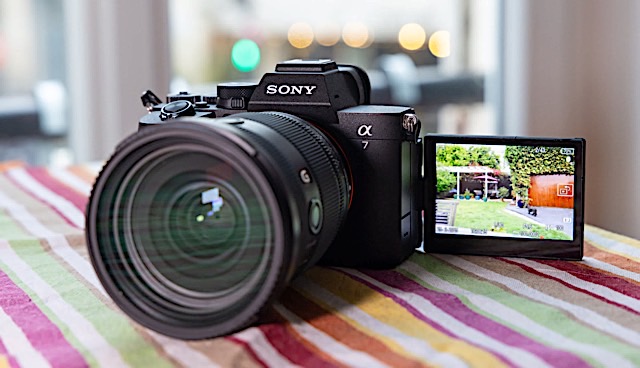 TMAEngadget
The Sony A7 V is an imaging powerhouse that brings the speed and precision of its high-end siblings to the enthusiast tier. Thanks to a new 33MP partially stacked sensor, image quality is where it truly pulls ahead, offering best-in-class dynamic range and low-light performance that outclasses 24MP rivals despite the higher resolution. If your primary goal is capturing the perfect still, the combination of accurate AI autofocus and improved color science makes this arguably the best all-around Sony shooter yet.
However, if you're a video-first creator, the A7 V might feel like it's a little behind. While the 10-bit 4K footage is sharp and benefits from impressive AI auto-framing and stabilization, it lacks internal RAW recording, which competitors like the Canon R6 III and Panasonic S1 II now offer. Make sure you check out the full review.
Apple acquires Q.ai for a reported $2 billionAfter Beats, it's the company's second-biggest ever purchase.
It's the time of AI acquisitions, it seems. Even Apple's doing it. Apple has acquired Israel-based startup Q.ai. Although Apple has not disclosed the terms of the deal, The Financial Times reports the arrangement is valued at nearly $2 billion.
Apple hasn't shared specifics on how it plans to leverage the startup, but patents filed by Q.ai focus on integrating its technology into headphones or even glasses, using "facial skin micro movements" to communicate without talking.
This article originally appeared on Engadget at https://www.engadget.com/general/the-morning-after-elon-musks-spacex-is-buying-his-ai-company-xai-121500751.html?src=rssParis prosecutors announced that a search was underway at offices belong to Elon Musk's X platform as part of an ongoing investigation first launched in January 2025. The raid is being conducted by Paris and national cybercrime units, with support from Interpol, according to post from Paris prosecutors on X. Officials from X have yet to comment on the matter.
At the same time, Paris prosecutors issued summonses to Elon Musk and Linda Yaccarino for "voluntary interviews" on April 20, 2026 in Paris. The prosecutors also announced they would no longer use X and would only communicate on LinkedIn and Instagram going forward.
The searches are part of an investigation that has been ongoing for nearly a year over the functioning of X's algorithms that are "likely to have distorted the operation of an automated data processing system," investigators said at the time. Those changes reportedly gave greater prominence to certain political content (especially from Musk) without user knowledge — something that could be a crime under French laws.
An investigation was officially launched in July, with Paris prosecutors adding an additional charge: "Fraudulent extraction of data from an automated data processing system by an organized group." More recently, it also includes "complicity in the possession of images of minors representing a pedo-pornographic character," due to images created by Grok between December 25, 2025 and January 1, 2026.
In July, X said in a statement that the probe "egregiously undermines X's fundamental right to due process and threatens our users' rights to privacy and free speech. [French officials have] accused X of manipulating its algorithm for 'foreign interference' purposes, an allegation which is completely false."
This article originally appeared on Engadget at https://www.engadget.com/social-media/xs-paris-hq-raided-by-french-prosecutors-110411170.html?src=rssFinding the best iPhone 17 case or the best iPhone 17 Pro cases is about more than basic drop protection. The best iPhone cases add useful features like MagSafe compatibility, grippy finishes and protection for camera lenses, all without adding unnecessary bulk to your new iPhone.
Whether you prefer slim, scratch resistant designs, matte finishes or leather cases that feel a bit more premium, there are plenty of strong top picks to choose from. We've rounded up the best picks for both the iPhone 17 and 17 Pro, so you don't have to waste time scrolling through endless listings.
Best iPhone 17 case FAQs What is the most protective brand of phone cases?
There is no one "most protective" brand of phone cases, but rather there are many that tout extra security for your handset. Some of the most protective phone cases we've tried come from Otterbox; most of the brand's cases have a bit more protection than your standard phone case, even the ones that are designed to be on the slim side. Otterbox also makes a wide variety of phone cases, so there's a good chance you'll find one that suits your style and provides the level of protection you're looking for. Otterbox's Defender series is one of the best you can get if you care first and foremost about making sure your phone survives all kinds of accidents (save for a dunk in a pool).
Silicone vs hard case: Which one is better?Neither silicone nor hard cases are better than the other. Silicone cases tend to be thinner and feel soft to the touch, and they're often easier to put on and take off of phones. Hard cases can be on the thicker side, but they provide a bit more drop protection than silicone cases. Which type of case is best for you depends on the type of experience you want from your phone. It's also worth nothing that both silicone cases and hard cases come in a variety of colors, designs and styles, so you have plenty of choose from to match your personality on both sides.
Does an iPhone 17 need a screen protector?The iPhone 17 features Apple's tough Ceramic Shield 2 front, which is definitely more durable than standard glass — but it's not invincible. If you want to avoid scratches from keys, drops onto pavement or just the wear and tear of daily use, a screen protector is still a smart move. It adds an extra layer of defense without getting in the way of touch sensitivity or Face ID. So, while it's not absolutely essential, using one is a good idea if you want to keep your screen looking flawless for the long haul.
Is the iPhone 17 drop-proof?The iPhone 17 is built to be tough, with Ceramic Shield 2 on the front and a sturdy aluminum or titanium frame (depending on the model), but it's not completely drop-proof. It can handle the occasional bump or short fall, especially if it lands on a flat surface — but drops on concrete or at awkward angles can still cause cracks or damage. If you're prone to butterfingers, pairing your iPhone 17 with a durable case and maybe even a screen protector is the best way to play it safe.
Georgie Peru contributed to this report.
This article originally appeared on Engadget at https://www.engadget.com/computing/accessories/best-iphone-cases-153035988.html?src=rssThe original Switch just became Nintendo's best-selling console ever with 155.37 million units as of December 31, 2025, overtaking the DS which sold 154.02 million units from 2004-2011. It was part of a holiday surge that saw the company move 7.01 million Switch 2s (and 17.37 million through Q3 of its fiscal year), making it the "fastest-selling dedicated video platform released by Nintendo to date," the company said in its earnings report.
Despite being supplanted by the Switch 2, the Switch keeps selling decently (1.36 million units in Q3 fiscal 2026), due to its relatively cheap price. Nintendo reported last year that it was just trailing the DS in sales and would likely surpass it after Christmas. The Switch is now just 5.27 million units behind Sony's PS2, the best-selling console of all time — so Nintendo would have to keep selling it for at least a couple more years to get the record.
The Switch 2, meanwhile, has been a sales machine. With high holiday sales that exceeded expectations, Nintendo should easily reach its 19 million sales goal for fiscal 2026 ending March 31 this year. The company has already (easily) busted through its original sales forecast of 15 million consoles set earlier in 2025.
Game sales were also strong, with Mario Kart World hitting 14 million units and Donkey Kong Bananza selling 4.25 million since the Switch 2's launch. With all that, the company saw 803.32 billion yen in sales for Q3 ($5.2 billion), up 86 percent over last year but a bit less than expected, and 159.93 billion yen in profit ($1.03 billion), 20 percent higher than the same period last year.
Whether the company can continue that may depend on the strength of its upcoming game lineup. Two of those key titles are Mario Tennis Fever expected on February 12 and Pokemon Pokopia arriving in March.
This article originally appeared on Engadget at https://www.engadget.com/gaming/nintendo/the-switch-just-surpassed-the-ds-as-nintendos-best-selling-console-ever-083700901.html?src=rssMost people think of AirTags when they picture a Bluetooth tracker. And indeed, Apple's little white discs were once the only capable option, relying on a vast finding network of nearby iPhones to pinpoint lost tags. But now Google has a finding network of its own, and third party brands like Chipolo, Hyper and Pebblebee have trackers that pair with your choice of Google or Apple's network. That means you've got a lot of options for tagging and tracking your keys, backpacks, luggage and more. We tested the major brands out there to see how well they work, how loud they are and how they look to put together a guide to help you get the most out of your chosen tracker. Here are the best Bluetooth trackers you can buy.
Editor's note: Apple just released a new version of its AirTag trackers. We are in the process of testing the new model and will update this guide once we're done.
What to look for in a Bluetooth tracking device
Bluetooth trackers are small discs or cards that rely on short-range, low-energy wireless signals to communicate with your smartphone. Attach one of these gadgets your stuff and, if it's in range, your phone can "ring" the chip so you can find it. These tracking devices offer other features like separation alerts to tell you when you've left a tagged item behind, or where a lost item was last detected. Some can even tap into a larger network of smartphones to track down your device when you're out of range. Depending on what you want the tracker to do, there are a few specs to look for when deciding which to get.
Device compatibilityLike most things from the folks in Cupertino, AirTags only work with products in the Apple ecosystem. Both Apple and Google have opened up access to the Find My and Find Hub networks to third-party manufacturers, including Chipolo and Pebblebee. Those two companies make device-agnostic models that will work with the larger tracking network from either brand, so iPhone and Android users can buy the same tag. Tile trackers work with either Android or Apple devices, but use Tile's own Life 360 finding network. Samsung's latest fob, the Galaxy SmartTag2, only works with Samsung phones and taps into a finding system that relies on other Samsung devices to locate lost tags.
Finding networkCrowd-sourced finding capabilities are what make headlines, with stories about recovering stolen equipment or tracking lost luggage across the globe. Using anonymous signals that ping other people's devices, these Bluetooth tracking devices can potentially tell you where a tagged item is, even if your smartphone is out of Bluetooth range.
Apple's Find My network is the largest, with over a billion iPhones and iPads in service all running Apple's Find My app by default. So unless an iPhone user opts out, their phone silently acts as a location detector for any nearby AirTags. Apple recently increased the AirTag's finding power by enabling you to share the tracker's location with a third party, party, like an airline. Chipolo fobs that work on Apple's network have the same ability. Google launched its Find My Device network in 2024 and has since renamed it Find Hub, which, like Apple's fining app, combines devices and people finding in one place. That network is now a close second for the largest in the US
Now that Google's Find Hub network is up and running, it's a close second for the largest in the US. Like Apple, Android users are automatically part of the network, but can opt-out by selecting the Google services option in their phone's Settings app and toggling the option in the Find Hub menu. Samsung's SmartTag 2 and related network also defaults to an opt-in status for finding tags and other devices.
Tile offers a large finding grid that includes Tile users, Amazon Sidewalk customers and people running the Life360 network. Life360 acquired Tile in 2021, and, according to the company, the Life360 network has more than 70 million monthly active users.
In our tests, AirTags and third-party tags using its network, like the Chipolo Loop and Pop and the Pebblebee Clip 5, were the fastest to track down lost items. They offered nearly real-time location data in moderately to heavily trafficked spots around Albuquerque, including a bar, bookstore and coffee shops in Nob Hill, along with various outdoor hangouts on UNM's campus.
Samsung's SmartTags were able to locate our lost items most of the time, though not with the same precision finding accuracy as AirTags. When we tested Google's Find Hub (then called Find My Device) network right after launch, it was noticeably slower than Apple's network when using the community finding feature. Testing it again in mid 2025, the time it took to locate a lost item was considerably improved, taking less than 20 minutes on average for the community to track a fob. In our tests, Tile's finding network wasn't able to consistently locate its lost fobs.
A tracker's day-to-day utility becomes really apparent when it prevents you from losing something in the first place. Separation alerts tell you when you've traveled too far from your tagged items. Useful if you want to make sure your laptop bag, jacket or umbrella always comes with you when you leave the house.
Apple's Find My app delivers these notifications, but Google's Find Hub does not. However, if you have a Chipolo device and allow its companion app to run in the background on your Android phone, left-behind alerts are enabled. Tile trackers require a yearly subscription to enable the alerts (currently $7 to $25 monthly). Both AirTags and Tiles allow you to turn off separation alerts at certain locations, meaning you can set your home as a "safe" place where items can be left behind, but alerts will still trigger elsewhere.
In our tests, AirTags and others using the Find My network alerted us between the 600- and 1,400-foot mark. Tiles sent a notification after about an average of 1,500 feet and were more consistent when using an Android phone than an iPhone. Chipolo Pop tags paired with an Android phone and using its own app sent an alert when we got around 450 feet away from our tagged item.
Connectivity and volumeThe feature you may use most often is the key finder function, which makes the tracker ring when you hit a button in the app. With Apple's AirTags, you can say "Hey Siri, where are my keys?" and the assistant will ring the tag (assuming it doesn't mistakenly think you're asking for directions to the Floridian archipelago). You can also use the Find Item app in your Apple Watch to ring your fob. Asking smart home/personal assistants like Alexa or the Google Assistant to find your keys will work with Chipolo, Tile and Pebblebee trackers linked to your Android device.
If you have your tag but can't find your phone, some trackers will let you ring them to find your handset. SmartTag2 fobs reliably rang our Galaxy phone when we double-pressed it. Tile trackers have the same feature. Chipolo Pop and Loop trackers can ring your phone, but uses the Chipolo app to do so, which can run concurrently with the Find My or Find Hub connection. AirTags and third-party tags using Google's network don't offer this feature.
The volume of the Bluetooth tracking device may determine whether you can find an item buried in your couch cushions or in a noisy room. AirTags have a reputation for being on the quiet side, and that aligned with what we saw (measuring roughly 65 decibels). Chipolo's Pop tags and Tile's Pro model measure between 83 and 86 decibels on average. Pebblebee's new Clip 5 was the loudest of any tag we've tested, clocking in at 97 ear-splitting decibels.
Design and alternative formatsDesign will determine what you can attach the tracker to. AirTags are small, smooth discs that can't be secured to anything without accessories, which are numerous, but that is an additional cost to consider. Chipolo, Pebblebee and Tile offer trackers with holes that easily attach to your key ring, and all three companies also offer card-shaped versions designed to fit in your wallet. Pebblebee Clip 5 tags come with a handy carabiner-style key ring.
You can even get trackers embedded into useful items like luggage locks. The SmartLock from KeySmart is a TSA-approved luggage lock, but in addition to the three digit code, it's also a Bluetooth tracker that's compatible with Apple Find My. It wasn't quite as loud as other trackers in my tests, and the range wasn't as long, but it paired easily and worked with Apple's finding network just like an AirTag.
Battery lifeAirTag, Tile Pro, SmartTag2, HyperShield and Chipolo Pop fobs use replaceable batteries and each should go for at least a year before needing to be swapped. Pebblebee Clip 5 and Chipolo Loop trackers are rechargeable via a standard USB-C port. The Clip 5 has a long battery life claim at 12 months. The Loop should go for six months on a charge.
Trackers shaped like credit cards, aka wallet trackers, don't have replaceable batteries, but some, like the Chipolo Card and the Pebblebee Card 5 are USB-C rechargeable.
Stalking, theft and data privacyAirTags have gotten a lot of attention and even prompted some lawsuits for Apple due to bad actors planting them on people in order to stalk them. While this fact may not influence your buying decision, any discussion of Bluetooth trackers should note what steps Apple, Google and Tile have taken to address the issue. Last year, all the major players in the Bluetooth tracker business teamed up to combat misuse and standardize how unauthorized tracking detection and alerts work for iOS and Android.
Last year, Tile launched a feature called Anti-Theft Mode, which enables you to render one of its trackers undetectable by others. That means if someone steals your tagged item, they won't be able to use the anti-stalking features to find and disable the tracker. That sort of negates one of the major ways potential stalking victims can stay safe, so Tile hopes ID verification and a $1 million penalty will deter misuse.
As a theft deterrent, a Bluetooth tracker may or may not be the best option. Anecdotal stories abound in which people have recovered stolen goods using a tracker — but other tales are more cautionary. Neither Apple nor Google promotes its trackers or finding networks as a way to deal with theft. GPS trackers, on the other hand, are typically marketed for just that purpose.
How we tested Bluetooth trackersBefore deciding on which trackers to test, we researched the field, looking at user reviews on Amazon, Best Buy and other retailers, along with discussions on sites like Reddit. We also checked out what other publications had to say on the matter before narrowing down our options.
Here's the full list of every tracker we tested:
After acquiring the trackers, I tested each one over the course of a few weeks using both an iPhone 11 followed by an iPhone 16 and a Samsung Galaxy S22 then an S23 Ultra. I recreated likely user experiences, such as losing and leaving items behind at home and out in the city. I planted trackers at different spots near downtown Albuquerque, mostly concentrated in and around the University of New Mexico and the surrounding neighborhood of Nob Hill. Later, I conducted tests in the Queen Anne neighborhood of Seattle.
Each test was performed multiple times, both while walking and driving and I used the measure distance feature on Google Maps to track footage for alerts. I paid attention to how easy the app was to use, how reliable the phone-to-tracker connection was and any other perks and drawbacks that came up during regular use.
As new trackers come to market, or as we learn of worthy models to try, I'll test them and add the results to this guide.
Other Bluetooth trackers we tested Motorola Moto TagThe Moto Tag haunts me. At this very moment, my Galaxy phone says the fob is "Near you right now." But I don't know where. I tap to play a sound and the Find Hub tries, but ultimately says it can't. I tap the Find Nearby function that's supposed to visually guide you to the tag. I parade my phone around the house like a divining rod, take it down into the basement, walk it all over the garage. Nothing. But the Hub app unendingly says the Moto Tag is "Near you right now" and I get flashes of every old-school horror movie where the telephone operator tells the soon-to-be victim that the call is coming from inside the house.
It's partly my fault. I tend to keep good tabs on the gadgets I test for work. But during my most recent move, the tiny green disc didn't make it into the safety of my review unit cabinet after relocation. Perhaps in retribution for my neglect, the Moto Tag keeps itself just out of reach. Taunting me. I'll let you know if I ever find it, but in the meantime, it's clear this finding device doesn't want to be found. The recommended tags in this guide will serve you better.
Tile Pro and Tile Mate (2024)Tile recently came out with a new suite of trackers, replacing the Tile Mate, Tile Pro, Tile Sticker and Tile Slim with updated models. In addition to fun new colors for the Mate and Slim, Tile added an SOS feature that can send a notification to your Life360 Circle when you triple press the button on the tracker. It's a clever addition that turns your keys into a panic button, something offered by personal safety companies as standalone devices.
There are a few caveats: You and the people you want to notify in an emergency will need the Life360 app installed on your phones. If you want your Tile to also trigger a call to emergency services, you'll need a $15-per-month Life360 subscription (that's in addition to a Tile membership, which starts at $3/month or $30 annually). And enabling the SOS triple-press disables the ability to ring your phone with the fob.
I tested the SOS feature and it did indeed send a text message to my Circle, with the message that I had triggered an SOS and a link to a website that showed my current location. I thought it odd that the link didn't open the Life360 app (which shows the location of users' phones), but I wasn't as much concerned with Tile's personal safety features as I was with the tracking capabilities, which turned out to be less than ideal.
For my tests, I planted Tile trackers in a densely populated area of Seattle (about 15,000 people per square mile). After setting the trackers to "lost" in the Tile app, I waited. After four hours, one of the trackers was not discovered by the finding community, so I went and retrieved it. Another fob I planted alerted me that the tracker had been found by the Tile community after three hours — but the location it gave me was off by a third of a mile. I then decided to plant a tracker in the busiest place I could think of — the dried fruit and nuts aisle of a Trader Joes on a Friday evening before a major holiday. It still took over a half an hour before another Tile user anonymously pinged my lost tracker.
In my tests with Samsung's trackers and the fobs on Google's Find Hub network, it took around ten minutes for them to be discovered. AirTags took half that time and all were tested in a far less populated city. Tile's four hours with no ping and over a half hour before getting a hit in a crowded TJs were pretty long stretches.
Tile devices work with both mobile operating systems and its latest models are indeed louder than they were before. But they aren't as quick to connect and you need to pay for a membership to activate left-behind alerts. And when you do, those notifications don't kick in as quickly as they do with competing trackers.
Bluetooth tracker FAQs Which Bluetooth tracker has the longest range?Both the Tile Pro and the Samsung Galaxy SmartTag2 claim a maximum range of around 400 feet, which is longer than the 300-foot claim for Chipolo's Pop tags. The Pebblebee Clip 5 claims a 500-foot range, though other trackers with a shorter claimed range often performed better in our tests. Apple doesn't make range claims for AirTags, but 30 meters (100 feet) seems to be the general consensus for those fobs.
Any Bluetooth signal, of course, is dependent on a few factors. Obstacles like walls and people can block the signal, so a clear line of sight is the only way to achieve the maximum range. Other signals, like Wi-Fi, can also interfere with Bluetooth connections. Even high humidity can have an effect and lessen the distance at which your phone will connect to your tracker.
Remember, when considering the range of Bluetooth trackers, the size of the "finding network" also comes into play. This is the number of nearby phones that can be used to anonymously ping your tracker when your own phone is out of Bluetooth range. As of now, Apple AirTags have the largest network, followed by Google's Find Hub, Samsung's finding community and finally, Tile's Life360 members.
What is the best Bluetooth tracker for a car?Bluetooth trackers are designed to track small, personal items like keys, jackets, backpacks and the like. All trackers have safeguards to prohibit the tag from being used to stalk people, so most will alert someone if a tracker that does not belong to them is detected following them. That means a car thief may get tipped off that there's a tracker in the car they're trying to steal.
That said, you'll see plenty of stories about people finding their car thanks to a Bluetooth tracker. Some police departments have even handed out trackers to combat high rates of carjacking. In most instances, the tracker of choice has been AirTags thanks to their wide finding network. If you're looking for a tracker for your car, you may want to look into GPS trackers, some of which are designed for just that purpose.
How accurate are Bluetooth trackers?Accuracy for Bluetooth trackers can be looked at in two ways: Finding items nearby and finding items misplaced outside your home. For nearby items, you'll most often use the ring function on the device to hunt it down. Apple's AirTags also use ultra-wideband technology, which creates directional navigation on your phone to get you within a foot of the tracker.
Accurately finding lost items outside your home depends on the size of the finding network. Since this relies on the serendipity of a random phone passing within Bluetooth range of your tracker, the more phones on a given network, the better. And since Bluetooth ranges and distance estimates are only precise within about a meter or so, getting pings from more than one phone will help locating items. Here again, it's worth noting that Apple's Find My network is the largest, followed by Google, Samsung and Tile (both Chipolo and Pebblebee have fobs that work with the Apple and Google networks).
Recent UpdatesFebruary 2026: Added Pebblebee Clip 5 as the best rechargeable device. Added HyperShield tag as a budget pick. Updated FAQs for accuracy.
October 2025: Added Chipolo Loop as a new pick for best rechargeable Bluetooth tracker. Detailed our experience with the Moto Tag and KeySmart SmartLock. Updated details about separation alerts and Ultra Wideband tech.
August 2025: Updated the name of Google's finding network to Find Hub, instead of Find My Device. Added details about Pebblebee's new Alert feature. Added a table of contents.
This article originally appeared on Engadget at https://www.engadget.com/computing/accessories/best-bluetooth-tracker-140028377.html?src=rss Crunchyroll increases prices for all anime streaming plans [ 02-Feb-26 11:42pm ]Anime fans won't be getting any respite from the streaming service price hikes that now feel inevitable on every platform every couple of years. Crunchyroll announced today that it will be increasing the monthly costs for all its plans by $2. That means the Fan tier will now run you $10 a month, the Mega Fan Tier is $14 a month and the Ultimate Fan Tier is $18 a month.
The platform introduced its Mega Fan and Ultimate Fan options in 2020, with both at long last giving viewers an option to watch shows offline. The silver lining in today's price changes is that the Fan members are getting the same offline viewing option, although it's limited to one device. Crunchyroll is further enticing the people who might now be more interested in the Fan level by offering a discount on the annual plan for that tier; you can get a year's access for a limited time for $67.
This article originally appeared on Engadget at https://www.engadget.com/entertainment/streaming/crunchyroll-increases-prices-for-all-anime-streaming-plans-234231265.html?src=rss Moltbook, the AI social network, exposed human credentials due to vibe-coded security flaw [ 02-Feb-26 11:03pm ]Moltbook bills itself as a social network for AI agents. That's a wacky enough concept in the first place, but the site apparently exposed the credentials for thousands of its human users. The flaw was discovered by cybersecurity firm Wiz, and its team assisted Moltbook with addressing the vulnerability.
The issue appears to be the result of the entire Reddit-style forum being vibe-coded; Moltbook's human founder posted a few days ago on X that he "didn't write one line of code" for the platform and instead directed an AI assistant to create the whole setup.
According to the blog post from Wiz analyzing the issue, Moltbook had a vulnerability that allowed for "1.5 million API authentication tokens, 35,000 email addresses and private messages between agents" to be fully read and accessed. Wiz also found that the vulnerability could let unauthenticated human users edit live Moltbook posts. In other words, there is no way to verify whether a Moltbook post was authored by an AI agent or a human user posing as one. "The revolutionary AI social network was largely humans operating fleets of bots," the company's analysis concluded.
So ends another cautionary tale reminding us that just because AI can do a task doesn't mean it'll do it correctly.
This article originally appeared on Engadget at https://www.engadget.com/ai/moltbook-the-ai-social-network-exposed-human-credentials-due-to-vibe-coded-security-flaw-230324567.html?src=rss Elon Musk's SpaceX has acquired his AI company, xAI [ 02-Feb-26 10:16pm ]Elon Musk's SpaceX has acquired xAI, the companies announced. The merger will "form the most ambitious, vertically-integrated innovation engine on (and off) Earth, with AI, rockets, space-based internet, direct-to-mobile device communications and the world's foremost real-time information and free speech platform," Musk wrote in an update.
The AI company that right now is best known for its CSAM-generating chatbot might seem like a strange fit for a rocket company. But SpaceX is key to Musk's latest scheme to build AI data centers in space. In his update, Musk wrote that "global electricity demand for AI simply cannot be met with terrestrial solutions" and that moving the resource-intensive operations to space is "the only logical solution." SpaceX just days ago filed an application with the FCC to create an "orbital data center" by launching a million new satellites.
This also isn't the first time Musk has acquired one of his own companies. He merged xAI and X last year.
Developing…
This article originally appeared on Engadget at https://www.engadget.com/ai/elon-musks-spacex-has-acquired-his-ai-company-xai-221617040.html?src=rss Ubisoft fires employee who publicly criticized its RTO plan [ 02-Feb-26 10:09pm ]Ubisoft continues to raise eyebrows around how it is treating employees as it attempts a business overhaul. David Michaud-Cromp, a level design team lead at Ubisoft Montreal, said last week that he was suspended for three days without pay after voicing opposition to the company's return to office mandate. Today, Michaud-Cromp posted on LinkedIn that he has been fired. "I was terminated by Ubisoft, effective immediately," he wrote. "This was not my decision."
A spokesperson for Ubisoft gave Kotaku the following statement regarding Michaud-Cromp's dismissal: "Sharing feedback or opinions respectfully does not lead to a dismissal. We have a clear Code of Conduct that outlines our shared expectations for working together safely and respectfully, which employees review and sign each year. When that is breached, our established procedures apply, including an escalation of measures depending on the nature, severity, and repetition of the breach." We've reached out to the company for additional confirmation and comment.
This is the latest in a sequence of bad press Ubisoft has faced regarding its workforce. Shortly after many employees at Ubisoft Halifax unionized, the parent company shut down the studio. In announcing the closure, Ubisoft said the move was part of a broader cost-cutting endeavor across its operations; it shut down a support studio and cut more jobs later in January, with even more layoffs proposed. Most recently, unions representing other Ubisoft workers called for a three-day strike in response to the "penny-pinching and worsening our working conditions" they alleged of the company's management.
All these issues could all be coincidental timing. But if so, they're coincidences that don't reflect favorably on Ubisoft.
This article originally appeared on Engadget at https://www.engadget.com/gaming/ubisoft-fires-employee-who-publicly-criticized-its-rto-plan-220913747.html?src=rss France might seek restrictions on VPN use in campaign to keep minors off social media [ 02-Feb-26 8:53pm ]France may take additional steps to prevent minors from accessing social media platforms. As its government advances a proposed ban on social media use for anyone under age 15, some leaders are already looking to add further restrictions. During an appearance on public broadcast service Franceinfo, Minister Delegate for Artificial Intelligence and Digital Affairs Anne Le Hénanff said VPNs might be the next target.
"If [this legislation] allows us to protect a very large majority of children, we will continue. And VPNs are the next topic on my list," she said.
A virtual private network would potentially allow French citizens younger than 15 to circumnavigate the social media ban. We've already seen VPN's experience a popularity spike in the UK last year after similar laws were passed over age-gating content. However, a VPN also offers benefits for online privacy, and introducing age verification requirements where your personal data must be submitted negates a large part of these services' appeal.
The French social media ban is still a work in progress. France's National Assembly voted in favor of the restrictions last week with a result of 116-23, moving it ahead for discussion in the country's Senate. While a single comment doesn't mean that France will in fact ban VPNs for any demographic, it does point to the direction some of the country's leaders want to take. Critics responded to Le Hénanff's statements with worry that these attempts at protective measures were veering into an authoritarian direction.
The actions in France echo several other legislative pushes around the world aimed at reducing children and teens' access to social media and other potentially sensitive content online. The US had seen 25 state-level laws for age verification introduced in the past two years, which has created a new set of concerns around users' privacy and personal data, particularly when there has been no attempt to standardize how that information will be collected or protected. When data breaches at large corporations are already all too common, it's hard to trust that the individual sites and services that suddenly need to build an age verification process won't be an easy target for hacks.
This article originally appeared on Engadget at https://www.engadget.com/cybersecurity/france-might-seek-restrictions-on-vpn-use-in-campaign-to-keep-minors-off-social-media-205308716.html?src=rss Firefox will soon offer a way to block all of its generative AI features [ 02-Feb-26 8:31pm ]Like practically every other tech company under the sun, Mozilla has been jamming generative AI features into its products. The organization has now acknowledged that not everyone wants things like plagiarism machines chatbots in the Firefox sidebar, so it's giving you the option to turn off all of that.
On February 24 (or earlier in Firefox Nightly builds), Mozilla will roll out Firefox 148, which will include an AI controls section in the desktop browser settings. From here, you'll be able to block current and future generative AI features, or only enable select tools.
At the jump, you'll have the option to disable (or enable) chatbots in the sidebar, automated translations and alt text generation for PDFs. You'll also be able to nix a tool called AI-enhanced tab grouping (which offers suggestions of related tabs and group names), as well as webpage previews that display "key points" before you actually click on a link. If you'd prefer to get rid of all of these — and for Firefox to not bother you with pop-ups and notifications about current and upcoming AI features — just make sure the "Block AI enhancements" toggle is on.
Perhaps Mozilla has come to realize that, rather than having AI cruft soaking up resources and causing apps to bloat, what many people actually want is a fast, secure and streamlined web browser. At the very least, giving users a way to opt out of features they don't want is a positive step. Now then, Google, about AI Overviews...
This article originally appeared on Engadget at https://www.engadget.com/ai/firefox-will-soon-offer-a-way-to-block-all-of-its-generative-ai-features-203132958.html?src=rss Sony's flagship WF-1000XM6 earbuds have been leaked on a retail site [ 02-Feb-26 7:41pm ]Sony's long-anticipated flagship WF-1000XM6 earbuds have leaked online, according to a report by The Walkman Blog and posts on Reddit. The retailer Power Buy posted a listing for the earbuds, complete with multiple photos and some specs.
Let's get to the specs. We don't know a lot, but the listing does suggest the earbuds will boast an IPX4 water-resistance rating and ANC/transparency modes. None of this is all that surprising, though we don't have any details regarding the audio drivers or anything like that.
We do know what they look like, assuming the listing is accurate. There are two colorways, black and white, with a pill-shaped design that differs from the previous iterations. The case looks like a standard earbud case.
One interesting design aspect is that the eartips are slightly bigger than with previous models. This could indicate a larger air channel, which would translate to an increased bass response. Earbuds tend to struggle with bass, so this could be a nifty little upgrade.
However, that's conjecture and we won't know more until Sony does its own official drop. It's been well over two years since the company released the WF-1000XM5 earbuds, so the refresh is long overdue.
This article originally appeared on Engadget at https://www.engadget.com/audio/headphones/sonys-flagship-wf-1000xm6-earbuds-have-been-leaked-on-a-retail-site-194146960.html?src=rssBuying a good budget phone can be a challenge. High-end handsets continue to get more features, but on the other end of the spectrum, there are only so many things you can skimp on before a device becomes too compromised. With the Galaxy A17, Samsung is trying to balance both sides of that equation with something that sports a solid design, a bright screen, decent cameras and respectable battery life for just $200. And despite some flaws, the company has succeeded at making a capable phone that fits into almost every budget.
Design and display
The Galaxy A17 does a good job of demonstrating how all plastics aren't the same. Despite having a polycarbonate frame and back, the phone never feels cheap. Everything from its buttons to its camera module feels nice and tight. The optical image stabilization system used for its rear shooters rattles, though that's something even $1,000 flagships suffer from, so it's not a big deal. Some small concessions for cost savings include a teardrop cutout for its front selfie cam and a small chin beneath its display, but considering its price, they're very forgivable. There's also only a single mono speaker and instead of an in-screen fingerprint sensor, Samsung built one into the power button on its side. Though for some, the latter might actually be a bonus.
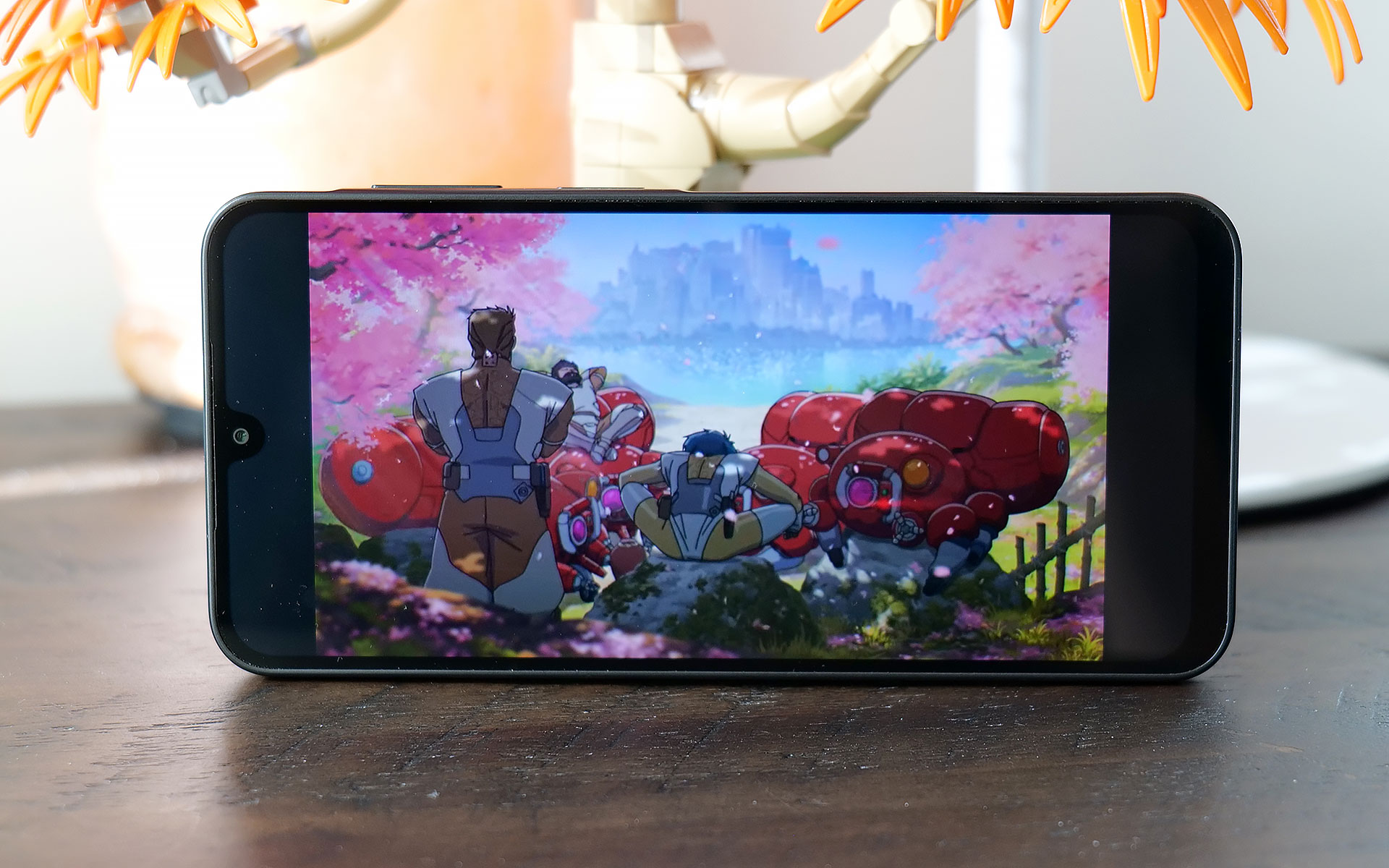 The Galaxy A17's 6.7-inch OLED display is one of the phone's best components thanks to solid brightness and a 90Hz refresh rate.
Sam Rutherford for Engadget
The Galaxy A17's 6.7-inch OLED display is one of the phone's best components thanks to solid brightness and a 90Hz refresh rate.
Sam Rutherford for Engadget
Meanwhile, one thing the A17 has that you don't get on high-end handsets anymore is a microSD card slot (that's shared with its SIM tray) for expandable storage. This gives you a cheap way to increase the phone's base 128GB of space and considering how rare this is nowadays, it's another win for people looking for a truly affordable device.
The Galaxy A17's screen is also surprisingly nice for its price, as it sports a 6.7-inch OLED display with up to 800 nits of brightness. Granted, its refresh rate tops out at 90Hz instead of the 120Hz you get on more expensive fare. But once again, considering how much it costs, I'm not complaining. Especially when you remember that base iPhones were still saddled with 60Hz panels as recently as 2024.
PerformanceOne area where budget phones often struggle is performance because skimping on RAM or the processor can save manufacturers a lot of money. And while the Galaxy A17 is generally fine considering its price bracket, I really wish Samsung had opted for a slightly newer chip. The phone comes with just 4GB of RAM (though there are slightly pricier versions with more), 128GB of onboard storage and an Exynos 1330 SoC, the latter of which is nearly three years old.
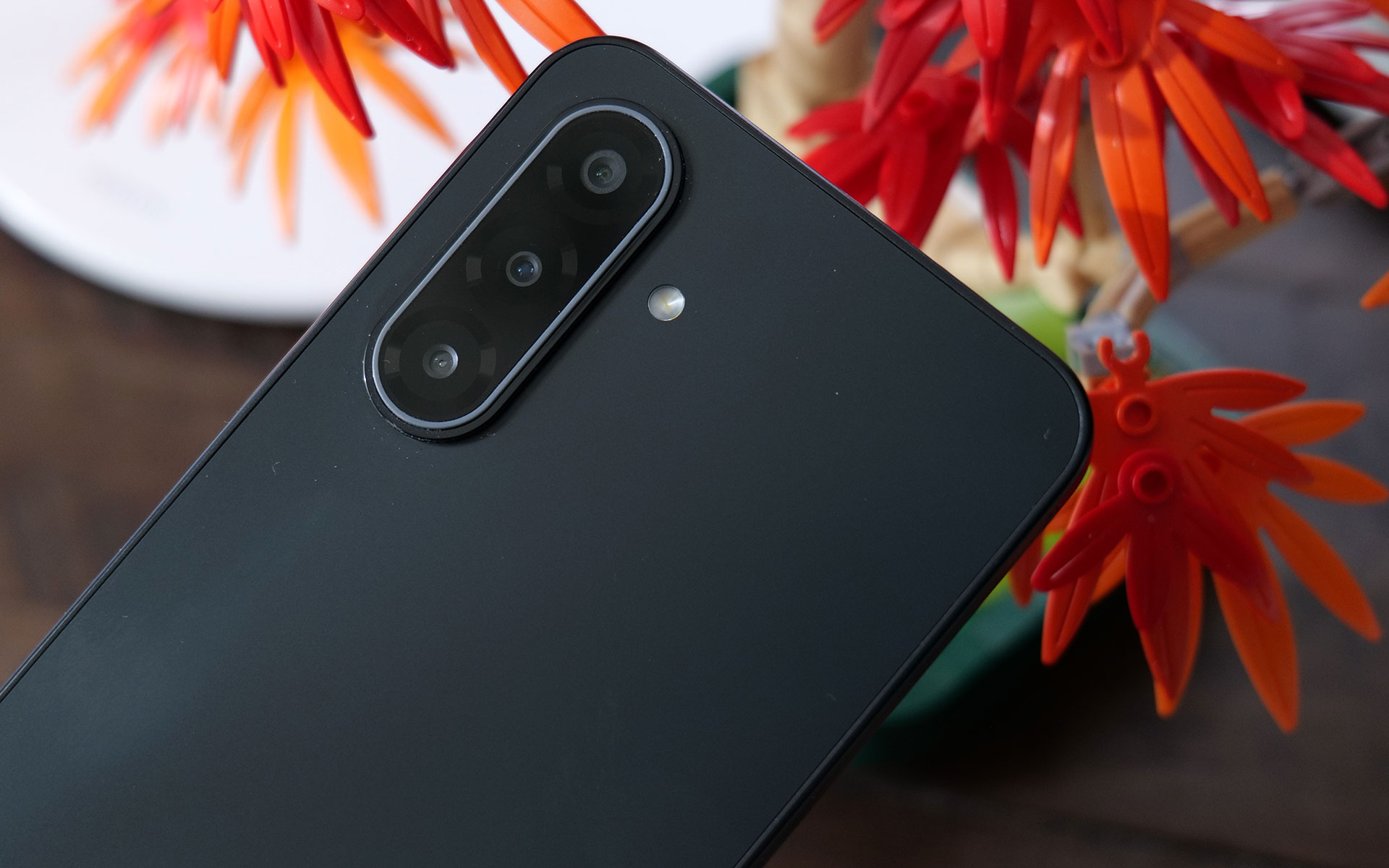 The Galaxy A17 comes with three rear cameras, but its really more like two because one of those is a 2MP macro cam.
Sam Rutherford for Engadget
The Galaxy A17 comes with three rear cameras, but its really more like two because one of those is a 2MP macro cam.
Sam Rutherford for Engadget
At first, I was really worried because during the initial setup, the phone was a laggy, stuttery mess. Thankfully, after signing in, giving the phone some time to download updates in the background and making sure all of its apps were up to date, performance improved significantly. To be clear, this thing still isn't a speed demon and when you're multitasking or quickly switching between heavy apps, you may notice some slowdown. I also wish touch input felt a bit more responsive because sometimes when you tap an icon, there's a small delay before anything happens. But thankfully, it's relatively minor, and in most situations, the phone is snappy enough.
CamerasThe A17 comes with a 13-megapixel selfie camera and three rear shooters, though in practice it's really more like two because one of those is a 2MP macro cam, which doesn't get much use unless you take a lot of up-close photos. That said, the phone takes better pictures than you might expect given its price. In well-lit conditions, both its 50MP main and 5MP ultrawide cams don't give you much to complain about. Images look sharp and sport vivid colors.
However, in low-light situations, there's an obvious difference in quality between the A17 and more expensive midrange phones like Pixel 9a. In a shot of some fruit in my dimly lit kitchen, the A17's pic looks soft and features washed-out colors compared to what Google's phone produced. Then, when I went outside and snapped a photo of a car still buried after the recent snowstorm, textures on the slush in the road, along with various highlights and shadows looked worse in the A17's images. So while the phone can hold its own, camera quality is still one of the biggest reasons you might want to consider upgrading to a more expensive handset.
Battery life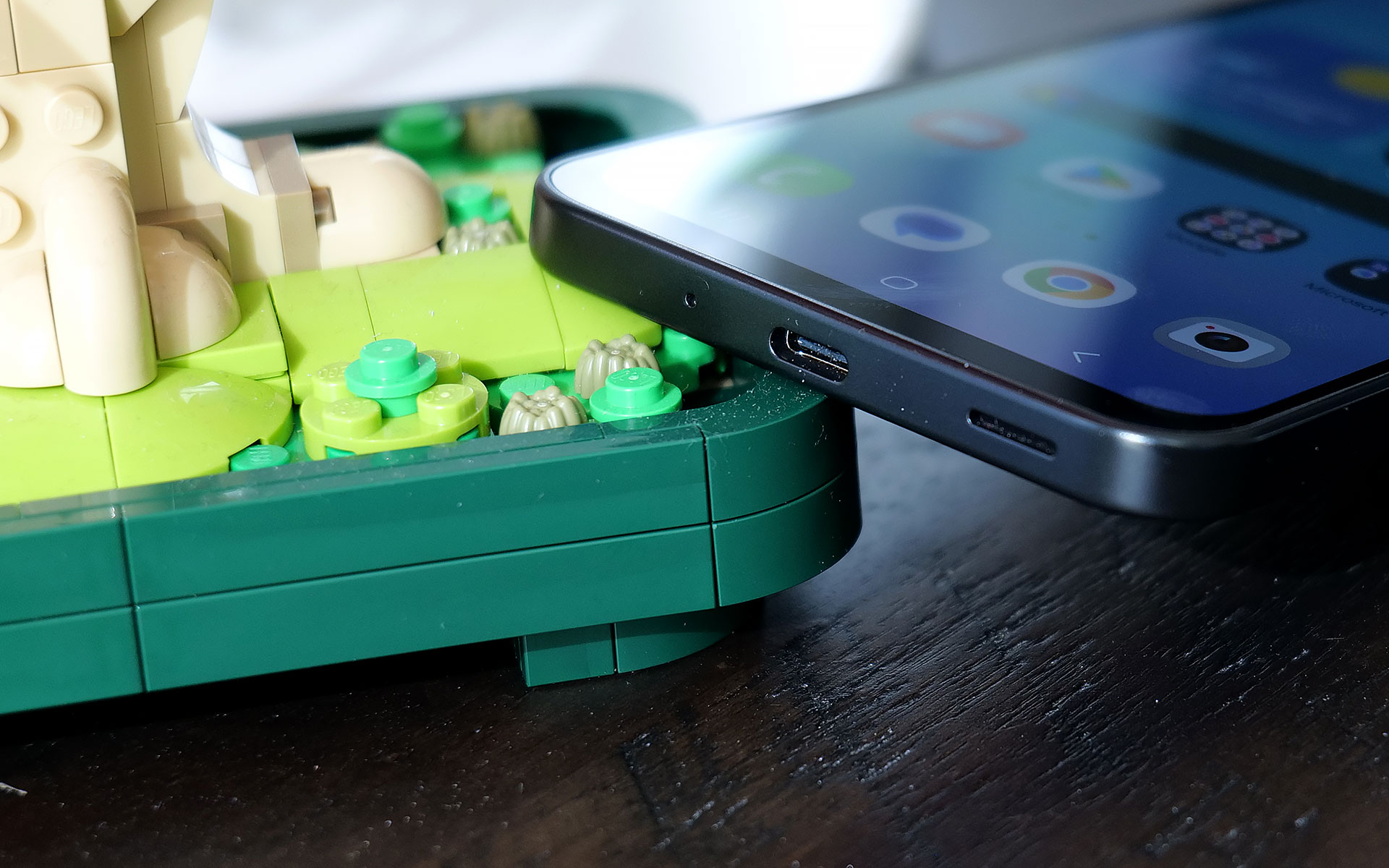 The bottom of the Galaxy A17 features the phone's USB-C port and its single, mono speaker.
Sam Rutherford for Engadget
The bottom of the Galaxy A17 features the phone's USB-C port and its single, mono speaker.
Sam Rutherford for Engadget
For a phone with a 5,000mAh battery and a low-power chip, the Galaxy A17 didn't last quite as long as I expected. On our local video rundown test, it lasted just over 23 hours (23:08), which is decent, but also five hours less than the Pixel 9a (28:04). On the other hand, its wired charging speed of 25 watts is more than enough. Just don't be surprised when you plop it on a wireless charging pad and nothing happens because the phone doesn't support that.
Wrap-upIf you are hard-capped at $200, the Samsung Galaxy A17 is a surprisingly impressive device. It's got a solid build, decent cameras with a handful of different lenses, respectable battery life and even a built-in microSD card slot for extra storage. You even get six years of OS and security updates, which is significantly longer than almost all of its similarly-priced rivals. And while its performance could be smoother, it's not laggy enough to get truly bothered about on a phone this affordable.
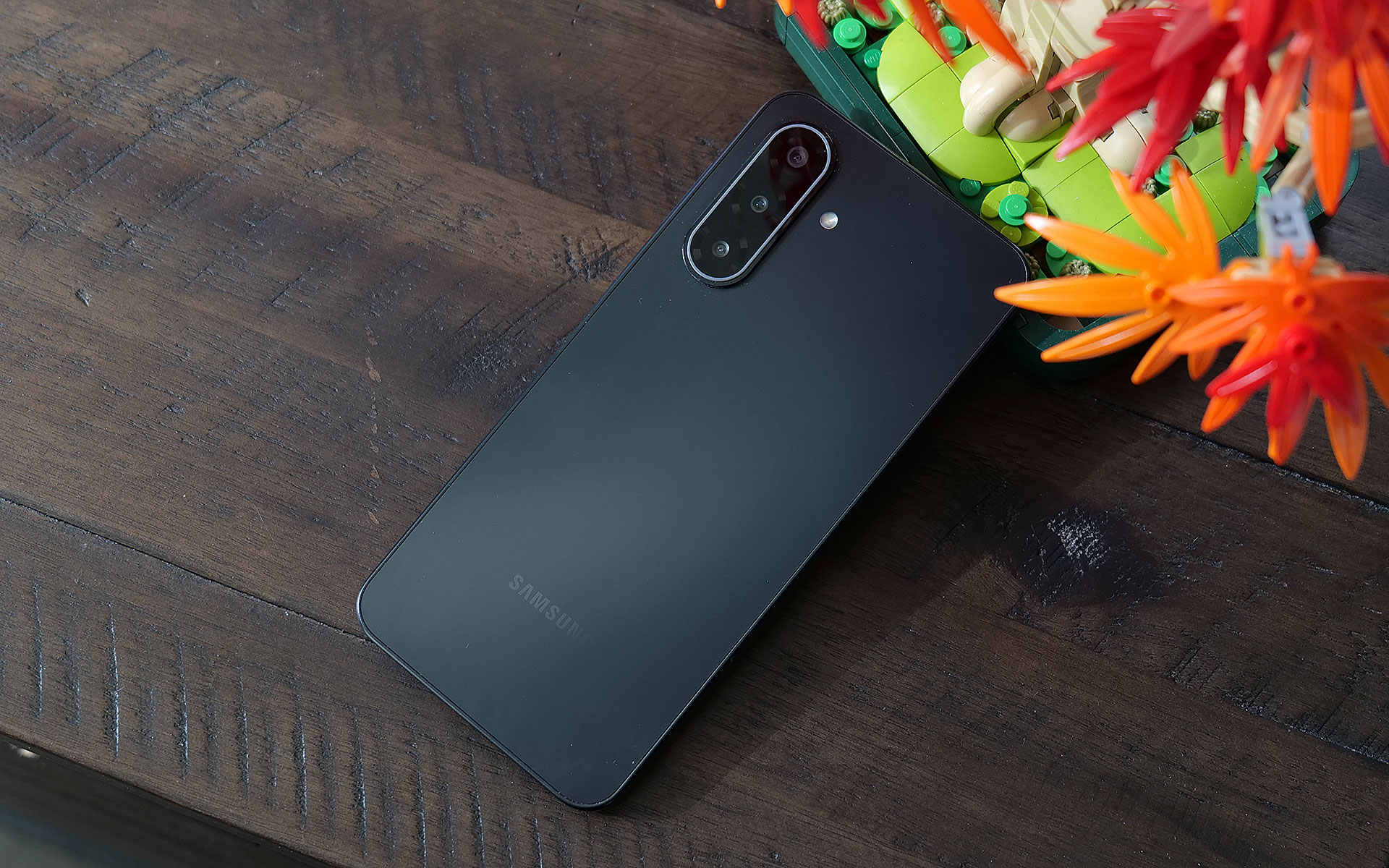 Even though the Galaxy A17 is made out of plastic, the phone still doesn't feel cheap.
Sam Rutherford for Engadget
Even though the Galaxy A17 is made out of plastic, the phone still doesn't feel cheap.
Sam Rutherford for Engadget
For those with wiggle room in their gadget allowance, I would seriously consider looking at a version with 8GB of RAM, which is just $30 more. Alternatively, the Pixel 9a remains my favorite Android phone when it comes to value for money and it's $399 (down from its launch price of $499). But if money is tight, the Galaxy A17 delivers everything you need without blowing up your budget.
This article originally appeared on Engadget at https://www.engadget.com/mobile/smartphones/samsung-galaxy-a17-5g-review-a-respectable-and-affordable-android-option-190000154.html?src=rss ROG made a gaming headset for audiophile nerds [ 02-Feb-26 6:47pm ]ASUS ROG just announced the Kithara gaming headset, which is a device intended to bring "audiophile-grade sound" to gaming. It was developed in conjunction with manufacturer HiFiMan, a company that specializes in high-end audio devices.
The Kithara is the company's first open-back planar magnetic gaming headset. ROG says it was designed to please gamers who "demand absolute clarity, precision and realism." The headphones feature 100mm planar magnetic drivers that have been "tuned specifically for gaming."
The company says this results in a wide frequency response, low distortion and a "level of detail that reveals subtle positional cues such as footsteps, reloads and distance movement." ROG boasts that these audio cues remain distinct even during moments of chaotic gameplay, potentially making the headphones a great choice for competitive gamers.
The open-back design allows for clear separation across bass, mids and treble, which should also make the headphones great for listening to music. It features a full-band boom microphone with a high signal-to-noise ratio. There are separate signal paths for audio and microphone inputs, which significantly reduces crosstalk.
The headphones have been built for maximum versatility, so there's a balanced headphone cable with swappable plugs. They support various connection types, including 3.5mm, 4.4mm and 6.3mm. They also ship with a USB-C to dual 3.5mm adapter.
These are gaming headphones, so comfort is also a priority. The metal frame features an adjustable fit and there's a multi-layer padded headband and two sets of interchangeable ear cushions. The ROG Kithara headphones are available now and cost $300.
This article originally appeared on Engadget at https://www.engadget.com/audio/headphones/rog-made-a-gaming-headset-for-audiophile-nerds-184737937.html?src=rss OpenAI brings its Codex coding app to Mac, with new multi-agent abilities included [ 02-Feb-26 6:31pm ]Since last spring, OpenAI has offered Codex. What started life as the company's response to Claude Code is becoming something more sophisticated with the release of a new dedicated macOS app. At its most basic form, Codex is a programming agent capable of writing code for users, but now it can also manage multiple AI assistants that can work together to complete more complex tasks.
OpenAI gives an example of how this could work in practice. The company used Codex to create a Mario Kart-like racing game, complete with a selection of different playable cars, eight tracks and a collection of powerups players can use against the competition. For a single AI agent, generating a game from scratch, with all the needed visual assets, would be a tough ask, but Codex was able to complete the task because it could delegate the work of making the game to different models with complementary capabilities.
For example, it turned to GPT Image for the visual assets, while a separate model simultaneously coded the web game. "It took on the roles of designer, game developer and QA tester to validate its work by actually playing the game," OpenAI says of the process.
If that sounds complicated, OpenAI has tried to make it more approachable with a section of the app titled Skills. The feature bundles "instructions, resources, and scripts so Codex can reliably connect to tools, run workflows, and complete tasks according to your team's preferences," the company explains. "The Codex app includes a dedicated interface to create and manage skills. You can explicitly ask Codex to use specific skills, or let it automatically use them based on the task at hand."
As you might imagine, Codex can also automate repetitive tasks. A dedicated Automations section of the app allows you to schedule tasks, which the software will complete in the background. "At OpenAI, we've been using Automations to handle the repetitive but important tasks, like daily issue triage, finding and summarizing CI failures, generating daily release briefs, checking for bugs, and more," the company said.
The release of the Codex macOS app comes as AI startups explore what a group of AI agents working in parallel can accomplish. At the start of the year, Anysphere, the company behind Cursor, found it was possible to build a working web browser from scratch using such an approach, though it did encounter problems along the way.
For a limited time, OpenAI is making Codex available to ChatGPT Free and Go users so they can see what's possible with this new software. At the same time, the company is doubling rates for Plus and Pro subscribers.
This article originally appeared on Engadget at https://www.engadget.com/ai/openai-brings-its-codex-coding-app-to-mac-with-new-multi-agent-abilities-included-183103262.html?src=rss A developer turned Wikipedia into a social media-style feed [ 02-Feb-26 5:49pm ]While it's important to stay informed about what's going on in the world, endlessly scrolling through your social media feeds and absorbing what's likely to be a largely negative influx of information can't be great for your mental wellbeing. Perhaps with an eye on stopping you from doomscrolling, developer Lyra Rebane created Xikipedia, a social media-style feed of Wikipedia entries.
The web app algorithmically displays info from Simple Wikipedia. "It is made as a demonstration of how even a basic non-[machine learning] algorithm with no data from other users can quickly learn what you engage with to suggest you more similar content," the Xikipedia landing page reads. "No data is collected or shared here, the algorithm runs locally and the data disappears once you refresh or close the tab."
You can opt to see entries from certain categories (including custom ones) and you can like "posts," each of which is a summary of the relevant Simple Wikipedia entry. Liking a post makes it more likely for posts from the same category, parent categories and linked articles to appear in your feed, Rebane explained.
You can click or tap on a post to visit the full article. It's important to note that, since Xikipedia pulls text and images from random articles, you'll probably see some NSFW material if you scroll for long enough, so be warned. You'll also likely need to wait a beat for Xikipedia to load its 40MB of data.
As someone who has a bookmark that takes me to a random Wikipedia article whenever I click it, I love the idea of Xikipedia. The Simple English Wikipedia has more than 278,000 articles, so there are hundreds of thousands of posts available to scroll through. However, it doesn't seem to be updated as often as the main version of Wikipedia. The discography section of one musician's page I ended up on was missing their two most recent albums. Still, it's worth treating this like Wikipedia proper: as a starting point for discovering new things (sort of in the tradition of StumbleUpon).
This article originally appeared on Engadget at https://www.engadget.com/apps/a-developer-turned-wikipedia-into-a-social-media-style-feed-174924280.html?src=rss Grok, which maybe stopped undressing women without their consent, still undresses men [ 02-Feb-26 5:07pm ]It looks like Grok is still being gross. Elon Musk says his chatbot stopped making sexualized images without a person's consent, but The Verge recently discovered this is not entirely true. It maybe (and I say maybe) stopped undressing women without their consent, but this doesn't seem to apply to men.
A reporter with the organization ran some tests with Grok and found that the bot "readily undresses men and is still churning out intimate images on demand." He confirmed this with images of himself, asking Grok to remove clothing from uploaded photos. It performed this task for free on the Grok app, via the chatbot interface on X and via the standalone website. The website didn't even require an account to digitally alter images.
The company recently said it has taken steps to "prevent the Grok account from allowing the editing of images of real people in revealing clothing such as bikinis." However, the reporter had no problem getting the chatbot to put him in "a variety of bikinis." It also generated images of the subject in fetish gear and in a "parade of provocative sexual positions." It even generated a "naked companion" for the reporter to, uh, interact with.
He suggested that Grok took the initiative to generate genitalia, which was not asked for and was visible through mesh underwear. The reporter said that "Grok rarely resisted" any prompts, though requests were sometimes censored with a blurred-out image.
This controversy started several weeks ago when it was discovered that Grok had generated millions of sexualized images over a period of 11 days. This includes many nonconsensual deepfakes of actual people and over 23,000 sexualized images of children. This led to investigations in both California and Europe. X was actually banned in both Indonesia and Malaysia, though the former has since lifted that ban.
X claimed it has "implemented technological measures" to stop this sort of thing, but these safeguards have proven to be flimsy. In other words, the adjustments do stop some of the more obvious ways to get Grok to create deepfakes, but there are still methods to get around this via creative prompting.
It's also worth noting that journalists asking for a comment on the matter get slapped with an autoreply that reads "legacy media lies." Going with the fake news thing in 2026? Yikes.
This article originally appeared on Engadget at https://www.engadget.com/ai/grok-which-maybe-stopped-undressing-women-without-their-consent-still-undresses-men-170750752.html?src=rss The best board games to gift and play this year [ 02-Feb-26 5:01pm ]It's become cliche to say that we live in a golden age of board games, but to paraphrase the great stoic philosopher Andy Bernard, it's great to know you're in the good old days before you've left them. Great titles are still coming out by the thousands every year, from crowd-pleasing party games to genre-bending, theme-heavy Euros. Whether the gamer in your life is looking for a mind-warping challenge, a fun evening with friends or something in-between, we've got new releases or old favorites they'll love.
Best board games to gift and play
Check out the rest of our gift ideas here.
This article originally appeared on Engadget at https://www.engadget.com/the-best-board-games-to-gift-and-play-this-year-125529271.html?src=rss

