
 The best wireless earbuds for 2026 [ 12-Feb-26 8:00pm ]
Wireless earbuds are now the default option for everyday listening, whether you're heading out for a commute, fitting in a workout or just watching videos at home. The best wireless earbuds combine reliable connectivity, comfortable fits and sound quality that holds up across music, calls and podcasts, all without the hassle of cables. Most are small enough to disappear into a pocket and pair quickly with phones, tablets and laptops.
What sets one pair apart from another often comes down to priorities. Some earbuds lean heavily on active noise cancellation, while others focus on long battery life, compact charging cases or lower prices. Features like water resistance, customizable controls and app support can also make a real difference day to day. This guide breaks down the best wireless earbuds available now to help you find the right match for how you listen.
What to look for in the best wireless earbuds
When it comes to shopping for earphones, the first thing to consider is design or wear style. Do you prefer a semi-open fit like AirPods or do you want something that completely closes off your ears? If you're shopping for earbuds with active noise cancellation, you'll want the latter, but a case can be made for the former if you want to wear them all day or frequent places where you need to be tuned in to the ambient sounds. The overall shape of earbuds can determine whether you get a comfortable fit, so can the size and weight, so you'll want to consider all that before deciding. And remember: audio companies aren't perfect, so despite lots of research, the earbud shape they decided on may not fit you well. Don't be afraid to return ill-fitting earbuds for something that's more comfortable.
As wireless earbuds have become the norm, they're now more reliable for basic things like consistent Bluetooth connectivity. Companies are still in a race to pack as much as they can into increasingly smaller designs. This typically means a longer list of features on the more premium sets of earbuds with basic functionality on the cheapest models. Carefully consider what you can't live without when selecting your next earbuds, and make sure key items like automatic pausing and multipoint connectivity are on the spec sheet. You'll also want to investigate the volume and touch controls as you'll often have to sacrifice access to something else to make that adjustment via on-board taps or swipes. Some earbuds even offer app settings to tweak the audio profiles or firmware updates to improve performance over time.
For those in the Apple ecosystem, features like auto-pairing with devices, especially with AirPods Pro 3, can be an added advantage, while Android users may want to look for models that offer similar cross-device functionality.
When it comes to battery life, the average set of earbuds lasts about five hours on a single charge. You can find sets that last longer, but this is likely enough to get you through a work day if you're docking the buds during lunch or the occasional meeting. You'll want to check on how many extra charges are available via the case and if it supports wireless charging.
Companies will also make lofty claims about call quality on wireless earbuds. Despite lots of promises, the reality is most earbuds still leave you sounding like you're on speakerphone. There are some sets that deliver, but don't get your hopes up unless reviews confirm the claims.
Sound can be subjective, so we recommend trying before you buy if at all possible. This is especially true if you're an audiophile. We understand this isn't easy when most of us do a lot of shopping online, but trying on a set of earbuds and listening to them for a few minutes can save you from an expensive case of buyer's remorse. If a store doesn't allow a quick demo, most retailers have return policies that will let you take earbuds back you don't like. Of course, you have to be willing to temporarily part with funds in order to do this.
We also recommend paying attention to things like Spatial Audio, Dolby Atmos, 360 Reality Audio and other immersive formats. Not all earbuds support them, so you'll want to make sure a perspective pair does if that sort of thing excites you, especially if you plan to use them for playback of high-quality audio.
How we test wireless earbudsThe primary way we test earbuds is to wear them as much as possible. We prefer to do this over a one- to two-week period, but sometimes embargoes don't allow it. During this time, we listen to a mix of music and podcasts, while also using the earbuds to take both voice and video calls. Since battery life for earbuds is typically less than a full day, we drain the battery with looping music and the volume set at a comfortable level (usually around 75 percent).
To judge audio quality, we listen to a range of genres, noting any differences in the sound profile across the styles. We also test at both low and high volumes to check for consistency in the tuning. To assess call quality, we'll record audio samples with the earbuds' microphones as well as have third parties call us.
When it comes to features, we do a thorough review of companion apps, testing each feature as we work through the software. Any holdovers from previous models are double checked for improvements or regression. If the earbuds we're testing are an updated version of a previous model, we'll spend time getting reacquainted with the older buds. Ditto for the closest competition for each new set of earbuds that we review.
Other wireless Bluetooth earbuds we tested Sony WF-1000XM6Since we established this best wireless earbuds guide, Sony's current 1000X model has consistently been the top pick. However, with the WF-1000XM6, there are two key areas where the company's latest flagship set doesn't measure up well versus the competition. Overall ANC performance lags behind Bose, and even Sony's own WF-1000XM5. Speaking of the M5, the company did well there to address the issues I had with fit when it switched to foam ear tips on the WF-1000XM4, but it regressed in that area on the M6. There's still plenty to like in terms of features and sound quality, but there are also caveats to consider now that could be dealbreakers.
Sony WF-C710NThe WF-C710N is a set of compact and comfy earbuds that offer several of Sony's best features. While the ANC performance is above average for this price ($120), sound quality isn't as good as the company's slightly more expensive options. Battery life fell below stated figures and call performance isn't good enough to use these buds for work.
Beats Powerbeats Pro 2The newest version of the Powerbeats Pro have an improved, comfortable design, balanced bass and new H2 chips and a heart rate sensor inside. But heart rate support is currently limited on iOS.
Samsung Galaxy Buds 3The Galaxy Buds 3 combine ANC with an open-type design, which renders the noise-blocking abilities of the earbuds mostly useless. Still, there's great low-end tone with ample bass when a track demands it. There are also lots of handy features, most of which require a Samsung phone. But at this price, there are better options from Google, Beats and Sony
Sennheiser Momentum SportI really like the overall shape of the Momentum Sport earbuds. They're more comfortable than the Momentum True Wireless 4 and fit in my ears better. What's more, the body temperature and heart rate sensors work well, sending those stats to a variety of apps. However, that sport-tracking feature works best with Polar's app and devices, so there's that consideration. Also, the audio quality and ANC performance isn't as good as the MTW4, and these earbuds are pricey.
Beats Solo BudsThere's a lot to like about the Solo Buds for $80. For me, the primary perk is they're very comfortable to wear for long periods of time thanks to some thoughtful design considerations. You only get the basics here in terms of features and, as expected, the overall sound quality isn't as good as the pricier models in the Beats lineup. You will get 18 hours of battery life though, since the company nixed the battery in the case and beefed up the listening time in the buds themselves.
Bose Ultra Open EarbudsBose created something very unique for this set of earbuds that allows you to stay in-tune with the world while listening to audio content. The clip-on design is very comfortable, but sound quality suffers due to the open-type fit, especially when it comes to bass and spatial audio.
Audio-Technica ATH-TWX7These stick buds have a compact design that's comfortable to wear and the warm sound profile is great at times. However, overall audio performance is inconsistent and there's no automatic pausing.
Master & Dynamic MW09Retooled audio, better ambient sound mode and reliable multipoint Bluetooth are the best things the MW09 has to offer. They're expensive though, and you can find better ANC performance elsewhere.
Wireless earbud FAQs What is considered good battery life for true wireless earbuds?Most wireless earbuds will last five hours on a single charge, at the least. You can find some pairs that have even better battery life, lasting between six and eight hours before they need more juice. All of the best wireless earbuds come with a charging case, which will provide additional hours of battery life — but you'll have to return each bud to the case in order to charge them up.
Is sound quality better on headphones or earbuds?Comparing sound quality on earbuds and headphones is a bit like comparing apples and oranges. There are a lot of variables to consider and the differences in components make a direct comparison difficult. Personally, I prefer the audio quality from over-ear headphones, but I can tell you the sound from earbuds like Sennheiser's Momentum True Wireless 3 is also outstanding.
Which wireless earbuds have the longest battery life?With new models coming out all the time, tracking the hours of battery life for each this can be difficult to keep tabs on. The longest-lasting earbuds we've reviewed are Audio-Technica's ATH-CKS5TW. The company states they last 15 hours, but the app was still showing 40 percent at that mark during our tests. The only downside is these earbuds debuted in 2019 and both technology and features have improved since. In terms of current models, Master & Dynamic's MW08 offers 12 hours of use on a charge with ANC off (10 with ANC on) and JBL has multiple options with 10-hour batteries.
What wireless earbuds are waterproof?There are plenty of options these days when it comes to increased water resistance. To determine the level of protection, you'll want to look for an IP (ingress protection) rating. The first number indicates intrusion protection from things like dust. The second number is the level of moisture protection and you'll want to make sure that figure is 7 or higher. At this water-resistance rating, earbuds can withstand full immersion for up to 30 minutes in depths up to one meter (3.28 feet). If either of the IP numbers is an X, that means it doesn't have any special protection. For example, a pair of wireless earbuds that are IPX7 wouldn't be built to avoid dust intrusion, but they would be ok if you dropped them in shallow water.
Which earbuds stay in ears the best?A secure fit can vary wildly from person to person. All of our ears are different, so audio companies are designing their products to fit the most people they can with a single shape. This is why AirPods will easily fall out for some but stay put for others. Design touches like wing tips or fins typically come on fitness models and those elements can help keep things in place. You'll likely just have to try earbuds on, and if they don't fit well return them.
What wireless earbuds work with PS5?PlayStation 5 doesn't support Bluetooth audio without an adapter or dongle. Even Sony's own gaming headsets come with a transmitter that connects to the console. There are universal options that allow you to use any headphones, headset or earbuds with a PS5. Once you have one, plug it into a USB port on the console and pair your earbuds with it.
Recent updatesFebruary 2026: Updated to include new top picks.
January 2026: Updated to ensure our top picks have remained the same.
September 2025: Updated to add AirPods Pro 3 to our top picks.
May 2025: Updated to ensure top picks and buying advice remain accurate.
March 2025: Updated the top pick for the best sounding wireless earbuds - runner up.
January 2025: Updated the top pick for best sounding wireless earbuds.
This article originally appeared on Engadget at https://www.engadget.com/audio/headphones/best-wireless-earbuds-120058222.html?src=rss EU reportedly opens another probe into Google's ads pricing [ 12-Feb-26 7:44pm ]The European Commission has opened a new probe into Google, this time focused on the company's massive online advertising business, Bloomberg reports. European Union regulators have already fined Google billions for violating the Digital Markets Act, and being found guilty of anticompetitive behavior in online advertising could add to that total.
While the Commission has yet to announce a formal investigation, Bloomberg writes that it has started contacting Google's customers and competitors for information about its dominance across multiple online advertising markets. Regulators are particularly concerned that Google could be "artificially increasing the clearing price" of ad auctions "to the detriment of advertisers." If the company is found to be violating the EU's competition rules, Google could be fined 10 percent of its global annual sales.
Google's approach to advertising to minors was reportedly already under investigation by the EU as of December 2024, and besides fines, regulators have ordered the company to open up Android to competing AI assistants and share search data with rivals. In the US, there's also precedent for finding Google's approach to online advertising anticompetitive.
A US federal judge found that Google is a monopolist in online advertising in April 2025, the conclusion of a legal battle that started with a Department of Justice lawsuit accusing the company of dominating the ad market and using its control to charge more and keep a larger portion of ad sales. The DOJ ultimately wants Google to sell its ad tech business, but a final decision hasn't been reached as to how the company's anticompetitive behavior should be remedied.
This article originally appeared on Engadget at https://www.engadget.com/big-tech/eu-reportedly-opens-another-probe-into-googles-ads-pricing-194435095.html?src=rss Antitrust head overseeing Netflix-Warner merger resigns [ 12-Feb-26 7:28pm ]The head of the antitrust division is out at the US Department of Justice. Gail Slater, a former JD Vance adviser and Fox Corp VP, reportedly clashed with Attorney General Pam Bondi. Their longstanding feud is said to have centered around Slater's skepticism of corporate mergers.
"It is with great sadness and abiding hope that I leave my role as [Assistant Attorney General] for Antitrust today," Slater posted on X. "It was indeed the honor of a lifetime to serve in this role."
Although Slater technically resigned, The Guardian reports that she was forced out. The fallout was said to be over her differences with Bondi (who just yesterday yelled, insulted and deflected her way through a hearing over the DOJ's stonewalling of the Epstein files). In recent weeks, Bondi reportedly reiterated to the White House that Slater's views on the antitrust division's direction made the pair's relationship irreconcilable.
 Attorney General Pam Bondi (Photo by Win McNamee/Getty Images)Win McNamee via Getty Images
The tensions reportedly began simmering last summer, when Slater sought to block the merger between Hewlett-Packard Enterprise and Juniper Networks. She opposed the deal out of concerns that it would create a duopoly in cloud computing and wireless networking. In addition, Slater reportedly told Bondi that US intelligence hadn't raised any concerns about blocking the merger. However, CIA Director John Ratcliffe later claimed that blocking it would pose national security risks because it could lead to the loss of business to China. The Trump administration's merger-friendly DOJ ultimately approved the deal.
Alongside Bondi, Slater was overseeing the DOJ's review of Netflix's proposed acquisition of Warner Bros. Discovery. In December, Trump said he would be involved in the regulatory review. That followed intense lobbying by Netflix and Paramount, the latter of which launched a hostile takeover bid. Earlier this month, The Wall Street Journal reported that the department was investigating whether Netflix was involved in anticompetitive practices during the process.
Slater's ousting also comes weeks ahead of the DOJ's antitrust trial against Ticketmaster owner Live Nation. The department's lawsuit was filed during the Biden administration. It claims that Live Nation is operating as a monopoly, harming competition, fans, industry promoters and artists.
This article originally appeared on Engadget at https://www.engadget.com/big-tech/antitrust-head-overseeing-netflix-warner-merger-resigns-192854114.html?src=rssLast year Apple secured the exclusive rights to broadcast Formula 1 racing in the United States from 2026 to 2030. Apple TV subscribers can now watch every practice and qualifying session as well as every sprint and Grand Prix of a race weekend on the F1TV app by linking their Apple account.
Right now, those with an existing F1TV subscription will still see an active status in their "my subscription" page on desktop that shows the plan's renewal date. However, after logging in via Apple with an Apple TV subscription, a second active F1TV subscription appears with an Apple TV logo and the label "Official U.S. broadcaster of Formula 1." Users are advised to cancel the duplicate subscription they had directly with F1TV, which can be done in the F1TV app.
For those that don't have an existing F1TV account, simply create one and activate it using your Apple account. Users who don't pay for Apple TV can still view "select races" and practice sessions throughout the season.
Apple has yet to release precise details on what content will be viewable from within the Apple TV app compared to the F1TV app, where users are accustomed to features like multi-view, onboard cameras, live team radios and live timing and telemetry. With the first race of the F1 season kicking off March 7 in Australia, we should have these answers soon.
Fans can currently check out preseason testing taking place in Bahrain this week and next through the F1TV app.
This article originally appeared on Engadget at https://www.engadget.com/entertainment/streaming/how-to-get-f1tv-with-your-apple-tv-subscription-171534300.html?src=rssApple's Vision Pro is a curious product — it initially wowed me two years ago, but it was hard to ignore that the visionOS platform felt incomplete without dedicated apps for YouTube and Netflix. Well, it seems that Google has finally decided to take the Vision Pro seriously, as it's launching a YouTube app on the platform today. Previously, you could only view YouTube videos via Safari, or through third-party apps like Tubular Pro.
According to an Apple representative, the YouTube Vision Pro app features every video on on the service, including shorts, 360, 3D and VR 180 content. I haven't tried it myself yet, but it certainly couldn't be worse than trying to navigate through YouTube's desktop app via finger gestures. Now that Google is spinning up its Android XR ecosystem, the company probably couldn't avoid the Vision Pro for long. And don't forget, we may also see a cheaper Vision Air next year.
Your move, Netflix.
This article originally appeared on Engadget at https://www.engadget.com/ar-vr/apple-vision-pro-finally-gets-a-youtube-app-today-170000886.html?src=rssWildlight Entertainment, the studio behind Highguard, has laid off many staffers. Level designer Alex Graner wrote in a LinkedIn post that the layoffs impacted "most of the team." The company says it's keeping a "core group of developers to continue innovating on and supporting the game." That sounds like a skeleton crew.
Today we made an incredibly difficult decision to part ways with a number of our team members while keeping a core group of developers to continue innovating on and supporting the game.
— Wildlight Entertainment (@WildlightEnt) February 12, 2026
We're proud of the team, talent, and the product we've created together. We're also grateful…
Highguard is an arena shooter with an impressive pedigree. The team included many Apex Legends and Titanfall developers. The title was first announced as a "one more thing" surprise during the 2025 Game Awards, which was met with a lukewarm response by those looking for something a bit more exciting to close out the show.
The game was released at the end of January, but the response to the final game was also a bit tepid. However, Wildlight proved quick to make adjustments based on player feedback. That's not always the case.
Despite the company's efforts, the concurrent player count on Steam quickly dropped from around 100,000 to under 3,000 (where it sits right now.) It looks like that dwindling player count has now translated to massive layoffs just weeks after the initial release. Wildlight says it's "grateful for players who gave the game a shot, and those who continue to be a part of our community."
This article originally appeared on Engadget at https://www.engadget.com/gaming/highguard-studio-lays-off-most-of-its-team-just-weeks-after-the-game-went-live-165919815.html?src=rssAt the end of last month, Ubisoft workers in the publisher's native France threatened to strike in the wake of sweeping layoffs and cost-cutting measures. This week, they made good on those threats. According to GamesIndustry.biz, union members confirmed that at least 1,200 staff participated in the three-day strike, which was due to run from February 10 to February 12.
While the strike action primarily took place in France, GamesIndustry.biz was told that Ubisoft's Milan office also took part. The union Solidaires Informatique, which represents French workers from a number of companies in the video game sector, including Blizzard and Ubisoft, had previously called for strikes to take place on January 27. Their demands included a 10 percent increase on all salaries and the implementation of a 4-day work week.
Some striking employees held up signs outside Ubisoft's Paris headquarters, with one (pictured) wearing a Rabbids mask to hide their face. Their grievances are wide-ranging. As well as reportedly laying off hundreds of employees already in 2026, Ubisoft also introduced a mandate for its staff to return to work on site for five days a week. One employee who publicly voiced their disapproval of the new policy was reportedly fired for doing so.
Ubisoft has had a rocky start to 2026 on the software side too. The long-awaited Prince of Persia: The Sands of Time remake was among six games canceled by the struggling publisher last month, when it also confirmed several studio closures as part of the company's organizational restructuring.
This article originally appeared on Engadget at https://www.engadget.com/gaming/1200-ubisoft-workers-went-on-strike-in-response-to-company-restructuring-and-mandatory-return-to-work-policy-163714986.html?src=rssPlayStation's first State of Play of the year is shaping up to be quite newsworthy. While Sony hasn't revealed too much about what it will show off (with one notable exception), the stream is slated to last for over an hour, so there should be at least some interesting stuff. The showcase will get underway at 5PM ET on February 12. You can click the play button on the YouTube video above to watch the State of Play in English when the time is right.
The PlayStation YouTube channel is hosting alternative versions of the stream. One has English subtitles and the other is in Japanese. Otherwise, you can react to all the reveals live in Twitch chat.
The showcase will include "news, gameplay updates and announcements from game studios across the globe," Sony said. It will "spotlight eye-catching third-party and indie games headed to PS5, along with the latest from teams at PlayStation Studios."
Sony's slate of first-party games has been relatively slim over the last few years, but the company is preparing to release a trio of them over the next couple of months. It's likely that all three of those (Saros, Marathon and MLB The Show 26) will make appearances during the State of Play. Bungie has confirmed that Marathon will definitely be in the mix, though it dispelled rumors that another playtest for the extraction shooter will take place this weekend.
There are positive signs for news on the Silent Hill front as well. Konami has scheduled a Silent Hill Transmission presentation for 7PM on Thursday, which is soon after the State of Play wraps up. That stream will include new information about Silent Hill: Townfall, which was announced all the way back in 2022, but we could get a peek at that game during the State of Play too.
Elsewhere, we may get an update on Marvel Tōkon: Fighting Souls, a nifty looking tag-fighting game from Arc System Works that Sony is publishing. That's slated to arrive this year on PS5 and PC (Steam and Epic Games Store). A recent update to the game's Steam page — which was quickly reverted — revealed that the game will have 20 fighters at the outset, with more to come. The timing of the leak suggests that Marvel Tōkon: Fighting Souls may well show up during the State of Play.
However, Marvel's Wolverine, which is set to arrive this fall, may not be featured during this particular State of Play. Developer Insomniac Games indicated on X that it would reveal more details about the game this spring. However, that doesn't entirely preclude Sony from featuring the game at Thursday's showcase. Perhaps we'll get even a release date, given that GTA VI (a game that most publishers will want to stay very far away from) now actually seems to be on track to arrive in November.
This article originally appeared on Engadget at https://www.engadget.com/gaming/playstation/how-to-watch-playstations-hour-long-state-of-play-and-what-to-expect-162128585.html?src=rssSony's 1000X earbuds have been at the top of Engadget's best wireless earbuds list since we first published it. With each new generation, the company managed to retain its crown, primarily thanks to a massive collection of features and an effective mix of sound quality and active noise cancellation (ANC) performance. Today, Sony revealed the latest entry in the series, the WF-1000XM6, delivering yet another redesign both inside and out. The company's tried and true formula of features and audio performance remains, but it may no longer be enough to elevate the M6 above the competition.
Design
For the third time in a row, Sony overhauled the 1000X earbuds' design. While the WF-1000XM5 was a clear revision of the WF-1000XM4, the M6 is a departure from both of them. The company managed to reduce overall size even further by using a rounder, pill-shaped enclosure for the earbuds' main housing. I certainly applaud Sony for making these as tiny as possible, but I'm still not a fan of the company's foam ear tips.
Sony introduced foam ear tips on the 1000XM4 earbuds and that led to an unstable fit during my testing. In fact, I ended up switching to the silicone M3 tips for a better feel. Things were slightly better on the M5, but the company regressed here on the M6. I tried every size of ear tips in the box and the fit test in the Sound Connect app only ever confirmed an air-tight seal in my right ear. This can impact sound quality and ANC performance, and the earbuds don't feel like they're sitting far enough inside my ears. I never got used to the fit in my three weeks of testing.
The exterior panel of the WF-1000XM6 is still touch sensitive, accepting a variety of taps for playback controls, calls, noise settings and more. Sony also included a repeated tapping gesture that's used for volume control. Keep tapping on the right earbud to raise the volume and do so on the left to lower it. My disdain for touch controls is well-documented at this point, but the M6 reliably and quickly responded without me having to repeat a tap sequence.
WF-1000XM6 features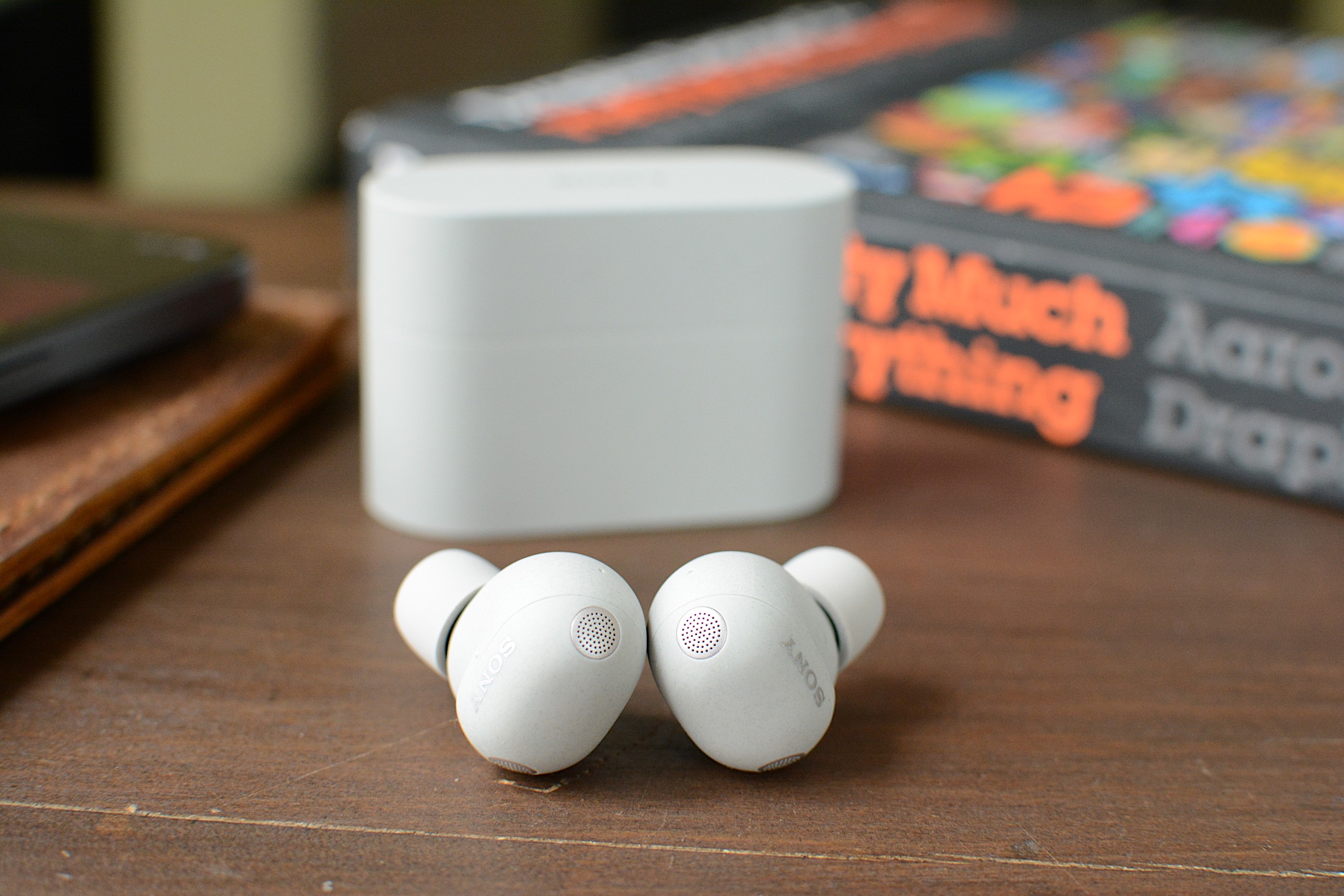 The WF-1000XM6 accepts taps for touch-based controls.
As is typically the case with its 1000X earbuds, Sony has loaded the M6 with features. Nearly all of these are holdovers from previous models, including Adaptive Sound Control that can automatically adjust settings based on your activity or location. Speak-to-Chat still pauses audio and activates ambient sound when you start talking, but it's also still easily duped by coughs or clearing your throat. A quick access feature can put Amazon Music, Apple Music, Endel, Spotify and YouTube Music two or three taps away, depending on how you configure it.
The M6 earbuds also allow you to accept and reject calls with head gestures and you'll have the option to pipe in your own voice during a call. Sony retained its existing option of operating the earbuds with voice commands: If you say "Assistant," you can then ask it to play, pause, skip and replay songs. It will also adjust the volume for you, but that's the extent of its abilities.
Sony included some handy power management features as well. First, there's an Auto Power Save mode that will disable any custom EQ settings, DSEE Extreme upscaling, Speak-to-Chat and voice control/voice assistant to reduce power consumption when the M6 hits 20 percent battery remaining. A Battery Care tool will extend the life of the earbuds' battery by stopping charging before it reaches 100 percent. Lastly, Automatic Power Off will turn the earbuds off when they're outside of the case and haven't been worn for some time.
Basic conveniences like multipoint Bluetooth, wireless charging and IPX4 water resistance are also here. Wear detection is onboard and you can use Sony's EQ presets to alter the sound profile, or make your own and save them for future use. The Sound Connect app puts the battery levels of the individual earbuds and the case front and center, and you can edit the main screen to hide the features displayed there if you don't need them.
Sound quality and ANC performance Sound quality is one of Sony's strengths and that continues on the M6.
Billy Steele for Engadget
Sound quality is one of Sony's strengths and that continues on the M6.
Billy Steele for Engadget
If Sony's long list of features is its top advantage over the competition, overall sound quality is number two. For the WF-1000XM6, the company built new drivers with soft edges for deeper bass and a more rigid, lightweight dome for clearer treble. There are also notches around the edges for "clearer and smoother" sound quality overall, according to Sony. And of course, DSEE Extreme upscaling helps to recover details lost to compression while 360 Reality Audio and Spatial Sound Optimization are available for more immersive listening.
I found the M6 earbuds at their best with the stock EQ and DSEE Extreme active, much like I have on previous 1000X models. The sound is deep and warm, with thick bass that's adequate without ever overpowering the mix. Highs cut through and there's ample midrange, keeping those finer details from getting lost. Erika de Casier's atmospheric Lifetime is a great example of what the WF-1000XM6 can do. Vocals seem to float over the top of the bassline and drums, with percussive piano chopping though and subtle synth details popping up throughout. When strings arrive on "Seasons," the M6 ushers them into a prominent position rather than relegating them behind the beat.
On the WF-1000XM6, the chaos of Spiritbox's "Holy Roller" doesn't get condensed to a messy heavy metal roar either. And there's plenty of texture in the synth-driven noise of Nine Inch Nails' "As Alive As You Need Me To Be." Even more straightforward rock tracks like Jimmy Eat World's "Bleed American" have ample punch, with a wide soundstage that never feels claustrophobic or sounds compressed. Overall, the WF-1000XM6 holds its own against the best-sounding earbuds you can buy right now, though some of the competition, like Technics, have an edge in the way they handle the subtlest of nuances in songs.
If you were hoping for knock-out ANC abilities, I must report that the WF-1000XM6 isn't the noise-canceling powerhouse that is Bose's QC Ultra Earbuds. The M6 struggles mightily with human voices. While that's the downfall of many ANC earbuds, you'll want to keep it in mind if you plan to wear these in the office. I found I could also still hear constant noise sources like fans and white noise machines when wearing the M6 — items that the QC Ultra Earbuds combat effectively.
Using the WF-1000XM6 for calls The WF-1000XM6 isn't as adept at calls as Sony advertises.
Billy Steele for Engadget
The WF-1000XM6 isn't as adept at calls as Sony advertises.
Billy Steele for Engadget
For calls, Sony says the M6 uses AI for both background noise reduction and voice capture with the beamforming microphones. What's more, the earbuds are equipped with eight total mics for ANC and calls, plus bone conduction tech for improved voice pickup. Unfortunately, all of that doesn't lead to stellar performance during calls. While the WF-1000XM6 is perfectly usable for voice and video calls, the overall quality is far from pristine. To make matters worse, the earbuds make you sound overly processed when you encounter significant background noise. Since the company prided itself on the upgrades here, the results are disappointing.
Battery lifeSony says the WF-1000XM6 will last up to eight hours on a charge or 24 hours when you factor in the full longevity of the charging case. During a battery test that I mostly ran with ANC active, I had no trouble hitting that single-charge figure. That's with the volume around 75-80 percent and includes calls and virtual meetings where I switched over to ambient sound mode.
It's worth noting that I had DSEE Extreme upscaling active the entire time, which can impact battery life. Plus, if you use the aforementioned Auto Power Save mode, you can extend play time when you have about a quarter of a tank left. Going without some of the M6's best features in the interest of having tunes for a workout or commute is a fair trade in my book.
The competition The WF-1000XM6 is still a compelling option, but it's not the clear favorite anymore.
Billy Steele for Engadget
The WF-1000XM6 is still a compelling option, but it's not the clear favorite anymore.
Billy Steele for Engadget
When sizing up the competition for the WF-1000XM6, you have to choose your priorities. Simply put, no other company offers the comprehensive suite of features that Sony does. That's been true for a while now and it continues with this model. If you want the strongest active noise cancellation, that will be Bose's second-generation QuietComfort Ultra Earbuds. If the best sound quality is your goal, the Technics AZ100 is your best bet in this price range. I'll also mention Sennheiser's Momentum True Wireless 4 which offers great sound quality, respectable ANC and a comfier fit than the M6, but that set is almost two years old at this point.
Wrap-upSony continues its run of great earbuds with the WF-1000XM6, but this model isn't the polished package that some of its predecessors were. The two most obvious places the company is lagging behind the competition is ANC performance and overall voice quality, not to mention my continued dissatisfaction with the fit that Sony's foam tips provide. The M6 is also more expensive than the previous version, which makes it even harder to overlook any flaws. What you will get on the WF-1000XM6 is a ton of features, great sound quality and reliable touch controls in a smaller package. And for some, that might be enough to make you forget about the rest.
The WF-1000XM6 is available today in silver and black for $330.
This article originally appeared on Engadget at https://www.engadget.com/audio/headphones/sony-wf-1000xm6-review-facing-tougher-competition-160000652.html?src=rssAmazon is launching a feature that will add a new artificial intelligence layer to its writing tablets. "Send to Alexa+" is rolling out to the current generation of Kindle Scribe and Kindle Scribe Colorsoft devices. This concept was announced when Amazon first debuted the Kindle Scribe Colorsoft last fall, but the company said that the feature wouldn't be available until this year.
As the name implies, "Send to Alexa+" lets users share their notebooks and documents from their supported Kindle with the Alexa+ AI assistant, making their information accessible on other Amazon platforms, including Alexa.com and the Alexa app. Prime members and Alexa+ subscribers will also be able to reach their Kindle documents on Echo and Fire TV devices. Alexa+ will be able to perform additional tasks such as summarizing notes, creating to-do lists and adding either calendar items or reminders.
This article originally appeared on Engadget at https://www.engadget.com/mobile/tablets/amazons-send-to-alexa-feature-arrives-on-kindle-scribe-and-scribe-colorsoft-140000093.html?src=rssNVIDIA's cloud gaming service, GeForce Now, has expanded to another platform. Starting today, folks with select Amazon Fire TV sticks can install a native GeForce Now app. While it was already possible to access GeForce Now through the Fire TV platform, you won't necessarily need to sideload an Android app to do so anymore.
At the outset, the new app is compatible with the second-gen Fire TV Stick 4K Plus and second-gen Fire TV Stick 4K Max (running Fire OS 8.1.6.0 and later). It also works with the original Fire TV Stick 4K Max if you're running Fire OS 7.7.1.1 or later.
On the Fire TV platform, GeForce Now streaming quality tops out at a resolution of 1080p and a frame rate of 60 fps, with SDR visuals, H.264 video encoding and stereo audio. So you won't necessarily get the best GeForce Now experience here as the service has support for up to 5K resolution and up to 360 fps, along with HDR10 and 7.1 audio at the highest tier. But it's not a bad option if you already have the right hardware. You'll need a controller too, of course.
NVIDIA announced the GeForce Now app for Fire TV during CES last month. It joins other cloud gaming services on the Fire TV platform, including Xbox Cloud Gaming (PC Game Pass titles are available on GeForce Now as well) and Amazon's own Luna.
This article originally appeared on Engadget at https://www.engadget.com/gaming/nvidias-geforce-now-app-lands-on-amazon-fire-tv-sticks-140000516.html?src=rssMasterClass is offering 50 percent off its annual memberships right now, cutting the cost of its plans in half for a limited time. That brings the Premium tier down to $10 per month when billed yearly, while the Plus and Standard plans are also discounted to $8 monthly and $5 monthly, respectively. Each tier unlocks the full catalog of classes, with the main differences coming down to how many devices can stream at once and whether offline viewing is included.
There are more than 200 classes on MasterClass now, and many are led by big names at the top of their fields. Depending on your interests, you might pick up cooking tips from Gordon Ramsay, learn storytelling from Margaret Atwood, explore business strategy with Richard Branson or get insights into performance and mindset from athletes and entertainers. The catalog spans everything from film and TV to wellness, music, science, leadership and photography, so it's easy to dip in and find something that holds your attention.
Over the years, MasterClass has expanded into a broad learning platform that feels like part streaming service and part educational library. The catalog spans categories like food, film, music, wellness, sports and entrepreneurship, with lessons designed to be short and easy to follow. Since every plan includes access to the full course library, the choice mostly comes down to convenience. The Standard tier supports one device and doesn't include offline mode, the Plus plan allows streaming on two devices with downloads, and the Premium tier increases that to six devices with offline access as well.
Classes are structured to be approachable whether you want to learn a new skill or just explore a topic out of curiosity. Lessons are broken into bite-sized segments, so it's easy to watch one or two at a time on a commute or in the evening. Members also get access to a global community, occasional newsletters and the ability to switch between video and audio listening on supported classes.
If you've been considering trying MasterClass, this deal makes it a more affordable way to see if it works for you. A subscription can also double as a thoughtful gift, which is one reason it has appeared in Engadget's roundup of the best subscription gifts to send to loved ones. With the current 50 percent discount applied across all tiers, it's a relatively low-cost way to get access to a large library of professionally produced courses that you can watch at your own pace throughout the year.
This article originally appeared on Engadget at https://www.engadget.com/deals/masterclass-deal-get-half-off-subscriptions-ahead-of-presidents-day-130500563.html?src=rssApple's long-delayed AI-powered Siri redesign may not be rolling out this year, at least in the way the company had planned. According to Bloomberg's Mark Gurman, Apple found problems with its software upon testing, such as the virtual assistant taking too long to accomplish tasks or even not processing queries properly altogether. Siri's new version was also reportedly so sluggish during testing that its developers believed Apple would have to push back its launch by months. Instead of releasing the redesigned assistant in March as was previously reported, Gurman says Apple will roll out its capabilities piecemeal over future software updates.
The company originally unveiled the redesigned Siri back in 2024, promising an AI-powered assistant that can do tasks for you, such as finding specific photos or tracking details, adding information to contact cards, editing photos and sharing note summaries to be sent as emails. It was slated to make its way to iOS users in 2025, but Apple announced that year that it was going to be delayed. "It's going to take us longer than we thought to deliver on these features and we anticipate rolling them out in the coming year," the company said. Bloomberg reported back then that the new AI-infused Siri was going to be included in a planned iOS 26.4 update due in March instead. Based on this latest report, however, we might only get a portion of Siri's new capabilities next month. More capabilities could be released with iOS 26.5 in May and with iOS 27 later this year.
In January this year, Apple confirmed reports that Google's Gemini models will help power the new Siri. "After careful evaluation, Apple determined that Google's Al technology provides the most capable foundation for Apple Foundation Models and is excited about the innovative new experiences it will unlock for Apple users," the company said in a statement. The revamped assistant is expected to behave like an AI chatbot, similar to OpenAI's ChatGPT, when it does become available.
This article originally appeared on Engadget at https://www.engadget.com/mobile/apples-siri-relaunch-is-reportedly-behind-schedule-125347471.html?src=rssAfter warnings from lawmakers last year, WhatsApp has been blocked in Russia for as many as 100 million users, the Financial Times reported. Russian authorities removed the app from an online directory, effectively wiping it from Russia's internet. The government has previously said that it wants users to switch to an app called Max, an unencrypted WeChat clone.
"Today the Russian government has attempted to fully block WhatsApp in an effort to drive users to a state-owned surveillance app," Meta told the FT in a statement. "Trying to isolate over 100 million people from private and secure communication is a backwards step and can only lead to less safety for people in Russia."
The Russian government deleted WhatsApp rival Telegram yesterday, while also erasing Meta apps Facebook and Instagram. YouTube access was also reportedly degraded, though it's not clear if the app has been completely removed.
In July 2025, a Russian lawmaker who regulates the IT industry said it's very likely that WhatsApp would be placed on a list of restricted software. Parent Meta has been designated as an extremist organization in Russia, and last year Vladimir Putin issued a directive for the nation to further restrict communication apps originating from "unfriendly countries" that have sanctioned Russia.
The state has said that an in-house app would protect citizens from fraud and terrorism, given the large number of scammers on WhatsApp in the nation. However, restrictions on Telegram haven't gone over well domestically, even among Putin's allies, as residents along Ukraine's borders have relied on it for drone and missile alerts. "I am concerned that slowing Telegram could affect the flow of information, if the situation deteriorates," said the governor of one of those regions.
This article originally appeared on Engadget at https://www.engadget.com/social-media/whatsapp-is-now-fully-blocked-in-russia-110953485.html?src=rssVinyl records are firmly back in rotation, but getting started does not have to mean spending a fortune or building a complicated hi-fi stack from day one. Whether you want a simple, all-in-one setup with built-in speakers or you are piecing together a more traditional system with a separate amplifier, the best record player is the one that fits how you listen at home.
For this guide, we focused on high-quality turntables under $600 that deliver a satisfying listening experience without unnecessary complexity. These picks cover everything from beginner-friendly automatic models to more audiophile-leaning decks that prioritize sound quality and upgrade potential, proving you do not need to jump into the high-end to enjoy vinyl properly.
Best record players for 2026
Other record players we tested Audio-Technica AT-LP60XBT
This is about as basic as it gets, unless you opt for the AT-LP60X which ditches the Bluetooth connectivity. This is a perfectly decent option for someone just getting into vinyl, but if you spend a little more for the AT-LP70X, you won't be in quite as big of a hurry to upgrade once you surrender to the obsession.
Cambridge Audio Alva STThe Alva ST has a refined design that made me want to keep it out in my living room longer than many of the models on this list. The controls are limited on the top to power and individual options for 33 and 45 RPM speeds. Everything else is on the back panel, including Bluetooth pairing and preamp buttons. To complete the look, Cambridge Audio opted for a 1mm aluminium top plate, which sits on an MDF plinth with a layer of EVA to absorb vibrations in between.
While the overall audio performance on the Alva ST is warm and inviting, there is a lack of detail across genres. I've noticed albums don't have a particularly wide soundstage, and songs lack their normal punch at times, so some sound compressed compared to when they're played on other turntables. Additionally, the free swinging tone arm needs more resistance so it's not so prone to dropping on a record immediately if it slips out of your fingers when you have the cueing lever down. Since this turntable is fully manual operation, I felt a bit of peril every time I went to lower the needle. (The price increased during testing for this guide.)
Denon DP-300FDenon's DP-300F is a mixed bag. On one hand, you get the convenience of fully automatic operation, dedicated speed and record size buttons and somewhat refined design. There are also some confounding decisions though, like the permanently affixed cables, the preamp switch being under the platter and the overall midrange build quality for a $500 turntable. The sound from the preamp and Denon's cartridge has a clear lack of depth and detail that almost any model at this price should offer.
How to shop for a turntableThe first question you'll need to ask yourself when looking for a turntable is how you plan to use it. Are you into vinyl for the ritual? If you simply like the concept of physical media, having to flip a record to finish it or the need to intentionally swap out an album when it's done, that's just fine. You probably can make do with a more affordable turntable since overall sound quality may not be a main concern. If you crave the warmth of analog sound, and you want the collection you've invested in to sound its best, you'll need to consider something with better specs.
You'll also need to account for where and how you're going to listen to vinyl. Are you planning to connect this turntable to headphones or Bluetooth speakers? Do you have shelf or tower speakers you're going to use? Are you willing to invest in a dedicated preamp or would you rather a new turntable come with one built in? All of these questions will impact your buying decision — even the Bluetooth codecs, if you're going the wireless route.
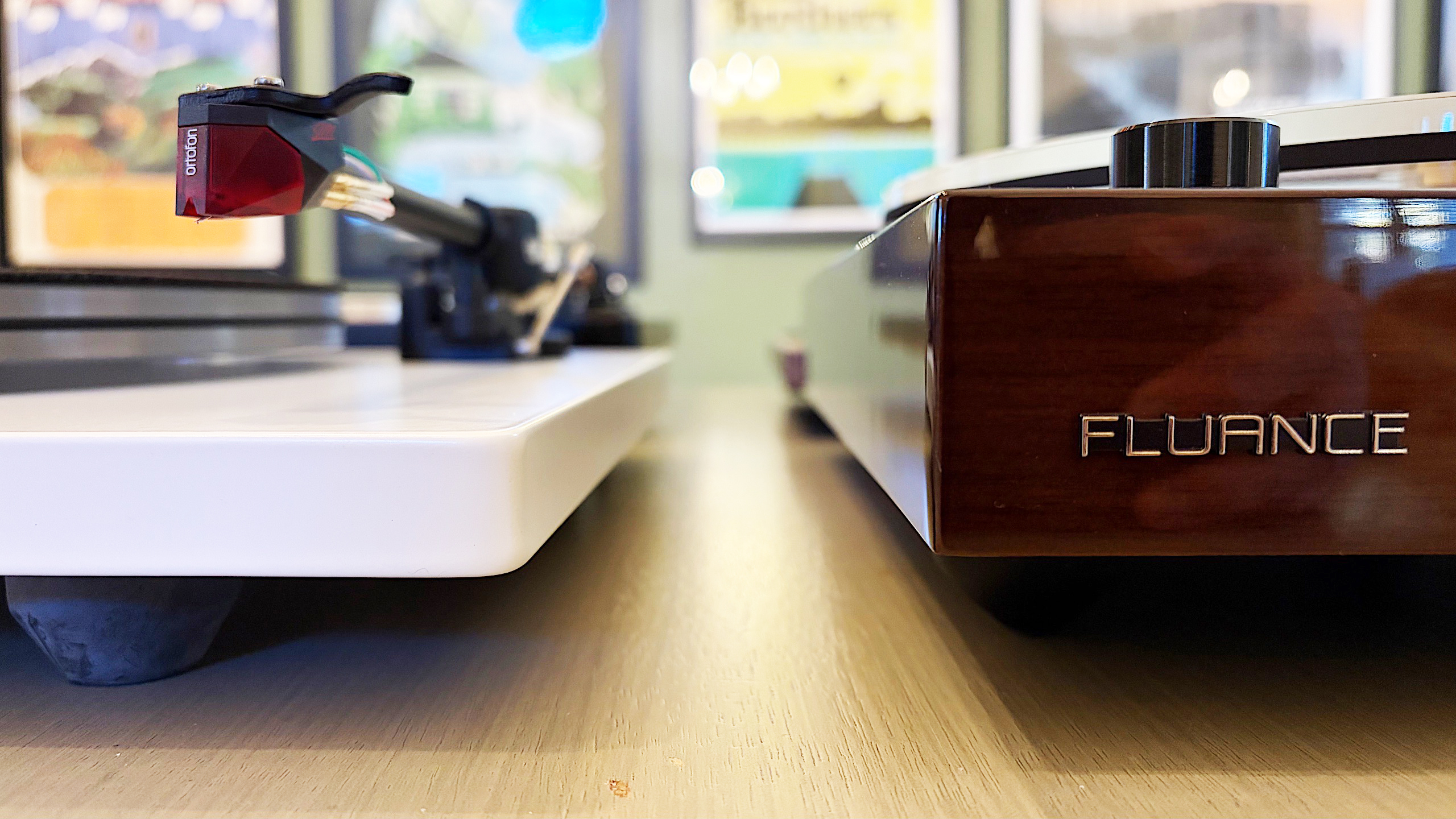 Best record players
Billy Steele for Engadget
Automatic, semi-auto and manual operation
Best record players
Billy Steele for Engadget
Automatic, semi-auto and manual operation
If you're just getting into vinyl, an automatic turntable will save you a lot of stress. These are the models that place the stylus for you — all you have to do is push a button. When you get to the end of the record, the turntable will also return the tonearm to its resting spot automatically. Or, if you need to stop your session mid-side, there's a button for that too.
Some turntables have semi-automatic operation. Maybe they can't place the needle for you, but they do have an automatic stop when a side of a record is complete. This auto stop, which sometimes comes with an on/off switch, can prevent unnecessary wear on your stylus and vinyl. Plus, many turntables with automatic operation allow you to take control if you need to drop the stylus in a certain place (that's not the beginning of the record) or if you have a die-cut vinyl (like the It's the Great Pumpkin, Charlie Brown soundtrack).
Then there's the fully manual option. Here, you're solely responsible for placing the tonearm and taking it off when the music stops. A lot of turntables have a cue lever to assist with the process, and a lot of tonearms have a mechanism that lowers them slowly rather than violently dropping them on a record. This adds one more step to the ritual, and it's one many purists prefer.
PreampThe biggest decision you'll need to make in terms of a preamp is to decide if you want one built into your turntable or if you'd rather use a separate one. It can be very convenient, especially for beginners, to use a built-in component to amplify the signal from the turntable before it hits any speakers or headphones. The downside is that you're left with what the company provides from the factory, so if you're looking to upgrade, you'll have to disable the preamp inside. On most turntables, there's a switch that allows you to do this, so it's no trouble. But, opting to skip the preamp on some models could save you money that could be invested elsewhere.
A dedicated preamp typically uses higher-quality components and reduces noise by keeping internal parts properly separated. More robust models may even provide controls for things like tone or multiple inputs, while the basic options will simply allow you to plug in, play and forget it. If you're after the best possible clarity and realism from your record collection, we'd recommend a dedicated preamp right from the start.
 Best record players
Billy Steele for Engadget
Removable cartridge/headshell
Best record players
Billy Steele for Engadget
Removable cartridge/headshell
The next item you'll want to consider is if the turntable you're eyeing can be upgraded in the future. The best way to do this is by swapping out the cartridge. Most turntables allow you to do this but there are some that don't, so you'll need to pay attention to this detail. Upgrading the cartridge down the road is a great way to improve overall sound quality without having to buy a new turntable, new speakers or a new amp.
Belt drive vs. direct driveThere are two main types of turntables: belt drive and direct drive. All of the models we tested for this guide are belt drive, which means there's a thin belt that connects the platter to the motor to make the thing spin. Direct drive turntables are widely used by DJs and Technics was the first to make them. Here, the motor is directly under the platter and connected to it directly so the setup is less prone to wearing out. This is especially key when you're doing things like scratching. Direct-drive turntables tend to be more expensive than their belt-driven counterparts.
Counterweight and anti-skate controlMost turntables will include a counterweight on the tonearm and some form of anti-skate control. Both of these help keep the stylus in place with the correct amount of pressure, all to ensure proper operation with minimal wear on your records. Sometimes the anti-skate elements are built into the tonearm while other models offer a dedicated dial on the surface of the plinth. The ability to adjust both of these can help you fine-tune the performance of your turntable over time, which may be necessary after upgrading the cartridge or other components.
Other components to considerSome final items you'll want to evaluate on a prospective turntable purchase include the materials used for the base (plinth), platter and even the feet. Cheaper turntables may be mostly plastic affairs while more expensive models can use solid MDF (medium-density fibreboard) for the plinth. A lot of turntables have aluminum platters with a felt pad while others may feature a thick acrylic version. And while entry-level turntables may have small, plastic feet, premium models come with larger, adjustable, rubberized feet for better vibration isolation. While some of these come down to personal preference — a frosted acrylic platter looks really nice — there are some performance boosts to be gained depending on how the company uses the components.
How we test turntablesSince most turntables under $600 meet the criteria for entry-level through midrange, we tested every model with a set of Audio-Technica AT-SP3X powered speakers. These offer balanced sound for turntables with a 1.1-inch tweeter and 3-inch woofer in each unit. And at $269, they won't break the bank if you need speakers for your new turntable and they'll provide ample sound performance even if you spend more than our budget on a new deck.
For all of our test units that didn't have a built-in preamp, we used the Fluance PA-10. At $100, it's an affordable upgrade if you're looking to bypass a turntable's included components or if you're looking to go more analog with your turntable purchase. There are no buttons or controls, just connect your turntable, speakers and ground wire (if you're using one) and you're ready to go. It's simple, straightforward and inexpensive, so it's a great option for beginners and more experienced vinyl collectors alike.
In terms of performance testing, we play a variety of genres on each turntable to evaluate sound quality. We also carefully examine the overall experience of putting a record on, setting the speed, placing the tonearm and more, which allows us to judge how well each turntable will work for users at different experience levels. Lastly, we take notes on design and components, comparing those elements from each turntable with our other test subjects to make our recommendations.
Apple's in-house studio will be producing the future seasons of Severance, according to Deadline. The company has reportedly acquired the show's IP and all rights from its original studio, Fifth Season, back in December in a deal that was worth approximately $70 million. Fifth Season will remain as an executive producer, but Apple Studios will now be in charge of the show. Severance will be one of Apple's marquee titles, alongside other shows like Owen Wilson's Stick and Kristen Wiig's Palm Royale. Apple also previously acquired sci-fi dystopian series Silo after its first season.
Deadline reports that the show's production costs were going beyond what Fifth Season could afford. The studio had already asked Apple for advances in the past and was considering moving the production from New York to Canada for bigger tax rebates. Apple has also apparently been helping Fifth Season not just with its budget, but also with securing advertisers.
Seeing as the second season of Severance became the streamer's most watched series, and Apple definitely has the money to keep the show going, the company decided to take over the series completely. It will allow Severance's production to stay in New York without having to worry about budget constraints. Deadline says the series is expected to have four seasons, with the spinoffs showrunner Dan Erickson and director Ben Stiller are open to now being in the realm of possibility.
This article originally appeared on Engadget at https://www.engadget.com/entertainment/streaming/apple-acquires-severance-and-will-produce-future-seasons-in-house-092405747.html?src=rssBlizzard announced today that it is introducing the Warlock as a playable character to Diablo II: Resurrected. It brings the first new class in 25 years to this remaster of the original RPG. It's part of the Reign of the Warlock DLC, which is available today and will run you $25. It also includes some other updates to the base game, including new items and a new pinnacle boss encounter against the Colossal Ancients. For those players who don't already own the base game, you can also pick up the Infernal Edition of D2R for $40, which includes the new content.
When D2R launched in 2021, it was an impressively faithful recreation of the game that so many Blizzard fans continued to adore over the years. Bringing in a whole new player class is a big win for those players who have stuck with the game in its contemporary era.
If D2R isn't your jam, though, Warlock is also being added to both Diablo 4 in its upcoming Lord of Hatred expansion this April and to Diablo Immortal. So aside from Diablo 3 not getting much love, just about all fans of the franchise will have a chance to get into the demon-summoning groove. Blizzard's 30th anniversary showcase video has all the details about what the other Diablo titles have in store during this year.
Blizzard has been keeping the news and updates rolling over the past few weeks in honor of the company's 35th anniversary. One of the more notable updates came for team hero shooter Overwatch, which lost the 2 in its name, but gained five more heroes in its big update yesterday.
This article originally appeared on Engadget at https://www.engadget.com/gaming/diablo-ii-resurrected-is-adding-warlock-as-a-brand-new-player-class-000130003.html?src=rssLess than a week after Valve admitted that the current shortage (and growing prices) of RAM were affecting its hardware plans, the Steam Deck is completely sold out. The Steam Deck has gone in and out of stock in the past, but as Kotaku notes, the timing does raise the question whether Valve's RAM issues could also be impacting its Linux handheld.
The 256GB Steam Deck LCD, and both the 512GB and 1TB models of the Steam Deck OLED, are completely sold out on Steam. Valve announced that it was discontinuing the LCD versions of its handheld and selling through its remaining inventory in December 2025, so the fact that the 256GB Steam Deck model is currently sold out isn't surprising. That both OLED versions are also unavailable at the same time, though, is a bit more unusual.
Engadget has contacted Valve for more information about the availability of the Steam Deck. We'll update this article if we hear back.
When Valve announced the Steam Machine, Steam Controller and Steam Frame, the company notably left pricing and availability off the table, presumably because tariffs and access to RAM were leaving those details in flux. The company's announcement last week that the memory and storage shortage had pushed back its plans and would likely impact prices more or less confirmed that. At no point did Valve mention that the Steam Deck would be similarly affected, but maybe it should have.
The rising cost of RAM has already forced other PC makers to adjust the pricing of their computers. Framework announced in January that it was raising the price of its Framework Desktop by as much as $460. Some analysts assume that the memory shortage driven by the AI industry could lead to higher prices and even an economic downturn in the wider PC industry. Ideally, the Steam Deck being out of stock is a temporary issue rather than a sign that Valve is doing something drastic. If things continue as they are, however, changes to the Steam Deck likely won't be off the table.
This article originally appeared on Engadget at https://www.engadget.com/gaming/pc/the-great-ramaggedon-of-2026-might-have-just-claimed-the-steam-deck-211958306.html?src=rssThis is going to be one of the shortest articles in my series on how to cancel your subscriptions to the best VPNs. Unlike most providers, Mullvad VPN does not automatically renew an expired subscription unless you tell it to. Thanks to its unique pricing approach, cancelling Mullvad is the default option.
When you sign up for Mullvad, you pay for as many months upfront as you want at the constant rate of 5 Euro per month (varying with exchange rates). Each month, Mullvad takes 5 Euro out of your account until there's nothing left. If you're no longer satisfied with Mullvad, all you have to do is stop putting money in.
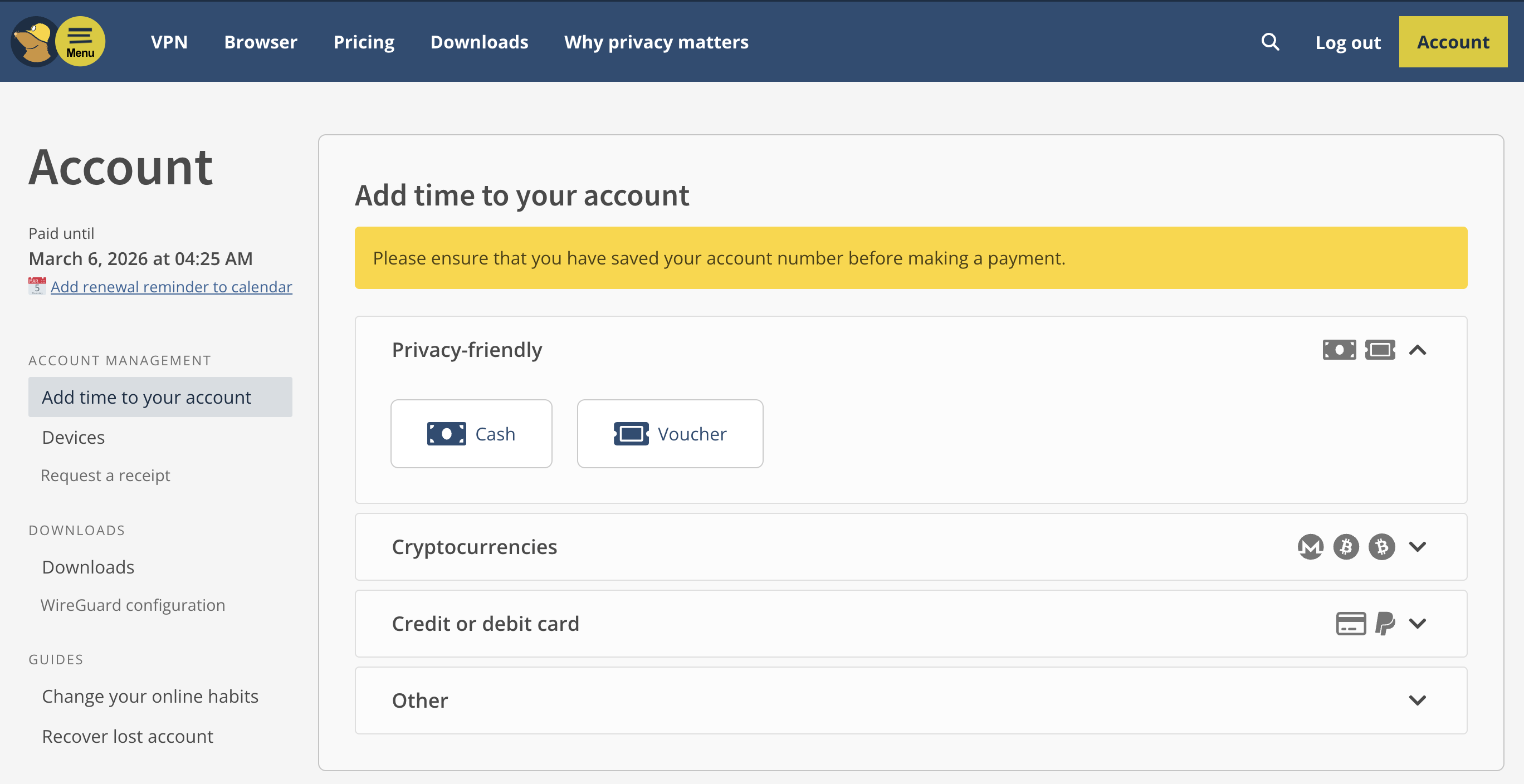 The Mullvad account dashboard.Sam Chapman for Engadget
If you happen to have originally signed up for Mullvad earlier than the middle of 2022, you may have an auto-renewal account grandfathered in. Mid-2022 is when Mullvad stopped auto-renewing subscriptions and got rid of PayPal integration altogether, but people who had signed up before then had the option to leave auto-renewal on.
If you're in this group, cancelling is simple. Just sign into your account page, click on the word Subscriptions, then click Unsubscribe.
How to cancel Mullvad if you subscribed through an app storeThere's one more exception to the usual method of cancelling Mullvad. If you got your subscription through an app store instead of Mullvad's website or app, the app store is the one processing your money. You'll need to cancel through them instead.
On an iPhone or iPad, open the Settings app, whose icon shows gray gears. Tap your name at the top of the screen to reach your Apple ID page, then tab Subscriptions. Scroll down until you find your Mullvad subscription, tap it, then hit Cancel Subscription.
On an Android phone, open the Google Play Store, whose icon is a triangle in the Google colors. At the top-right, tap the circle with the first letter of your username in it. Hit Payments & Subscriptions, scroll down to find Mullvad, then tap it and hit Cancel Subscription.
How to delete your Mullvad accountYou can go the extra mile and delete your account if you're sure you'll never want to use Mullvad again. Send an email to support@mullvadvpn.net, provide your account number and request that the account be terminated. You'll get a reply confirming deletion.
How to get a refund from MullvadMullvad offers refunds on any purchase within 14 days. To start a refund request, send an email to support@mullvadvpn.net, including your Mullvad account number and your payment token. If you aren't sure what your payment token is, find the charge for Mullvad on your bank statement and look for something in the format VPN*(10-digit number).
Payments made in cash can't be refunded, apparently because that's considered a form of money laundering in Sweden. If you got Mullvad through a voucher, request your refund through the store the voucher came from.
Best Mullvad alternativesMullvad is one of the best VPNs, especially in terms of privacy. However, I've found it to be a bit slow at times, with a somewhat limited server network. Luckily, Proton VPN is almost as private as Mullvad — the only thing it's missing is the ability to sign up without an email. It's also got a larger server network and better overall download speeds.
Windscribe is another privacy-optimized VPN with a better record than Mullvad in my unblocking tests. Surfshark is the fastest VPN of them all, while ExpressVPN is ideal for beginners. If you liked Mullvad's cheap pricing, CyberGhost is a highly affordable alternative.
This article originally appeared on Engadget at https://www.engadget.com/cybersecurity/vpn/how-to-cancel-mullvad-vpn-200000516.html?src=rssAnthropic is upgrading Claude's free tier, apparently to capitalize on OpenAI's planned integration of ads into ChatGPT. On Wednesday, Anthropic said free Claude users can now create files, connect to external services, use skills and more.
Anthropic added the ability for paid users to create files in September. Starting today, free users of the chatbot can also create and edit Excel spreadsheets, PowerPoint presentations, Word docs and PDFs. Claude's file creation abilities are powered by Sonnet 4.5.
 Free users can now create and edit Excel spreadsheets, PowerPoint presentations, Word docs, and PDFs.Anthropic
Meanwhile, Connectors allow free users to link Claude to third-party services. There's a long list of available ones, including Canva, Slack, Notion, Zapier and PayPal.
Skills, on the other hand, let you teach Claude to "complete specific tasks in repeatable ways." In short, the chatbot loads folders of instructions, scripts and other resources when performing relevant tasks. Other upgrades to the free tier include longer conversations, interactive responses and improved voice and image search.
Claude's free-tier upgrades appear to be a direct response to ChatGPT's planned introduction of ads for its free users. Anthropic's announcement today ended with the tag line, "No ads in sight." This follows the company's promise last week that Claude will remain ad-free. Anthropic even poked fun at OpenAI's cash-seeking move in a Super Bowl ad (below), which also took a swipe at GPT-4o's penchant for kissing ass.
This article originally appeared on Engadget at https://www.engadget.com/ai/anthropic-beefs-up-claudes-free-tier-as-openai-prepares-to-stuff-ads-into-chatgpts-194100939.html?src=rssApple has released the software update 26.3 for its various platforms. This includes the iPhone, iPad, Mac and Apple Watch. In other words, don't be surprised when your iPhone notifies you of a pending update.
Unfortunately, there isn't all that much to talk about here. Consider this a minor update that focuses primarily on bug fixes, which is important but not exactly fun. It is worth noting that the new iOS and iPadOS has an especially long list of fixes. There are 37 security issues addressed by the update, according to a report by 9to5Mac.
iOS 26.3 and iPadOS 26.3 do include a new tool for transitioning from an Apple device to an Android device, which is handy. It transfers photos, notes, messages, apps and other data to an Android phone but doesn't do anything with health data, protected notes or photos. There's also a new option to forward notifications from an iPhone or iPad to another device, but only for users in the EU.
The update to macOS Tahoe 26.3 is just bug fixes and security enhancements. The same goes for watchOS 26.3.
Why the small fries update? Rumors have been swirling that Apple is saving the big guns for the next release. Insiders have suggested that software update 26.4 will include the long-awaited Siri refresh and new emoji functionality.
This article originally appeared on Engadget at https://www.engadget.com/mobile/smartphones/apple-just-released-ios-263-alongside-updates-for-the-mac-ipad-and-apple-watch-193532483.html?src=rssAmazon has announced that it will bring its same-day prescription delivery service to 4,500 new cities and towns by the end of 2026. The company originally launched Amazon Pharmacy in 2020 with a two-day delivery option, and has continued to increase the availability and delivery speed of the service in the years that followed, including expanding access to nearly half of all US residents in 2024.
The company's announcement doesn't break down all the new cities same-day deliveries will be available in, but does note that the delivery option is coming to Idaho and Massachusetts for the first time. In the past, access to same-day deliveries has been determined by where Amazon has fulfillment centers that it can open pharmacies in. Amazon Pharmacy also offers next-day delivery and in some cities, the ability to pick up prescriptions from Amazon's OneMedical offices.
Amazon reportedly applied for Amazon Pharmacy trademarks in the UK, Canada and Australia in 2020, but has yet to expand its prescription delivery service to those regions. In 2023, Amazon launched RxPass, a separate $5 per month subscription that lets Amazon Prime customers order from a collection over 50 common medications for a flat fee. Amazon began letting Medicare recipients access the subscription in 2024.
This article originally appeared on Engadget at https://www.engadget.com/big-tech/amazons-same-day-prescription-deliveries-are-coming-to-even-more-cities-192221224.html?src=rssJason Momoa will be playing the lead in the forthcoming film adaptation of the Helldivers gaming franchise, according to a report by Variety. The games don't have a story-driven protagonist, so Momoa is likely to play a currently unnamed soldier.
We also have a release date for the Helldivers film. It comes out on November 10, 2027. That's a while from now, but at least it gives fans something to look forward to. The movie is being directed by Justin Lin, who is best known for helming several entries in the Fast & Furious franchise. However, he also directed Star Trek Beyond, proving he can do sci-fi.
Gary Dauberman is penning the script. He wrote both It and It Chapter Two, in addition to the horror film Annabelle and its follow-ups. Dauberman is mostly a horror guy, so we'll have to see how he handles high-octane science fiction.
For the uninitiated, Helldivers is a co-op shooter franchise that's heavily inspired by the movie Starship Troopers. The games are set in a hyper-patriotic dystopia called Super Earth. Helldivers 2 dropped back in 2024, though was recently released for Xbox.
Sony hasn't announced any other actors who will be joining Momoa. We'll keep you updated when more casting news drops.
This article originally appeared on Engadget at https://www.engadget.com/entertainment/tv-movies/the-helldivers-movie-will-star-jason-momoa-and-hits-theaters-on-november-10-2027-183445038.html?src=rssThreads users have been complaining about its recommendation algorithm pretty much since the beginning of the platform. At some point, this turned into a meme, with users writing posts jokingly addressed to the algorithm in which they requested to see more posts about the topics they're actually interested in.
Now, Meta is turning those "Dear algorithm" posts into an official feature that it says will allow Threads users to tune their recommendations in real time. With the change, users can write a post that begins with "dear algo" to adjust their preferences. For example, you could write "dear algo, show me more posts about cute cats." You can also ask to see fewer posts about topics you don't want to see, like "dear algo, stop showing me posts about sick pets."
You can track your requests to the algorithm in the app's settings in order to revisit them or remove them. You can also retweet other users' "dear algo" posts to have those topics reflected in your feed. Importantly, "dear algo" requests are temporary and only last for three days at a time, which Meta says is meant to keep the algorithm feel fresher and more flexible.
The rollout of the feature follows a limited test late last year. Now, "dear algo" posts will work for Threads users in the US, UK, Australia and New Zealand with more countries coming "soon."
This article originally appeared on Engadget at https://www.engadget.com/social-media/meta-turned-threads-algorithm-complaints-into-an-official-feature-180000236.html?src=rssTikTok US just launched a local feed for users to "get the inside scoop on must-try restaurants, shops, museums and events." This is done by leveraging the exact location of people that are using the app and comes after a change in the platform's terms of service that says the app can do just that. The platform's terms of service used to note that it could collect approximate locations, but the sale to US investors looks to have changed that to precise locations.
This is an opt-in feature, despite the app potentially collecting this data whether the feed is activated or not. The feed is set to "off" by default, but can be changed via a trip to settings.
The local feed doesn't show your neighbors or people you might vibe with to help solve that pesky loneliness epidemic. Instead, it prioritizes local businesses and will highlight nearby events, shopping suggestions and restaurants to try.
This looks to be part of a broader push to attract small businesses to the app, both as content producers and as advertisers. As TechCrunch notes, this could also help insulate the company from future regulation and increased scrutiny, as it could point to the many small businesses that rely on its services.
TikTok states that over 7.5 million businesses use the platform in the US to reach customers. However, this data is sourced from an Oxford Economics report from before a group of investors finalized a deal for the US version of the app.
Supporting local businesses is a noble goal, but users will have to consider whether or not the value of a dedicated feed is worth the privacy risk. Oracle is a prominent investor in the new American TikTok, and company founder Larry Ellison once said "citizens will be on their best behavior" when they are being constantly surveilled.
This local feed isn't exactly a new idea. TikTok has been trying something similar in Europe since the tail-end of last year. It has shown up in the UK, France, Italy and Germany.
This article originally appeared on Engadget at https://www.engadget.com/big-tech/tiktok-us-launches-a-local-feed-that-leverages-a-users-exact-location-170651916.html?src=rssThough the original series is very much done, Netflix is going to squeeze as much juice out of Stranger Things as it can. The company is said to be filming the Broadway production of Stranger Things: The First Shadow so it can offer up a recording on its streaming service.
Several public performances were canceled this week to accommodate filming, according to The Hollywood Reporter. They'll recommence on February 15. Filming is taking place before the original Broadway cast leaves the production next month.
Stranger Things: The First Shadow opened in New York City last year after debuting in London in 2023. It's been a critical and commercial success, and it has won multiple Tony Awards. The play is a canonical prequel to Stranger Things and it fills in more of the backstory of Henry Creel, who becomes Vecna. The show's final season digs into his past too.
Netflix hasn't indicated when it will start streaming a recording of the play. This was inevitably going to happen at some point, though. Netflix has been busy expanding the Stranger Things universe with spin-off shows, such as the animated series Stranger Things: Tales From '85 (which will start streaming on April 23). A documentary that shows how Stranger Things: The First Shadow came together hit the streaming service last year.
This article originally appeared on Engadget at https://www.engadget.com/entertainment/tv-movies/netflix-is-reportedly-filming-the-stranger-things-broadway-show-this-week-165243046.html?src=rssIf there's any area of your life that you might be willing to introduce more AI into, it's likely something as mundane as grocery shopping. That's what Uber is betting on with its new AI-powered feature in the Uber Eats app.
Cart Assistant lets you "build grocery baskets faster and with less effort" by using AI to automatically fill your basket with items included on your shopping list. To use it, you search for a supported grocery store on the home screen of the app and tap the new Cart Assistant icon that appears at the top of the screen.
From there, you can either manually type out a shopping list or upload a photo of a handwritten one, and Cart Assistant will fetch your requested items and add them to your basket. A screenshot of ingredients needed for a recipe will also suffice.
Uber says its AI assistant will factor in availability before selecting an item and will also display prices and any available promotions. If you don't want something it recommends, you can delete or swap it for something else. Anything you forgot to add in the original list can be added later, and if you've purchased something in the past, these familiar items will be prioritized so you're less likely to need to make changes. Uber advises users that the new shopping feature is in beta right now, so might not perform perfectly.
Cart Assistant is the latest development in the gradual AI-ification of Uber Eats. Last summer, Uber added a suite of new features to the app, including AI-enhanced food images, AI menu descriptions and AI summaries or restaurant reviews.
This article originally appeared on Engadget at https://www.engadget.com/ai/uber-eats-new-cart-assistant-feature-is-an-ai-hack-for-your-grocery-shopping-145733478.html?src=rss Pokemon Pokopia is so damn cozy [ 11-Feb-26 2:00pm ]Pokémon Pokopia can be described as a pocket monster-themed take on Animal Crossing with a hint of Stardew Valley thrown in for good measure. And if you're like me, that alone is probably enough to sell you on the game. However, after getting a chance to play a preview of it for around half an hour, it became immediately clear that the game's coziness levels are off the charts, but it also offers some fun twists on the genre.
Co-developed by The Pokémon Company, GAME FREAK and KOEI TECMO, instead of playing as a generic trainer, you take control of a lonely Ditto who wakes up in a cave only to be greeted by Professor Tangrowth, the last surviving inhabitant of what used to be a bustling town. While the professor might look like an extra-large version of the original pokémon with glasses, its role is to guide you as you rebuild and hopefully repopulate the surrounding area.
 One of the best things about Pokopia is actually being able to talk to the other 'mons.Nintendo
As a Ditto, you naturally have the ability to transform into other Pokémon, though the process is sort of incomplete, meaning you can only learn one skill from the monsters you befriend instead of their entire moveset like in the mainline games. This is where the first twist on the traditional life sim comes in. Instead of crafting them or earning money to buy tools, you can transform into other Pokémon (like Lapras or Dragonite) to use their abilities to traverse obstacles or shape the world around you. For example, turning into a Squirtle lets you shoot a water gun that will revitalize dry patches or thirsty plants, while transforming into a Scyther lets you slice through objects similar to the HM Cut.
From there, you can use these skills to do things like create clusters of shrubs that will serve as homes for other Pokémon, allowing you to entice fellow creatures to return to the once desolate landscape. Another twist I really appreciate is that after appearing, new monsters will give you quests or just hang out. They will even talk and respond, and I don't mean like the 8-bit cries from other Pokémon games. They speak in full sentences, which is a wonderful departure from previous titles that really gives you the feeling that you're making friends and rebuilding a community instead of just being on a crusade to catch them all.
The Stardew Valley part of the equation comes into play after you leave the first tutorial area and you come upon an abandoned Pokémon Center that's in dire need of a renovation. You can do things like collect materials and do more quests to clean up the area to eventually turn the building in the heart of the town. Unfortunately, that's where my preview ended, aside from quickly hopping into a multiplayer session where I was able to see a much more developed village, complete with multiple buildings, roads and benches. You know, all the sorts of things you used to furnish and decorate your island with in Animal Crossing.
This gave me a nice glimpse at just how many things you can build in Pokopia and how easy it is to visit other people's towns. However, it didn't answer some of my bigger questions about the game, like what's the deal with Peakychu and Mosslax, whom we've seen before in previous trailers. Are they just one-off versions of existing 'mons with unusual typings (i.e. ghost and grass) only for this game, or are they going to be a bigger part of the Pokémon world going forward? Perhaps more importantly, it was hard to tell if there will be any sort of PVE content like The Mines or Skull Cavern in Stardew Valley. I'm really hoping there is because it seems like Ditto's abilities could translate quite seamlessly to spelunking or battling your way through dungeons in search of rare items or building materials.
 I love how derpy Ditto looks when it transforms into other Pokémon. Nintendo
That said, just being able to build a community of friendly monsters while injecting life back into a forgotten town has good vibes radiating from every corner. So if you need a super cozy game to keep you busy this winter/spring, Pokémon Pokopia is shaping up to be the digital version of a fluffy blanket and a cup of hot chocolate filled to the brim with all of your favorite 'mons.
Pokémon Pokopia is available for pre-order now, with official sales slated for March 5.
This article originally appeared on Engadget at https://www.engadget.com/gaming/nintendo/pokemon-pokopia-is-so-damn-cozy-140000954.html?src=rss Mullvad VPN review: Near-total privacy with a few sacrifices [ 11-Feb-26 1:00pm ]Mullvad, a virtual private network (VPN) named after the Swedish word for "mole," is often recognized as one of the best VPNs for privacy. I put it on my best VPN list for exactly that reason. I've got huge respect for the extra lengths Mullvad goes to in order to ensure its user's privacy.
To give you a preview, Mullvad is one of the few VPNs — other than my normal privacy recommendation, Proton VPN — that lets users pay entirely in cash. But even Proton VPN asks for an email address to make an account and uses a few marketing cookies on its own website. Mullvad represents every account as a randomly generated 16-digit code and uses no marketing cookies whatsoever.
That's just one example of how Mullvad goes beyond the call of duty to keep users private. But while privacy is the most important aspect of a VPN alongside security, it's not the only thing that matters. For this review, I set out to investigate whether Mullvad pairs its rights-protecting bonafides with versatile, convenient and enjoyable VPN apps. Using our rigorous VPN testing procedure, I'll rate Mullvad in 11 areas. You can find a summary of my results in the table below, skip to the sections that matter most to you or just read my final advice in the conclusion.
Editor's note (2/11/26): We've overhauled our VPN coverage to provide more detailed, actionable buying advice. Going forward, we'll continue to update both our best VPN list and individual reviews (like this one) as circumstances change. Most recently, we added official scores to all of our VPN reviews. Check out how we test VPNs to learn more about the new standards we're using.
Findings at a glance
Category
Notes
Installation and UI
All apps share roughly the same user interface
Apps are responsive and easy to navigate, with no design choices that would threaten beginners
Lack of "fastest server" button is an issue
Browser extension is only available on Firefox and still in beta
Speed
Reasonably good average latency
Reduces download speeds by 26 percent and upload speeds by 17 percent
Speed declines are consistent and chartable
All speed metrics are quite good on nearby servers
Security
Only uses WireGuard protocol
No IP address leaks, even when switching servers
Packet test showed successful encryption
Pricing
Always costs 5 Euro per month, though prices outside Europe depend on exchange rates
No auto-renewal — membership lasts until money runs out
Can pay using cash or by purchasing scratch-off vouchers on Amazon
14 day money-back guarantee, except on cash payments
Bundles
Only app besides the VPN is the free Mullvad Browser, which removes the tracking habits of typical web browsers
Allows several smaller VPNs to use its servers in their networks
Privacy policy
No vague lines or loopholes in privacy policy
Only saves account numbers and expiration dates for each user
Uses an extremely limited range of cookies with no marketing trackers
Has undergone a total of 17 audits of different aspects of its service
Swedish police demanded customer information in 2023; Mullvad couldn't comply because the data wasn't logged
Virtual location change
Unblocked Netflix 13 out of 15 times
When it failed, virtual location was still changed
Server network
90 locations in 50 countries, majority in North America and Europe
No virtual servers whatsoever
Features
DAITA conceals traffic patterns that might let an AI identify what sites you visit
Uses quantum-resistant encryption on WireGuard
Can choose your own multihop entry and exit points
Several options for getting around nation-level firewalls
Can block ads, trackers, malware and other unwanted content using predetermined DNS block lists
Supports IPv6 traffic
Kill switch and stronger lockdown mode
Split tunneling by app
Customer support
Help center includes useful filters to find the topic
Well-written articles with good internal linking
No live chat support, but staff answers emails quickly
Can view app logs at any time
Background check
Founded in 2009 in Sweden; still owned and operated by initial founders
User account numbers were exposed in a 2023 incident, but Mullvad quickly closed the leak
Installing, configuring and using MullvadLet's start by examining how Mullvad feels as a piece of software. In this section, I'll be testing its desktop apps for Windows and Mac, its mobile apps for Android and iOS and its browser extension for Firefox. To start with the installation process, Mullvad downloads and installs in a snap on mobile. On desktop, installation requires a few more steps than is typical, but the app guides you quickly through everything.
Across the board, my only serious complaint is that there's no option for automatically choosing the fastest server. You can usually assume that the nearest one to you will be the fastest, but there's always the chance of an unusual server overload. It's a bizarre oversight for an app that otherwise goes out of its way to be usable.
WindowsMullvad's Windows app has a slim UI that uses space efficiently without being too cramped. It doesn't give you a lot of information, such as live speed tests or data in transit, but I've mostly found that to be needless filler on VPN apps.
 Mullvad on Windows.
Sam Chapman for Engadget
Mullvad on Windows.
Sam Chapman for Engadget
Speaking of needless filler, the map may be a little bigger than it needs to be, but maps on VPN clients aren't just about teaching you geography — they do a lot to make the apps more welcoming to casual users who might not otherwise fire up security software. In fact, Mullvad's UI is admirably beginner-friendly, befitting its focus on privacy for everybody rather than just the tech-savvy.
All the settings are accessed by clicking the gear in the top-right. Here, you can turn on DAITA (Mullvad's defense against AI traffic scanning), activate multihop and control Mullvad's other features. There are also some quality-of-life features for the UI itself, such as whether it remains pinned to the taskbar or operates as a standalone window. Some options, especially under the VPN settings tab, are a bit technical, but don't need to be touched for a good experience.
MacMullvad's macOS app is quite similar to its Windows app, both in terms of the interface and the features offered. The big difference used to be that macOS lacked split tunneling, but that's been added in a recent update. The only serious distinction now is that the Mac client can't be unpinned from the taskbar, which is just a little bothersome.
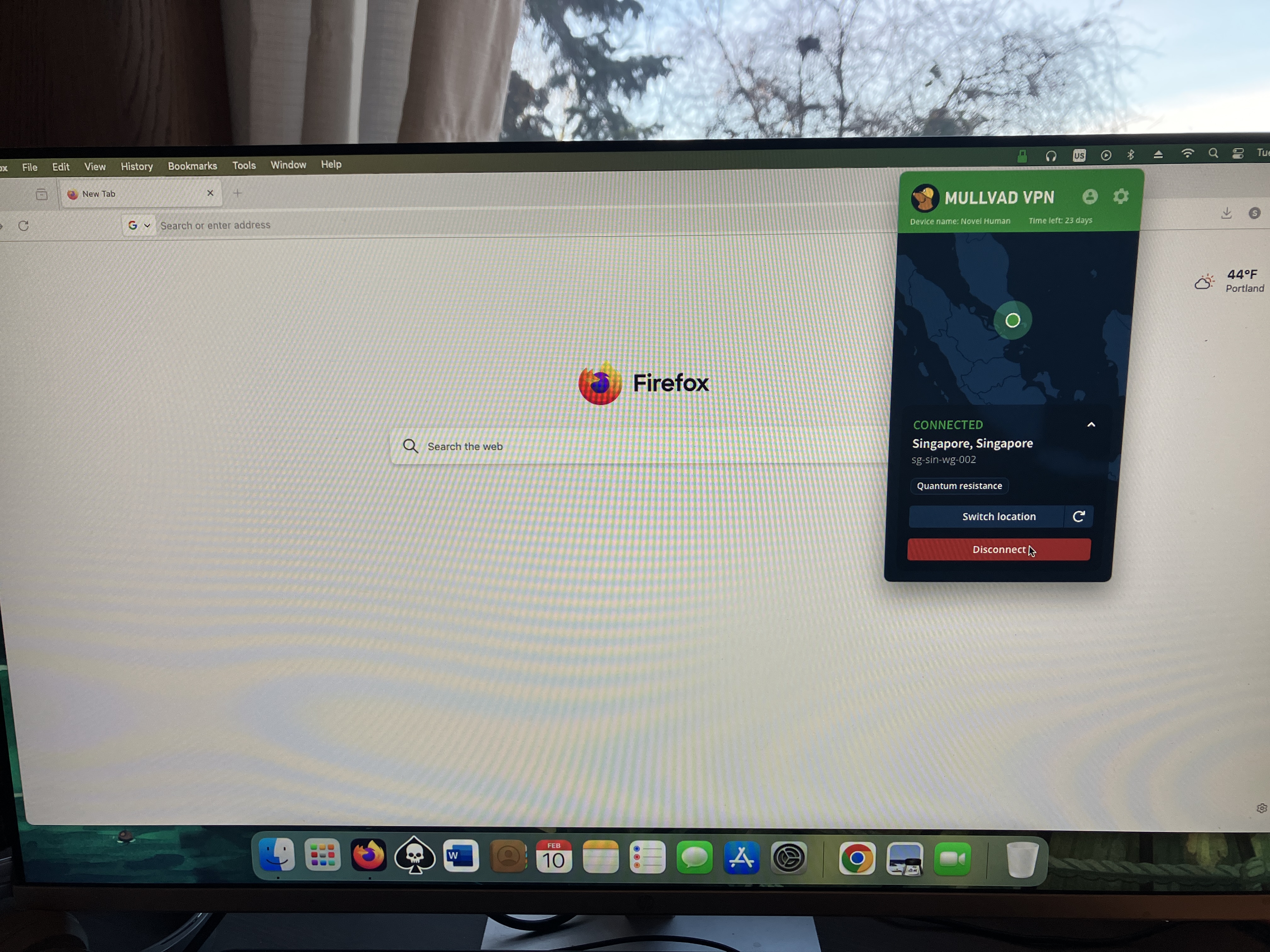 Mullvad on Mac.
Sam Chapman for Engadget
Mullvad on Mac.
Sam Chapman for Engadget
Other than that, you'll find every setting you need under the gear, just like on Windows. Similarly, connections to VPN servers happen quickly, and selecting locations from the menu is very straightforward. While connected on either app, you can click the circular arrow by your location to swap to another server in the same location — highly convenient if you're trying to unblock Netflix.
AndroidMullvad's Android app has the same nearly-perfect design approach as all its other apps. The main page has nothing on it but the connect/disconnect button, the choice of server locations, a map and the buttons for your account information and preferences. Those preferences are a manageable set of options that are almost all managed with simple on-off switches. It's all highly responsive and annoyance-free.
 Mullvad on Android.
Sam Chapman for Engadget
iOS
Mullvad on Android.
Sam Chapman for Engadget
iOS
Mullvad's iOS app looks very similar to its apps on every other platform. The front page is kept simple, with large controls in the foreground and a map taking up most of the space. Everything else is located in the menu accessed through the gear icon at top right. Neither mobile app has the options for toggling the UI itself that the desktop apps have, but it's mostly free of quality-of-life problems to start with.
 Mullvad on iPhone.
Sam Chapman for Engadget
Browser extensions
Mullvad on iPhone.
Sam Chapman for Engadget
Browser extensions
Mullvad's browser extension is only compatible with Firefox. You can't actually connect to the VPN through this extension. Its main functions are to tell you whether you're connected to a Mullvad server and to connect to a SOCKS5 proxy in a Mullvad location. If you do this while connected to Mullvad through the desktop app, you'll get a second layer of protection, similar to the multi-hop feature.
The Firefox extension is a rare misfire for Mullvad — perhaps fair, since it's still in beta. Its only real feature is something that the desktop app already does perfectly well, and it looks like a software malfunction to boot. However, given Mullvad's track record, I'm confident they'll figure out what to do with it in time.
Mullvad speed testA VPN almost always slows browsing speeds and increases latencies. It's unavoidable, given the extra steps a VPN protocol adds to the process of getting online. The trick is to find VPNs that keep the slowdown to a minimum, using a combination of regular maintenance, good planning and smart load balancing.
For this test, I used speedtest.net to check how six of Mullvad's server locations influenced three key speed metrics. Ping measures latency, the time in milliseconds (ms) that one data packet needs to travel between a client device and an ISP. Download speed measures the amount of data in Megabits that a web browser can download in one second. Upload speed tracks how much data can be uploaded in a second. We're looking for low latencies and high download and upload speeds.
Server location
Ping (ms)
Increase factor
Download speed (Mbps)
Percentage drop
Upload speed (Mbps)
Percentage drop
Portland, USA (unprotected)
15
—
58.96
—
5.85
—
Seattle, USA (fastest location)
23
1.5x
55.07
6.6
5.51
5.8
Montreal, Canada
165
11.0x
44.28
24.9
4.62
21.0
Fortaleza, Brazil
307
20.5x
40.96
30.5
4.65
20.5
Prague, Czechia
368
24.5x
43.17
26.8
5.47
6.5
Lagos, Nigeria
528
35.2x
37.41
36.6
4.61
21.2
Bangkok, Thailand
473
31.5x
39.76
32.6
4.13
29.4
Average
311
20.7x
43.44
26.3
4.83
17.4
I'll start with the bad news: the tests didn't exactly make Mullvad look like a speed demon. Its speeds have gone up and down in the years I've been using it, and right now they appear to be on the downswing. If you use locations all around Mullvad's server network, you can expect your download speeds to decrease by about 26 percent and your upload speeds to decline by 17 percent.
However, it's important to put those numbers in perspective. First, Mullvad's numbers aren't markedly worse than the ones I got when testing CyberGhost. Its speeds are average, but by definition, most things are average. Its average worldwide latency is actually better than Surfshark, the current champion of download and upload speeds.
 Speed-testing a Mullvad server in Los Angeles.
Sam Chapman for Engadget
Speed-testing a Mullvad server in Los Angeles.
Sam Chapman for Engadget
It's also nice that Mullvad's speed drops follow a predictable curve. Lots of VPNs have unexpectedly sharp declines in certain locations, frequently in Africa. By contrast, Mullvad's speed decreases pretty much as a direct function of how far from the server you are. This not only makes speed drops easier to plan around, but also means you can expect very good speeds on nearby servers.
This property of being fastest on servers near the user is another sign of Mullvad's focus on its core privacy mission. If anonymity is your main reason for using a VPN, it doesn't matter what your IP address is, so long as it's not your real one. Using a nearby Mullvad server should guarantee you an internet connection that's both fast and private.
Mullvad security testTo be secure, a VPN has to check two critical boxes. It must provide you with a secondary IP address without leaking your real one, and it must encrypt your communications with its servers so your activity can't be traced. In the sections below, I'll see whether Mullvad meets those requirements.
VPN protocolsVPNs use protocols to mediate between end devices, ISPs and their own servers. The first step is to ensure that the service you're considering uses protocols that have expert confidence. Mullvad has kindly made this step easy for me by using only WireGuard on all its apps, with no OpenVPN, IKEv2 or in-house unique protocols.
There's no question that WireGuard is a solid protocol. It uses the ChaCha20 stream cipher for symmetric encryption and Poly1305 for authentication, both uncrackable with current technology. Mullvad has even added its own fix for WireGuard's one flaw, its need to save static IP addresses — the Mullvad implementation is set up to delete the IP address if it goes 10 minutes without being used.
Even so, it's unfortunate to lose the ability to change protocols, which is one of the most common steps for troubleshooting a VPN connection. I understand Mullvad's reasoning for cutting out OpenVPN (it claims the cryptography isn't strong enough) but don't agree. It's one of this provider's few unforced errors.
Leak testThere's a straightforward test to determine if your VPN is leaking. Load up any website that shows your IP address — I personally use ipleak.net — and see what IP and location it reveals without your VPN active. Then activate the VPN and refresh the page. If you see your real IP address anywhere, your VPN is leaking.
 Testing Mullvad for IP leaks.
Sam Chapman for Engadget
Testing Mullvad for IP leaks.
Sam Chapman for Engadget
I ran that test on five Mullvad servers. Each time, the website showed me the IP address of the VPN server, concealing my real one. To keep things simple, I ran the initial tests with IPv6 blocked via the Mullvad client. When I turned it on and tried again, the IPv6 traffic didn't leak any more than the IPv4 did. I also saw no signs of WebRTC leaks. Unless you set up a custom DNS server, Mullvad also uses its own DNS, which remains entirely within the VPN tunnel.
I had one more leak test to try. Frequently, VPNs are leak-proof when maintaining a connection to one server but drop encryption when switching between servers. That problem is why I ultimately couldn't recommend Norton VPN. Luckily for me, Mullvad has a button that lets you shuffle to another server in the same location, so I used that to see if it stayed leak-proof.
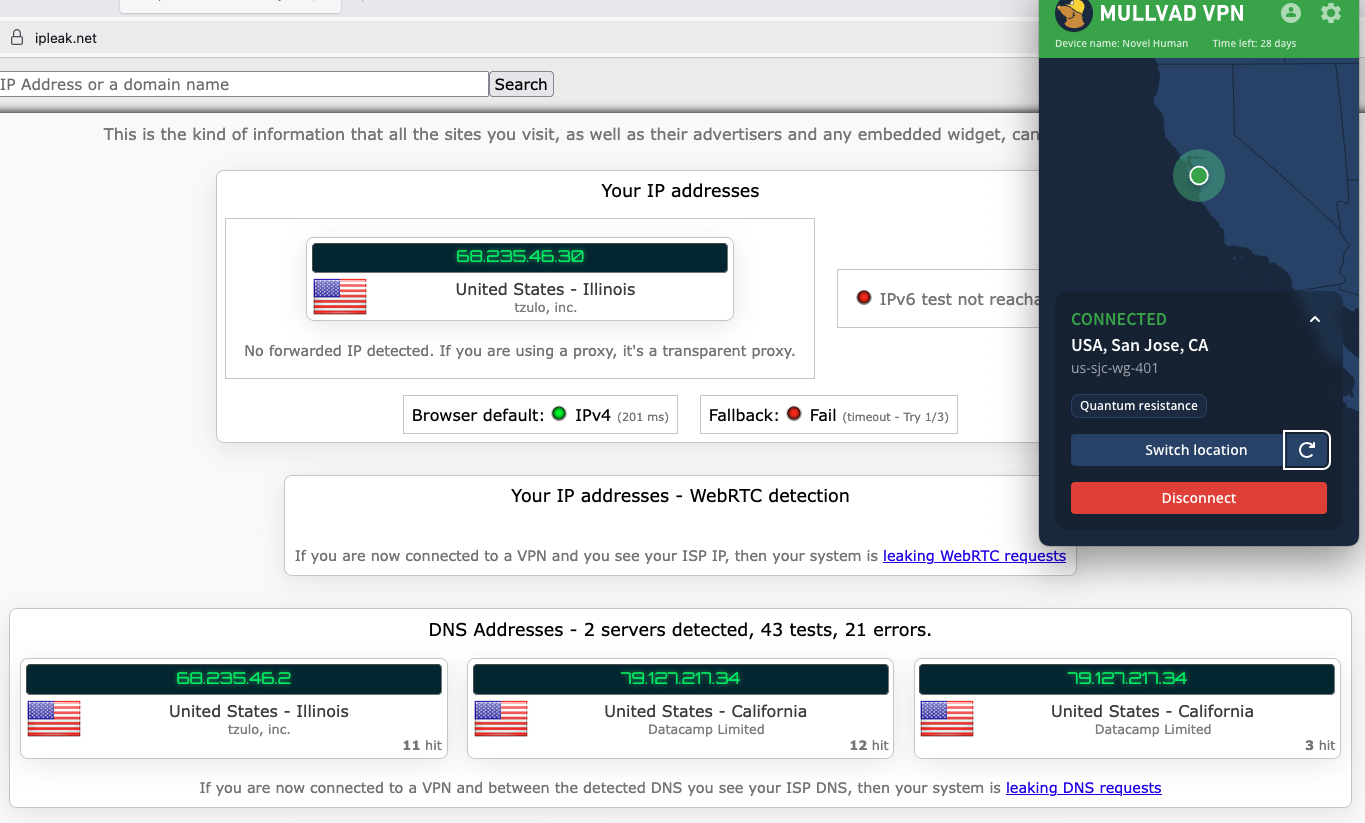 Mullvad doesn't leak your IP even while changing servers.
Sam Chapman for Engadget
Mullvad doesn't leak your IP even while changing servers.
Sam Chapman for Engadget
As you can see in the screenshot, Mullvad jumped seamlessly from one server to another without showing my real location in-between. On a practical level, that's enough for me to declare Mullvad leak-proof.
Encryption testFor one final experiment, I used the WireShark packet sniffer to see whether the data Mullvad sent from my computer to my ISP was encrypted. After capturing a few packets, I was gratified to see that they were totally unreadable to interlopers. Most established VPNs pass this test, but it's still important for due diligence.
How much does Mullvad cost?Mullvad's pricing structure is one of the most unusual things about it. This is normally the section where I untangle 47 different Pro+ and Business- accounts that are all sold at three different durations. Mullvad couldn't be further from that. It costs 5 Euro a month — that's it. Each 5-Euro subscription can be used on five devices at once.
It manages payments through a system inspired by parking meters. When you sign up for Mullvad, you'll buy as much time as you want. That time will count down until it expires, unless you top it up with more 5-Euro payments. If you run out of money, Mullvad won't charge you a new subscription fee because you didn't tell it not to. It'll just stop working until you pay again. Every payment also comes with a 14-day money-back guarantee, except for payments made in cash.
The Mullvad account dashboard.
Sam Chapman for Engadget
The only real complexity in the process is that Mullvad always figures out its prices in Euro, so outside the EU, the cost per month is affected by exchange rates. If you happen to live in a country where the government's economic policy shuttles between capricious and arbitrary, you might want to grab a few months in advance.
The other most interesting thing about Mullvad's pricing is the options you can use to pay. For maximum privacy, you can pay with cash using the payment token you'll find on your account page. Note that this is not the same as your account number. To find it, log into your dashboard on Mullvad.net, click Add time to your account in the left-hand bar, then click the button labeled Cash and scroll down. Make your cash payment by writing the token on an envelope and mailing it to Sweden (full instructions here).
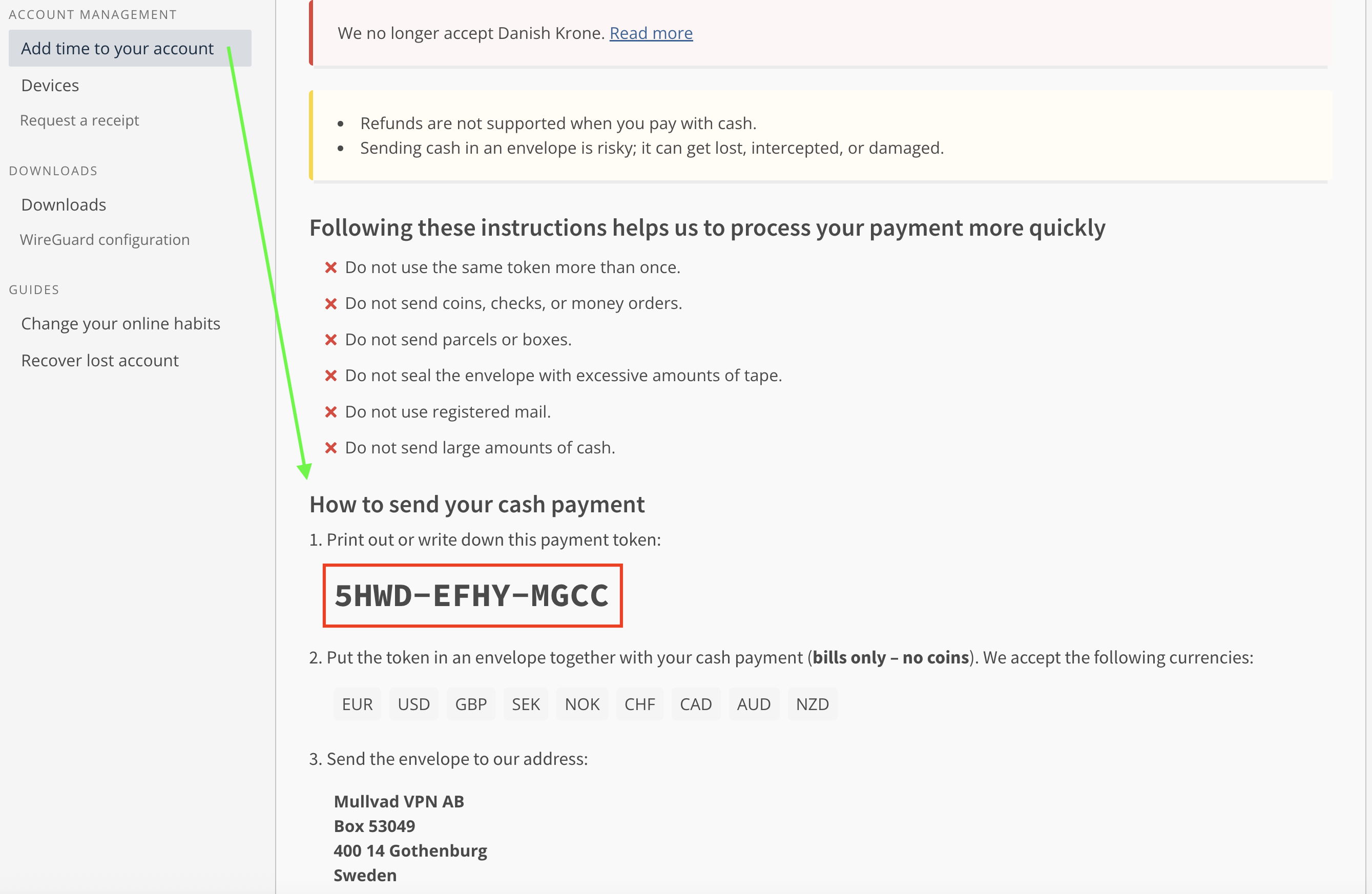 Unredacted, in case any hackers out there want to buy me some more time.
Sam Chapman for Engadget
Unredacted, in case any hackers out there want to buy me some more time.
Sam Chapman for Engadget
You can also get untraceable Mullvad vouchers by paying cash at participating retail locations. Most of them are in Europe, but you can order them from Amazon. While your payment to Amazon won't be private, the voucher can't be linked directly to your VPN account, since the actual number is hidden behind a scratch-off panel. It's actually pretty ingenious.
Of course, you can also pay using any of the normal methods, including credit cards, cryptocurrency and bank wires (though not PayPal). But the more private methods are always there for people who need them.
Mullvad side apps and bundlesMullvad is that rare VPN that's still content to be a VPN and not an all-inclusive security suite. No shade to NordVPN or Surfshark, whose extra features are generally quite good, but it's nice to see at least one of the top providers staying focused.
Although Mullvad doesn't have any partners that sell their products alongside its VPN, it does have several partnerships with other VPNs who use its network as the basis for their own products. MalwareBytes Privacy VPN, Mozilla VPN, Tailscale and Obscura can all be considered Mullvad side apps if you squint.
Mullvad BrowserMullvad's only product other than the VPN is Mullvad Browser, which is free to download and works on Windows, macOS and Linux. Mullvad Browser works in the background, blocking common methods of browser fingerprinting that can be used to deduce your identity even when you have a VPN running.
For example, it automatically reports your time zone as UTC, disguises personal preferences like font and window size, scrambles information sent by APIs and conceals your browser version and computer operating system. It's also in private mode by default, which doesn't hide what your ISP sees but is useful for concealing your activity from other people that might use your computer.
Close-reading Mullvad's privacy policySince privacy is Mullvad's main selling point, this section is even more important than usual. Loopholes in the privacy policy of the privacy VPN would be deeply ironic. Fortunately, Mullvad's privacy policy backs up its high-flying rhetoric. It's a short, pointed and readable document with no problems I could discern. Mullvad has no parent company or subsidiary it might use as a loophole, and no clauses in its policy are left open to interpretation. It's a masterpiece of the privacy-policy genre.
The document is actually three policies: a privacy policy, a no-logging policy and a cookie policy. The privacy policy lists all the times Mullvad might collect data about a user. That's exactly two situations — using financial information to process payments (which will be entirely anonymous if you use cash or a voucher) and using your email address to track support tickets you open. That's it.
The no-logging policy is a bit longer, but mostly because it's explaining exactly how Mullvad manages to run a VPN service with so little information on individual users. For each account, it stores a number and an expiration date, plus public keys and tunnel addresses if you're using WireGuard (deleted at most 10 minutes after your session ends). Everything else is completely anonymized. Mullvad even claims that its 500,000 or so user accounts could have been created by the same user 500,000 times, which I suppose is one way to spend 2.5 million Euro.
The cookie policy is the shortest because Mullvad uses exactly five cookies. One saves your login status in your browser, one saves your language preferences, one protects its site from being used in a specific kind of forgery hack and the other two are for handling Stripe payments.
Independent privacy auditsMullvad corroborates its privacy policy with regular audits of various aspects of its service. Currently, there are 17 audits listed on its website, including four infrastructure audits by Cure53. All of its apps have been separately audited and found to be solid. It has been a couple of years since the last full infrastructure audit in 2024, but given how many other targeted reviews Mullvad has gone through since then, it's hard to be too upset about the pause.
In 2023, Mullvad achieved the holy grail of VPN privacy: being ordered by subpoena to turn over customer information and not being able to comply because that information didn't exist. Nothing compares to a VPN's privacy being tested in the wild like this.
Can Mullvad change your virtual location?Sometimes, a VPN appears to be working, but still reveals your real location to websites. Netflix is a useful proxy for this. To unblock a streaming site like Netflix, a VPN needs to change your virtual location while not appearing to do so — if Netflix sees any hint of VPN traffic, you'll get blocked with the hated proxy error. I used five different locations to check whether Mullvad is up to the streaming task.
Server location
Unblocked Netflix?
Changed content?
Vancouver, Canada
3/3
3/3
Gothenberg, Sweden
2/3
2/3
Istanbul, Turkey
3/3
3/3
Johannesburg, South Africa
3/3
3/3
Singapore, Singapore
2/3
2/3
Mullvad did well for streaming, but it didn't manage a perfect score like its fellow anti-establishment VPN Windscribe did. Two of the 15 servers I tested failed to unblock Netflix, one in Singapore and one in Mullvad's hometown of Gothenburg. I also had trouble logging into Netflix while connected to a Vancouver server, though that server did unblock the site consistently once I got inside.
 Mullvad's servers all tricked Netflix into believing my new location.
Sam Chapman for Engadget
Mullvad's servers all tricked Netflix into believing my new location.
Sam Chapman for Engadget
In Mullvad's defense, no location failed more than once. It's completely possible to get good streaming performance out of this VPN; you just have to be willing to click the server refresh button a few times. Privacy is still the main use case for Mullvad, but it's fine for streaming too.
Investigating Mullvad's server networkMullvad has 90 server locations in 50 countries and territories. Unusually for a VPN, users can choose between all 590 of its total servers, including several in each location. There's even a list on its website that shows you the status of every server.
Mullvad does not use virtual server locations, so every server is physically located in the place where it claims to be. Here's how they're distributed.
Region
Countries with servers
Total server locations
North America
3
25
South America
5
6
Europe
29
41
Africa
2
2
Middle East
2
2
Asia
7
8
Oceania
2
6
Total
50
90
Over half the countries with servers are in Europe and over two-thirds of the cities with servers are in either Europe or North America. That lopsided network is a limitation of Mullvad's refusal to use virtual server locations, since its real servers have to be concentrated in nations developed enough to host data centers. With an all-real network, it's easier to tell which servers will give you the fastest performance, but you can't simulate as much of the world as you can with larger services like ExpressVPN.
The good news is that there's at least two real server locations on every continent. Mullvad has a surprisingly robust presence in South America and two bare-metal servers in Africa, which is more than some other VPNs have. In the end, though, the best application of Mullvad is to protect the online privacy of users in North America, Europe and eastern Asia.
Extra features of MullvadMost of Mullvad's features are augmentations to the VPN itself, rather than side options that do other things. Some of them are bread-and-butter, like the kill switch and split tunneling, but a few you won't find anywhere else. Note beforehand that Mullvad does not support port forwarding, so if you depend on that for your torrenting, try another VPN.
DAITA AI defensesMullvad's most novel feature is a recent one. DAITA, which stands for Defense against AI-guided Traffic Analysis, can be toggled on and off in the Mullvad app. According to Mullvad, certain patterns in how browsers communicate with websites can be analyzed by AI to reveal the truth behind encrypted internet history. DAITA hides those packets by filling communications with background noise so the AI won't know what's real.
 Mullvad's anti-AI settings.
Sam Chapman for Engadget
Mullvad's anti-AI settings.
Sam Chapman for Engadget
DAITA is a laudably forward-looking feature, but as Mullvad itself admits, it will make your browsing speeds slower and drain your battery. I recommend only using it for activities you really want to hide.
Quantum resistanceMullvad's desktop apps establish quantum-proof WireGuard tunnels by default. Quantum computing isn't yet a threat to WireGuard, but it may become dangerous in the future, so Mullvad is getting ahead of the problem (along with a few other services like NordVPN). When quantum resistance is active, Mullvad encapsulates its keys using the current standard mechanism, ML-KEM.
Anti-censorshipIf you find yourself in a country where government censorship makes it hard to access the internet, Mullvad has options that might help. These anti-censorship features can be used to get around firewalls that block visible VPN traffic. You have several options, including changing your WireGuard port, randomizing your port number, disguising your VPN traffic as an ordinary HTTPS connection or using an obfuscated Shadowsocks proxy.
Mullvad's anti-censorship involves more features than most VPNs have in this area. This makes it a bit less user-friendly, but a lot more likely to work. If you're new to getting around censorship, Mullvad's help center has a helpful page about using its anti-censor settings.
MultihopMany VPNs offer a double-hop connection that routes your traffic through two servers instead of one, adding a redundant layer of encryption in case one server malfunctions. Mullvad pulls ahead of the competition (except Surfshark, which also does this) by allowing you to choose your entry and exit servers. When you activate the multihop option and open the server list, you'll be prompted to pick two locations instead of one.
 Mullvad's server list with multihop enabled.
Sam Chapman for Engadget
Mullvad's server list with multihop enabled.
Sam Chapman for Engadget
This means you can select an entry server that's close to you and an exit server in any country whose location you want to spoof, letting you fine-tune your own performance. It's way nicer than being railroaded into certain paths.
DNS content blockersMullvad includes six blocklists that can keep you or your family members from looking at unwanted content: ads, trackers, malware, gambling, adult content and social media. These lists can't be customized like Windscribe's R.O.B.E.R.T. blocks can, so you're limited to just turning them on and off.
IPv6 supportThe internet is gradually transitioning from the old IPv4 standard over to IPv6, which will allow many more addresses to be shared out. Mullvad is one of a few VPNs looking ahead to the IPv6 era. You can leave it to block all IPv6 traffic, but if you do need IPv6 for any reason, you can enable it while still being connected to a Mullvad server.
Kill switch and lockdown modeMullvad comes with two features that protect against unexpectedly losing your VPN defenses. The first is a kill switch, a common VPN option that cuts off internet access if the VPN tunnel ever fails. This simple measure helps guard against accidental leaks.
Lockdown mode is the stronger option. While it's active, you will be unable to get on the internet unless you connect to a Mullvad server first. This will remain true if you turn the connection off yourself and even if you quit the app.
Split tunnelingSplit tunneling is available on Mullvad's apps for every system except iOS. It lets you send some apps outside the VPN tunnel so they get online with your normal IP address. It's helpful if you have some apps that don't work with the VPN active — this is common with online banking, as an example. Another common application is to protect a torrenting client in the background while using your browser unprotected for better speeds.
Mullvad customer support optionsMullvad makes two forms of support available in the app. You can report a problem by going to Settings -> Support -> Report a problem, typing your question (requested to be in either English or Swedish, though they'd probably be able to read a question run through Google Translate) and optionally providing your email. You can also view the app's logs at any time, which can be useful to help a technician diagnose your problem.
If you'd rather search for a solution at your own pace, you can go to that same page and click FAQs and Guides instead. This opens the help center in a browser.
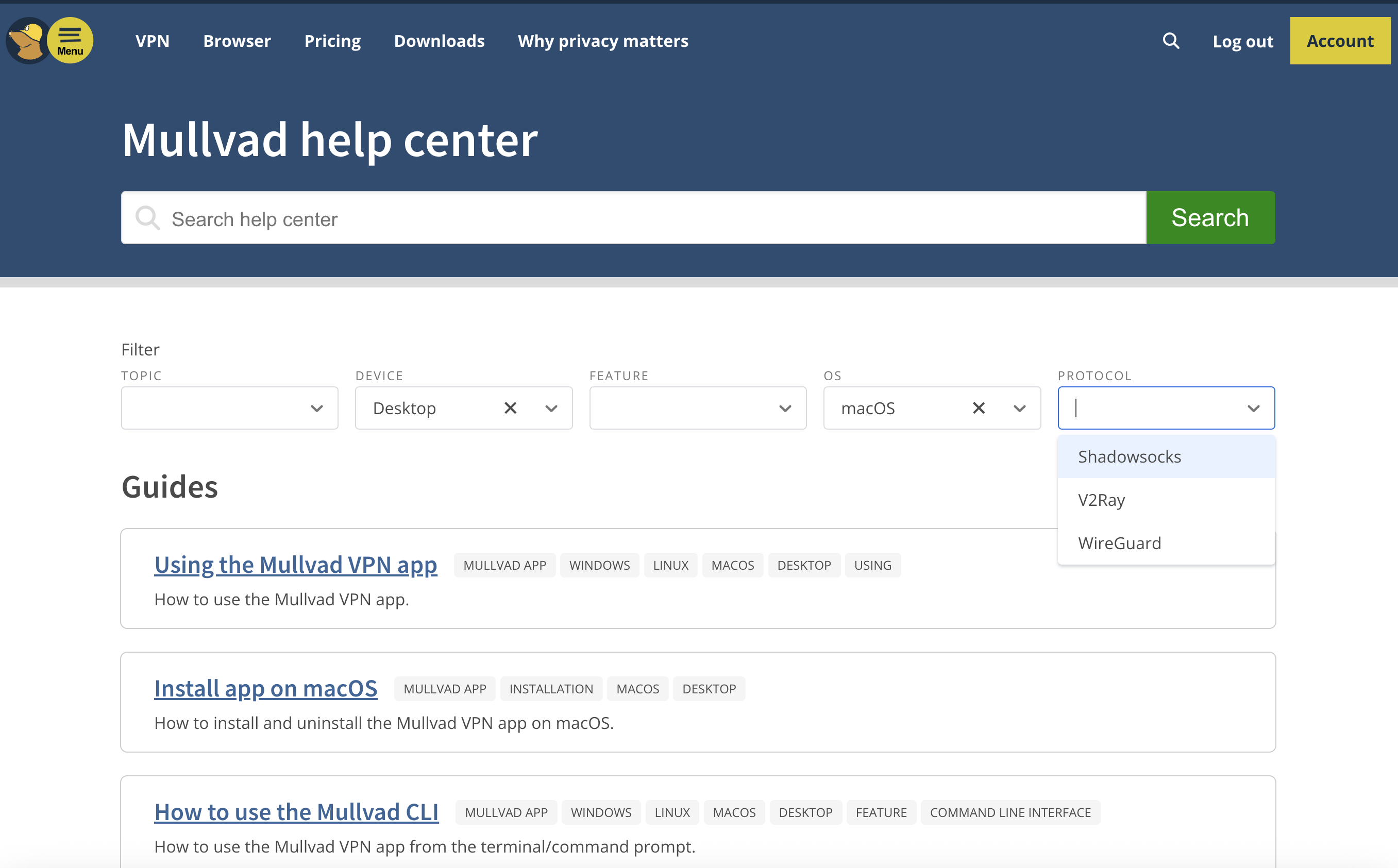 Mullvad's help center, including the dropdown filter menus.
Sam Chapman for Engadget
Mullvad's help center, including the dropdown filter menus.
Sam Chapman for Engadget
I love Mullvad's approach to laying out its FAQs. Instead of crowding topics into five or six categories and making you guess whether your problem falls under setup, usage or troubleshooting, Mullvad gives you a set of dropdown filters to narrow down the articles which might relate to your problem.
By the time you've named which device, OS and protocol you're dealing with, you won't have many articles left to sift through. There is an annoying tendency for certain sets of filters to reduce the number of surfaced links to zero, but for those cases, there's a search bar that also works well.
The articles themselves are good enough that I referred to them several times while writing this review. Some of them are a bit overlong, but they're diligent about including both internal and external links to get you where you're going fast.
Live support experienceThis is normally where I cover how it feels to get live chat support from the VPN I'm reviewing. However, Mullvad doesn't have live chat support. That's unfortunate, although it's still better than Windscribe's approach of forcing you to banter with a sarcastic robot. Instead, I sent a question via email to Mullvad's support team, and got a response within 24 hours.
Mullvad background checkMullvad was founded in 2009 in Sweden. It's still owned and operated by its original founders. According to a detailed timeline on its website, its 16-year history has been as uneventful as any user could ask for, with not much changing except updates to stay on the technological leading edge. The only controversy mentioned in Mullvad's own materials is the 2023 police raid of its headquarters, which (as I covered in the privacy section) only makes them look better.
So as not to take Mullvad at its word, I scoured the last 16 years of news items and user reports to search for any other blemishes on its record. Based on that research, I found no reason to doubt Mullvad's honesty about its location, owners or team.
I found just one leak that wasn't noted on Mullvad's own site. In 2023, a security research group called ZATAZ alleged that it found anonymized information on Mullvad users saved on an Internet Archive page, including account numbers (linked article is in French). According to ZATAZ, Mullvad contacted the Archive and got the page deleted.
To my mind, the only mistake Mullvad made in response to the ZATAZ allegations was not making a public statement about the incident. I can see why they didn't think it was a big deal, since even logging into someone else's Mullvad account wouldn't show you their browsing history, but it's always better to communicate about these things.
Final verdictMullvad is a VPN that knows what it wants to be and achieves that goal with flying colors. It's not trying to be an everything app — it does privacy and does it well. That's not to say it has nothing going on outside the VPN itself, as its DNS blockers, AI defenses and split tunneling all work smoothly. But if you want a VPN that's not ashamed to be a VPN, Mullvad is the right choice.
Of course, it has its own compromises. It's solidly in the middle of the speed pack and occasionally trips up when unblocking streaming sites. The lack of any protocols other than WireGuard grates on me a bit, since it reduces the user's options for troubleshooting. With all that said, those are minor hiccups on a VPN that does such a thorough job keeping you anonymous online.
This article originally appeared on Engadget at https://www.engadget.com/cybersecurity/vpn/mullvad-vpn-review-near-total-privacy-with-a-few-sacrifices-130000056.html?src=rss The 2027 Toyota Highlander is fully electric and has a 320-mile range [ 11-Feb-26 11:58am ]Toyota has unveiled the 2027 Highlander, the first fully electric version of the vehicle and the automaker's fourth EV in the US. It's also the company's first EV assembled in the country and the first electric model with three rows of seats. The automaker already sells the electric C-HR crossover and the electric bZ SUV in the US. While the 2027 Highlander resembles its predecessors, its lines look sharper and it has broader fenders. In addition, it features flush door handles similar to Tesla's, which were designed for aerodynamics but which China recently banned out of safety concerns.
The new Highlander will be available in several varieties, specifically in Limited and XLE (Executive Luxury Edition) grades with either front-wheel or all-wheel drive configuration. If you get the Limited edition all-wheel drive with a 95.8 kWh battery, you can get a range of 320 miles on a single charge, based on Toyota's estimates. Take note that range estimates by manufacturers and the EPA could be different from each other. It would be more accurate to compare EPA ranges between vehicles across brands, because they were determined using the agency's testing methodologies.
The 2027 Highlander in XLE front wheel drive configuration with a 77 kWh battery has a manufacturer-estimated range of 287 miles. Meanwhile, the all-wheel drive XLE variant comes with either a 77 kWh battery that can power it for 270 miles or a 95.8 kWh battery that has an estimated range of 320 miles, similar to the Limited edition vehicle. The all-wheel drive variants have a total maximum power output of 338 horsepower, whereas the front-wheel models have a power output of 221 hp.
All the EV's versions can seat seven, with the third row being able to fold flat if you need it for cargo. They come with heated front seats, but you can also get ventilated and heated second row seats for an additional fee. Toyota will start selling the 2027 Highlander in late 2026, with some regions getting it early next year. The automaker says it will announce pricing for the EV model closer to its release date.
This article originally appeared on Engadget at https://www.engadget.com/transportation/evs/the-2027-toyota-highlander-is-fully-electric-and-has-a-320-mile-range-115828463.html?src=rss Elon Musk's latest scheme is a satellite catapult on the Moon [ 11-Feb-26 11:34am ]With his newfound focus on the Moon, Elon musk is making some wild new plans. In an xAI meeting with employees, Musk said the company needed to build an AI satellite factory on the moon with a gigantic catapult to launch them into space, according to audio heard by The New York Times.
All of that would be part of the billionaire's plans to create a massive orbiting AI "data center" that uses satellites powered by the sun and kept cool by the vacuum of space (a bad plan, some experts say). Any satellites launched from the Moon would presumably orbit the Moon as well, though Musk didn't provide any additional details.
"You have to go to the moon" in order to build the required AI capabilities, Musk told employees. "It's difficult to imagine what an intelligence of that scale would think about, but it's going to be incredibly exciting to see it happen."
Such a catapult would certainly need to be powerful — though the Moon has only one-sixth the gravity of Earth, the minimum escape velocity required for orbit is still around 3,800 MPH or five times the speed of sound. That's currently possible with electromagnetic railguns that launch projectiles at speeds up to Mach 8.8, though any satellite launched by such a device would need to withstand acceleration forces around 10,000 g or more.
It's fun to think about it, but there are a few tiny steps required first. That starts with orbiting the Moon and eventually landing on the surface. Then you'd need to build a colony, followed by a factory, all of which would require a large number of manned and unmanned expeditions. As a reminder, we haven't been to the moon for over 50 years and none of the colony or factory stuff has ever been done.
Early last year Musk said in a post on X that SpaceX would be going "straight to Mars" and that "the Moon is a distraction." However, the CEO apparently shifted his near-term priorities to building a "self-growing city on the Moon" because it's a more achievable target. In a post on X, Musk said the company could complete this in less than 10 years, while doing the same on Mars would take over 20 years.
Any estimates from Musk himself certainly need to be treated skeptically, though. Elon once said in 2017 that SpaceX would send cargo missions to Mars by 2022 aboard a rocket that's still being tested in 2026.
This article originally appeared on Engadget at https://www.engadget.com/science/space/elon-musks-latest-scheme-is-a-satellite-catapult-on-the-moon-113403143.html?src=rssApple's MacBooks don't need much help out of the box, but the right accessories can make a noticeable difference in how you use them day to day. Whether that means adding more ports, creating a cleaner desk setup or making your laptop easier to travel with, there's a growing ecosystem of gear designed to fill in the gaps Apple leaves behind. A good accessory should feel like an extension of your MacBook, not a workaround.
The picks below are meant to work smoothly with macOS and today's USB-C-only reality, whether you're using a lightweight MacBook Air or a higher-end MacBook Pro. From practical essentials to quality-of-life upgrades, these accessories are meant to help you get more done without adding unnecessary bulk or friction.
Best MacBook docking stations and hubs
Best MacBook charging gear
Best MacBook keyboards and mice
Best MacBook stands
This article originally appeared on Engadget at https://www.engadget.com/computing/accessories/best-macbook-accessories-150014737.html?src=rss
Smart plugs aren't the most complicated smart home device — they really just turn stuff off and on — but they do make life a little easier. Since using smart plugs, I've grown accustomed to having the living room lamps click on just before sunset and go off when I say goodnight to Alexa or the Google Assistant/Gemini (Siri can turn off a few of my lights, but isn't compatible with all of them). Most smart home device makers have a plug or two in their lineups, but finding one that's compatible with your chosen ecosystem, that's easy to set up and reliably connects can involve a little trial and error. That's why we tried more than a dozen models to find the best smart plugs you can buy right now..
Best smart plugs for 2026
The best outdoor smart plugs for 2026
Most people will likely use outdoor plugs for two things: patio lighting and holiday string lights. The devices are designed for the outdoors with a weatherproof protection rating of IP64 or higher, which means they're impervious to dust and can handle splashing water from rain and sprinklers. They have a longer Wi-Fi range than indoor plugs, for obvious reasons, and many have dual outlets, with individual control over each one.
Setup is the same as for indoor plugs: you'll use your phone to help the plug find your Wi-Fi using its companion app. The only tricky part is getting your phone within Bluetooth range of the plug (which it uses to initialize setup) and in Wi-Fi range at the same time. I had to awkwardly stand at a triangulated point in the middle of my driveway to get things communicating properly. Once set up, the plugs will communicate using your router for voice and app control and your phone needn't be anywhere near the plug.
Best uses for a smart plug
Before you buy one, it helps to know how a smart plug works best. They are designed for things that have an on/off switch, making them great for doing things like turning regular ol' lamps into smart lights. If you want a fan to move some air around before you get home, a smart plug can help. You can load a basic coffee maker with grounds and water the night before and wake up to a fresh pot in the morning. And instead of an air purifier running all day, you could set it to just run when you're away.
But gadgets that need to be programmed further, or require a stand-by mode, aren't ideal. If you want to control built-in lights, you'll need a smart light switch, which are more involved than smart plugs as they can involve in-wall installation. Smart bulbs are also an option for automation, and we have an entire guide devoted to those.
Some smart plugs can even monitor how much energy they use and display those figures within their companion app. That might not be much use on its own, as lamps with LED light bulbs consume very little energy, but it could help you keep tabs on your overall energy consumption.
What to consider when buying a smart plug Setup and useAdding a smart plug to your home is relatively simple. You'll use the manufacturer's app to initially connect, after which you can add the plug to a compatible smart home ecosystem so you can use voice control and other features. Both the brand's app and your smart home app will let you name the plug, set schedules and program "routines" which provide automation for multiple smart devices at once. But as you can guess, a manufacturer's app only lets you control products from that brand. If you want whole-home automation, operating, say, a plug from TP-Link's Kasa, a smart bulb from Philips Hue, a smart thermostat from Honeywell and a camera from Arlo without switching apps, you'll need to use a smart home platform, which means you'll need to consider compatibility.
CompatibilitySmart home devices connect through wireless protocols, often using more than one to communicate with your phone, smart speaker, router and in some cases, one another. The majority of smart plugs use Wi-Fi, but some have recently incorporated Matter, a relatively new wireless standard intended to solve integration issues between different brands and manufacturers, while also improving security and reliability.
More of these smart plugs are coming to market and, for now, most Matter devices work via Wi-Fi, Bluetooth and a low-power mesh network called Thread. Matter requires a controller that stays at home, like a hub or smart speaker, to manage things when you're out and about.
As for Bluetooth, most plugs, including all Matter plugs, use the short-range protocol to get the device set up for the first time. Some can continue to run on Bluetooth in the absence of another option, but the connection isn't as reliable and you won't be able to control the plug when you're away from home, or perhaps even just on the other side of the apartment.
Because Matter is relatively new, it may be easier to consider the manufacturer's system you'd use the most. There are four major "branded" smart home platforms: Amazon's Alexa, Google Home, Apple's HomeKit and Samsung's SmartThings. The first two work with the widest range of brands and are compatible with both iOS and Android devices. HomeKit not only limits app access to Apple devices, but it's also compatible with fewer plugs. You can also turn to open-source software like Home Assistant or go with the larger functionality of IFTTT if you want to, say, have your lights turn off when your Uber arrives. For the purposes of our testing, we stuck with the four big players. Nearly every plug we looked at clearly stated which platforms it works with, both on the packaging and retail product pages.
Of course, there's no rule that says you have to stick with one home assistant. You might have an Echo Dot in the basement, a HomePod in the living room and a Google Nest Mini in the kitchen, each controlling any compatible devices. My kid has a great time telling Alexa to turn on a light then asking Google's Gemini to turn it back off.
All of our top picks recommended here don't require a hub and connect directly to your home's Wi-Fi router. That means if you already have wireless internet and a smartphone or tablet, you can quite literally plug and play. The exception is Apple's HomeKit. If you want to pair up a compatible plug with that platform, you'll need a HomePod speaker, Apple TV or an iPad that stays in your home to enable remote control when you're away.
Some smart plugs require a hub regardless of which platform you use. For our guide, we focused on the simplicity (and lower cost) of options that work on their own, but hub-dependent devices may make sense in certain situations. Some companies, like Aqara and Lutron for example, make a vast range of smart home products, adding automatic shades, window sensors, smart locks and air quality monitors to the more traditional cameras and plugs. If you're going all-in on one brand and plan to get a plethora of connected devices, a hub can keep your Wi-Fi network from getting too crowded and provide a more seamless setup with reliable connectivity. Zigbee devices use their own protocol (different from Wi-Fi or Bluetooth) and also requires a hub.
SharingOnce a plug is set up with your platform and voice assistant of choice, anyone can control the plug just by talking. If someone else wants to control things with their phone, things get more complicated. Google makes it easiest, allowing you to invite another person just by tapping the + button within the Home app. Whomever you invite will have full access to your connected devices - including cameras - so this is only for people you trust the most.
HomeKit makes it similarly easy to grant app access to someone else, but as with most things Apple, it only works for other iOS users. Amazon only allows you to share access to your Echo, not your connected home devices.
Many smart plug manufacturers allow you to share control through their app by inviting another person via email. But this only grants access to devices of that brand. Hopefully as Matter expands, multi-admin features will become more widespread.
If you get a new Wi-Fi networkMost people will wirelessly connect their smart plugs to their home's Wi-Fi router. Matter, Z-Wave, Thread and other smart home protocols can work over local networks, but for most setups, the signals telling your plugs what to do will be dispatched through your router. If you happen to get a new one (like I did when it became clear my very basic gateway could not handle the number of smart home devices being tested) you'll need to take a few steps to get everything reconnected.
Depending on the brand, the steps may simply involve using the plug's companion app to update your credentials (network name and password). Or it will require deleting the device in the companion app, doing a factory reset (typically by pressing the onboard button for 10 seconds) and setting up the plug like it's brand new. GE Sync and Emporia plugs allow for a credentials update via their apps, others, like TP-Link Kasa and Meross plugs require deletion and a factory reset to get along with your new network. Amazon's smart plug updates automatically after updating the associated Echo device.
How we tested the best smart plugsBefore I decided which smart plugs to test, we considered brands Engadget staffers have had the best experiences with, both in review capacity and personally. We also checked out other online reviews. I then looked at factors like price, compatibility and relative popularity. Then, I tested about a dozen plugs using their companion apps and the four major smart home ecosystems. With lamps, lights, heaters, fans and more plugged into them, I set schedules, create routines, use voice control and generally live with the devices to evaluate them. I and continue to test good candidates as new models hit the market.
Other smart plugs we tested Eve Energy StripThe Eve Energy Strip only works with HomeKit and it's a bit more expensive than our pick for a smart strip. But it's an exceedingly attractive device complete with an aluminum frame and easy-to-read LED buttons. Those act as both indicators and manual switches for each of the three, individually controlled and nicely spaced plugs. Setup happens through the HomeKit app but after that, you can control the plug (and curiously, many other smart home devices active in your HomeKit profile) through the Eve Energy app. Here, you'll be able to create schedules and automations as well as monitor the plug's energy usage.
Meross Matter plug (MSS115)I wasn't able to test the Meross Matter plug fully. It requires Wi-Fi splitting, a process that's certainly possible for the average consumer, but more involved than it should be, considering the more than dozen other plugs I've tested don't require such a step. The plug itself also blocked the other outlet. Meross has an updated version of the Matter device on the way, one that looks to solve both issues and we'll update this guide accordingly once we've had a chance to test it.
Roku Smart PlugRoku's smart home gear is basically Wyze equipment with an app and packaging that are more purple. The Roku smart plug performed just fine with both compatible voice assistants (Alexa and Gemini). The companion app doesn't offer scheduling that revolves around the timing of the sunset in your area, but the plugs go for less than $10 each and if you've got a Roku TV or streaming device set up and want to keep everything on-brand, it could be a fit.
Aquara Smart PlugThe Aqara plug requires an Aqara hub. In tests, the connectivity was solid and the companion app allowed for useful if/then automations that can rope in other Aqara devices like locks, window shades, cameras and more. The plug also worked well with voice assistants from Amazon, Google and Apple. As a stand-alone plug, however, it's tough to recommend the nearly $100 combo to anyone who isn't planning to get a complete Aqara smart home setup.
Smart plug FAQs What are the disadvantages of a smart plug?While they're great when everything is working properly, smart plugs can be frustrating, adding a layer of complication to the simple act of turning on a light, if something goes wrong. For example: If your Wi-Fi goes out, your smart plug won't work. If the smart plug loses its connection to your router, it won't work. If you change your Wi-Fi password or provider, you'll have to re-program your smart plugs. If you forget what you named a particular plug during setup, you may be faced with an irritating conversation with your voice assistant. The best way to avoid some of those problems is to get a plug that works reliably, which is one of the features we considered for this guide.
How much power does a smart plug draw?Smart plugs don't draw much more power than whatever you're plugging into them. True, they remain on standby to await instructions from your smart assistant or other controller, so they're always using a small amount of power. But if, for example, you set a light to automatically turn off at night, and that light would otherwise stay on unnecessarily, the smart plug will save far more energy than the watt or two extra that it draws.
Do smart plugs use Bluetooth?Some smart plugs use Bluetooth to connect to your phone during setup. After that, most connect to your home's Wi-Fi network.
What appliances should not be plugged into a smart plug?Common sense will help you determine what not to plug in. Obviously anything dangerous like power tools should not be plugged into a smart plug. Appliances that require supervision, such as space heaters and curling irons, shouldn't be set to turn on automatically if no one will be around. You also shouldn't bother with anything that needs further programming. Simple on/off appliances like lamps and fans work best.
This article originally appeared on Engadget at https://www.engadget.com/home/smart-home/best-smart-plug-131542429.html?src=rssAfter kicking off CES 2026 with its "First Look" event, Samsung is ready to announce the first of what should be several new Galaxy smartphones this year. The company is officially hosting a Galaxy Unpacked event on February 25 at 1PM ET, where it'll introduce the Galaxy S26 series and updates to Galaxy AI.
Leaks that have trickled out ahead of the event suggest that the Galaxy S26, S26+ and S26 Ultra will feature a new Snapdragon 8 Elite Gen 5 chip, and could come with more RAM and storage. Only the Galaxy S26 Ultra is expected to include major hardware changes, though, with an updated camera system, and possibly proper support for Qi2 charging. Alongside new smartphones, Samsung is also expected to introduce the Galaxy Buds 4 and 4 Pro, which will reportedly feature a new design, support for head gestures and an Ultra Wideband chip so they're easier to find using Google Find Hub.
As in previous years, Samsung has an optional deal for anyone who wants to lock in a discount before the company's new smartphones and accessories are announced. If you reserve Samsung's new devices now, you can receive a $30 credit and be entered to win a $5,000 Samsung.com gift card. When you do pre-order, the company also claims that it'll offer up to an additional $900 in savings if you trade-in a device or $150 off even without a trade-in if you pre-order through Samsung.com.
Engadget will have coverage of everything Samsung announces at Galaxy Unpacked right here, but if you want to watch along, you can catch the company's livestream of the event on Samsung's YouTube channel, the Samsung Newsroom page or at Samsung.com.
This article originally appeared on Engadget at https://www.engadget.com/mobile/smartphones/samsungs-galaxy-s26-unpacked-event-is-on-february-25-230000375.html?src=rssThe National Labor Review Board (NLRB) has dropped a case accusing SpaceX of illegally firing eight employees who criticized the company's CEO Elon Musk, The New York Times. The employees were originally fired in 2022 after circulating a letter that referenced reports of Musk's sexual misconduct and called the executive "a frequent source of distraction and embarrassment." The NLRB filed a complaint claiming the firing was illegal in 2024.
Originally, SpaceX's opposition to the NLRB's case was that the agency is unconstitutional, The New York Times writes. Complaints about the NLRB's independence and power are not uncommon. Amazon has previously claimed that the board's structure "violates the separation of powers," a critique the company has made even more recently about the Consumer Product Safety Commission. The NLRB dismissed its SpaceX case following an even more unusual line of argument, though: that regulating SpaceX actually fell under the jurisdiction of the National Mediation Board, the government agency that handles mediation in the airline and railway industries.
Because the company will technically let anyone book a space flight with it, and it operates under a license from the Federal Aviation Administration, SpaceX's lawyers argue it should be treated like an airline. According to The New York Times, the National Mediation Board issued a decision affirming that logic in January, and not long after, the NLRB dismissed its SpaceX case using the same line of thinking.
Elon Musk and his companies maintain a close relationship with the Trump administration. Musk spent over $250 million to help re-elect President Donald Trump, and he briefly served as a special government employee overseeing budget cuts and layoffs across various government bodies as part of the Department of Government Efficiency. The NLRB gave up its own authority to regulate, rather than it being stripped of funding or employees, but the decision still fits a larger pattern of independent agencies being disempowered during the second Trump administration.
This article originally appeared on Engadget at https://www.engadget.com/big-tech/the-nlrb-just-gave-up-on-spacex-workers-who-claim-they-were-illegally-fired-215332847.html?src=rssMeta has been going all in on AI, whether people want it or not, and now it's bringing more features in that vein to Facebook. The network's latest move is to let people use Meta AI to animate their profile photos. Because what better way to express your individuality than to use a pre-canned AI-generated animation on your own face?
Meta AI is also coming for your Facebook Stories and Memories. The network's Restyle lets you use gen-AI to change up the aesthetic of your posts. You can once again use pre-canned stylings or give the AI assistant your own prompt.
In the company's own words, the new tools that will create "share-worthy moments that spark meaningful interactions and conversations with friends." I guess meaning is in the eye of the beholder. If you're desperate to behold even more AI slop, Meta recently said its Vibes feed of exactly that content will be getting a standalone app.
This article originally appeared on Engadget at https://www.engadget.com/social-media/facebook-is-offering-meta-ai-powered-animations-for-profile-photos-201022506.html?src=rssYou have likely heard about the masked agents of ICE mucking around in Minnesota for the past few months, resulting in numerous violent incidents and deaths. Itch.io is hosting a bundle to help raise money for the Immigrant Law Center of Minnesota, which was organized by charity creator Jes Wade.
The No ICE in Minnesota bundle includes nearly 1,300 video games and tabletop games and costs just $10, though those with deep pockets can certainly donate more than that. It has a goal of $100,000, which it certainly is on pace to meet.
There are some nifty titles here, particularly for those interested in indie puzzle games and life sims. The standout is likely the stellar puzzler Baba Is You, which won the Game Designers Award at the Tokyo Games Show in 2020. This is a game that has to be played to be understood, as players are given the opportunity to change the rules to find novel solutions to complex puzzles. It's very good.
The bundle includes the life simulation game Calico, which involves players running a cat cafe on a magical island. The art style is gorgeous and the gameplay is relaxing. Also, calico cats are awesome.
Other titles include the bee-collecting sim Apico, the musical sci-fi adventure Periphery Synthetic and the space-based roguelike Hyperspace Dogfights. Scroll through the list to see if anything else strikes your interest, but mark out some time on the calendar first. Scrolling through nearly 1,300 games can take a while.
The Immigrant Law Center of Minnesota is a nonprofit that provides free representation to low-income immigrants and refugees. The organization also provides support for those who have witnessed violent attacks and advocates for public policies which "respect the universal human rights of immigrants."
I live in Minneapolis. ICE is still here in full force, despite the media moving on to shinier objects. We really do need all the help we can get. The long-term presence of these masked, armed agents is really starting to destroy the local economy and many people are quite literally trapped indoors. To say morale is low would be an understatement. Schools are still being raided and people are still being brutally beaten. American citizens are still being arrested for dubious reasons. This is all happening after the killings of Renee Good and Alex Pretti.
That's why these fundraising bundles on Itch have become so important. They really do shine a light on important topics. This is organizer Jes Wade's second ICE-related bundle, with a former focusing on California relief efforts. There have also been bundles to help raise money for the NAACP Legal Defense and Educational Fund and Community Bail Fund and to raise cash for charities working in Ukraine.
This article originally appeared on Engadget at https://www.engadget.com/gaming/this-itchio-bundle-to-help-minnesota-includes-over-1200-games-and-costs-just-10-190643987.html?src=rssFormer cryptocurrency poster boy Sam Bankman-Fried is trying to get another chance in court. He has filed a request that for a new trial on claims that new witness testimony could alter the case made against him by prosecutors, according to Bloomberg. His odds for getting the re-trial, where he'd be representing himself, seem pretty slim. This is a separate motion from a formal appeal of his previous conviction.
Bankman-Fried is one of many cryptocurrency leaders who have since been prosecuted for fraud. After being jailed for witness tampering, he was found guilty of seven charges of fraud and conspiracy in 2023. Bankman-Fried was sentenced to 25 years in prison for his actions as CEO and co-founder of crypto exchange FTX.
This article originally appeared on Engadget at https://www.engadget.com/big-tech/sam-bankman-fried-wants-a-re-trial-for-fraud-charges-185910093.html?src=rssHubble may no longer be the gold standard, but it can still capture some impressive images. The telescope's latest snapshot is our clearest view yet of the Egg Nebula. Roughly 3,000 light-years away from Earth, the nebula's name is derived from its dense layer of gas and dust cloaking a central star.
The new image shows the nebula's four beams of starlight (from that central star) escaping from its gas-and-dust "shell." On either side of the disc-like cloud are fast-moving outflows of hot molecular hydrogen. The orange highlights in this image indicate the glow of infrared light.
As the beams of starlight stretch out from the center, they illuminate concentric rings of gas. The gas's ripple-like pattern suggests it was created by successive bursts from the star, with a little more ejecting every few hundred years.
 Hubble image of the Egg Nebula. A disc of gas and dust surrounded by beams of light and concentric rings of dust.SA / Hubble & NASA, B. Balick (University of Washington)
The Egg Nebula, found in the constellation Cygnus, was first discovered in 1975. Nebulae in this preplanetary phase are rare finds. Since the stage only lasts a few thousand years (and because they're often faint), they're relatively difficult for astronomers to spot. By comparing this new image with previous Hubble snapshots of the Egg Nebula, astronomers can learn more about it and shed more light on its processes. But for the rest of us, it makes for some pretty sweet eye candy, right?
This article originally appeared on Engadget at https://www.engadget.com/science/space/hubble-showcases-the-egg-nebula-in-all-its-dying-star-glory-174239769.html?src=rssGet ye to Windows Update, because there's a good chance you've got new Secure Boot certificates to install. Microsoft just announced that it will be refreshing those certificates, which were originally introduced when Secure Boot debuted in 2011, as a security precaution. Secure Boot was a way for Microsoft to protect systems from running unsigned and potentially malicious code before Windows launched. It went on to be an installation requirement for Windows 11, as well as anti-cheat software used in Valorant, Call of Duty: Black Ops 6/7 and Battlefield 6.
Without the new Secure Boot certificates, Microsoft says your system will still function normally, but it will enter "a degraded security state that limits its ability to receive future boot-level protections." Basically, you won't be protected from malware and viruses targeting vulnerabilities in older versions of Windows. As expected, Microsoft also notes that unsupported versions of Windows won't be receiving the new Secure Boot certificates. They're only coming to Windows 11 systems, as well as Windows 10 PCs subscribed to Microsoft's Extended Security Updates.
Microsoft says many users will be able to pick up the updated Secure Boot certificates by visiting Windows Update, but a few may need additional firmware updates from their system (or motherboard's) OEM. You'll also be able to track the status of your security certificates in the Windows Security app in the "coming months."
"As cryptographic security evolves, certificates and keys must be periodically refreshed to maintain strong protection," Nuno Costa, Partner Director of Windows Servicing and Delivery, wrote in a blog post today. "Retiring old certificates and introducing new ones is a standard industry practice that helps prevent aging credentials from becoming a weak point and keeps platforms aligned with modern security expectations."
Costa says Microsoft has been working with OEMs like Dell and HP to ensure a smooth transition to the new Secure Boot certificates. Many new systems built in 2024 already have the updated certs, while "almost all" devices shipped last year have them as well. Microsoft has also been alerting IT customers to this transition since last year.
This article originally appeared on Engadget at https://www.engadget.com/computing/microsoft-will-start-refreshing-secure-boot-certificates-in-march-for-windows-11-and-windows-10-esu-users-170000777.html?src=rssThere appears to be no limit to how chonky and eye-wateringly expensive PC gaming handhelds can get, with the latest behemoth being the Ayaneo Next 2. First announced back in November, the latest Windows handheld in Ayaneo's Next lineup is now up for pre-order, with a spec sheet that makes some of its rivals look modest.
If you missed the announcement at the end of last year, the Next 2 is packing a 9-inch OLED display with a 2,400 x 1,504 resolution and a maximum refresh rate of 165Hz (adjustable down to 60Hz). The Next 2 is powered by an AMD Ryzen AI Max+ 395 chip and has a massive 115Mh battery under the hood.
To put all of that into perspective, the Next 2's display is more than 1.5 inches larger than the Steam Deck OLED's, and goes bigger than even the Lenovo Legion Go 2's 8.8-inch panel. Its battery is the largest of the three by some margin too, and according to Ars Technica it weighs in at around 3.14 pounds (around 1424g), making it more than twice as heavy as the very heavy Xbox ROG Ally X. Get those wrists to the gym if you're considering picking one of these up.
Ayaneo is ticking all the boxes where inputs are concerned too. Its latest handheld has dual touchpads (a feature ASUS left out on the ROG Xbox Ally X), Hall Effect sticks, an 8-way D-Pad and four customizable rear buttons.
All of this tech inevitably comes at a high price, with the entry-level model that ships with 32GB of RAM and 1TB of storage coming in at $1,999, or $1,799 if you take advantage of early bird pricing. This model is equipped with the slightly less capable Ryzen AI Max 385 CPU.
If you want the more powerful AI+ 395 chip you have a few options. A variant of the Next II with 64GB of RAM and 1TB of storage costs $2,699, but you can order now at the early bird price of $2,299. For 128GB of RAM and 2TB of storage you'll be handing over a slightly hilarious $4,299 at full price. Early birds can order now for $3,499.
This article originally appeared on Engadget at https://www.engadget.com/gaming/pc/the-ayaneo-next-2-is-a-massive-pc-handheld-with-a-price-tag-to-match-165326534.html?src=rssA US judicial body has revised an internal document to remove climate research. The Reference Manual on Scientific Evidence is a document used by judges when they have to oversee cases involving complex scientific matters. The climate science chapter has now been deleted, so they'll be on their own with climate-related cases.
This move came after a group of Republican state attorneys wrote a letter to complain about the chapter on climate change. The language in the document, which was authored by researchers from Columbia University, suggests that climate change is driven by the actions of humans. This was a no-go to those state attorneys, despite being an established fact.
"Nothing is 'independent' or 'impartial' in issuing a document on behalf of America's judges declaring that only one preferred view is 'within the boundaries of scientifically sound knowledge,'" the letter states. It's worth noting that the document is nearly 2,000 pages long and declares preferred views on numerous subjects, though the state attorneys only have an issue with the one.
The Republicans also complained that the report called the Intergovernmental Panel on Climate Change an "authoritative science body." The grounds for this complaint seem to derive from a short paper from a Canadian conservative think tank.
US court agency pulls climate change from science advisory document https://t.co/2ornJlJN1X
— Ars Technica (@arstechnica) February 10, 2026
The letter's authors would not settle for any revisions, according to a report by Ars Technica. Rather, they demanded the entire chapter be removed. So it was removed and now judges can rule on climate cases using the tried and true method known as "vibes."
Interestingly, the introduction of the document by Supreme Court Justice Elena Kagan still mentions the climate chapter. They had better break out some correction tape. The full text of the now-deleted chapter has been posted by RealClimate, if you want to give it a gander.
More than 99.9 percent of peer-reviewed scientific papers agree that climate change is real and caused by humans. It looks like some segments of society want a judicial system ruled by that remaining 0.01 percent.
This article originally appeared on Engadget at https://www.engadget.com/big-tech/us-judicial-body-removes-climate-research-paper-after-complaints-from-republicans-164829295.html?src=rssSupermassive Games has announced a new release date for the next entry in the Dark Pictures Anthology series. Directive 8020 is coming to PS5, Xbox Series X/S and Steam on May 12. The studio behind Until Dawn and The Quarry revealed the news with the help of a fresh trailer for the sci-fi survival horror game.
The story focuses on the crew of a spaceship that has crash landed onto another world. The survivors have to contend with an alien lifeform that's hunting them and can mimic its prey (no prizes for guessing that Supermassive took inspiration from The Thing here). If these astronauts want to stay alive, though, they'll put the lives of everyone on a dying Earth at risk.
As with Supermassive's previous games, Directive 8020 is largely driven by the narrative choices players make at key moments, such as whether to save a crewmate and put the character you're currently controlling at risk, or to abandon them. You might also have to pick between two seemingly identical versions of the same person and let one of them back into the crew. The game has segments in which you'll have to fight or stealthily avoid enemies as well.
This time around, Supermassive is introducing a feature called Turning Points, through which you can go back to previous decisions and opt for another path (perhaps to see different endings more easily, keep certain characters alive or make sure you get all the achievements or trophies). A permadeath mode does away with that option for a more traditional survival horror experience.
You can go it alone or get some friends to join you for five-player local co-op action — the studio's games have long been good fodder for pass-the-controller couch co-op. Supermassive will add online multiplayer support down the line.
The developer originally planned to release Directive 8020 in October 2025. However, Supermassive announced last July that it was delaying the game amid its latest round of layoffs.
This article originally appeared on Engadget at https://www.engadget.com/gaming/directive-8020-brings-sci-fi-survival-horror-to-ps5-xbox-series-xs-and-pc-on-may-12-163358560.html?src=rssNumerous major social platforms including Meta, YouTube, TikTok and Snap say they will submit to a new external grading process that scores social platforms on how well they protect adolescent mental health. The program comes from the Mental Health Coalition's Safe Online Standards (SOS) initiative, which comprises about two dozen standards covering areas like platform policy, functionality, governance and transparency, content oversight and more. The SOS initiative is led by Dr. Dan Reidenberg, Managing Director of the National Council for Suicide Prevention.
In announcing these companies' participation, the Mental Health Coalition writes "SOS establishes clear, user-informed data for how social media, gaming, and digital platforms design products, protect users ages 13-19, and address exposure to suicide and self-harm content. Participating companies will voluntarily submit documentation on their policies, tools, and product features, which will be evaluated by an independent panel of global experts."
After evaluation, the platforms will be given one of three ratings. The highest achievable safety rating is "use carefully," which comes with a blue badge that compliant platforms can display. Despite being the highest rating, the requirements seem fairly run-of-the-mill. The description includes things like "reporting tools are accessible and easy to use," and "privacy, default and safety functions are clear and easy to set for parents." As for what actions the standards ask of the companies being rated, the "use carefully" rating says "platforms and filters help reduce exposure to harmful or inappropriate content."
The other ratings include "partial protection" which is described in part as "some safety tools exist on the platforms, but can be hard to find or use," and "does not meet standards" which would be given if "filters and content moderation do not reliably block harmful or unsafe content."
The Mental Health Coalition, founded in 2020, has mentioned Facebook and Meta as partners since the early days of the organization. In 2021 the organization said it would bring together "leading mental health experts partner with Facebook and Instagram to destigmatize mental health and connect people to resources" during the COVID-19 pandemic.
In 2022 the nonprofit published a case study with "support from Meta" that found "mental health content on social media can reduce stigma while increasing individuals' likelihood to seek resources, therefore positively impacting mental health."
In 2024, the MHC "in partnership with Meta" launched a campaign called the Time Well Spent Challenge. In it, the group urged parents to have "meaningful conversations" with teens about "healthy" social media use, focusing less on whether teens should be on these apps at all and more on keeping them on-platform in a "time well spent" way, from reduced screen time to "using social media for good" and reviewing their feeds together.
That same year it partnered with Meta again to establish "Thrive," a program that allows tech companies to share data regarding materials that violate self-harm or suicide content guidelines. The Mental Health Coalition lists Meta as a "creative partner" on its website.
Last year it was alleged that Meta buried internal data showing the ill effects of its products on users' mental health. The internal research, dubbed "Project Mercury," began in 2020. Since then the company has introduced some bare-minimum attempts at addressing mental health concerns, such as Instagram teen accounts. Meta is now on trial in California facing allegations over child harm from addictive products, the first in a series of upcoming lawsuits against the social media giant.
Other companies participating in the rating program include Roblox, which has recently faced stiff accusations over the wellbeing of children on the platform, and Discord which has beefed up its age-verification processes in response to its own serious child endangerment concerns.
This article originally appeared on Engadget at https://www.engadget.com/social-media/meta-tiktok-and-snap-are-participating-in-an-online-safety-ratings-system-162921333.html?src=rssThe internet is ripe with horrible violations of people's privacy, including non-consensual explicit images. A new tool from Google won't do much in the way of prevention, but can help you remove this media from Search.
Now, you can choose an image and quickly request its deletion. Just click on the three dots that appear on the image. From there, choose "remove result" and then "It shows a sexual image of me." Other choices include the picture shows a person under 18 and that it has your personal information. If you choose the initial option then you will also be asked whether it contains a real image or deepfake. There's also an option to submit multiple photos at once.
Google claims that, upon submitting your request, you will "immediately" see links to emotional and legal support organizations. Plus, you can opt-in to safeguards that filter out similar results in Search — though it seems these unreported images will still be available for other users to see. This feature should be available in most countries over the coming days.
You can go on Google's "Results about you" hub to track your request. To use the tool, you will have to add in your personal contact information and government ID numbers. Google already had the hub to track if any of that information appears on Search, but now it will also look for your social security number, drivers license and passport information. The company should notify you if any of that information comes up in Search results and allow you to take removal steps.
Results about you's updates should roll out to US users in the coming days. Notably, it arrives as Google shutters its dark web reports. They would alert you if your name, number, or email address appeared on the internet — typically because of a data breach. However, Google found it didn't help users take next steps to fix the problem, something these new features will hopefully do.
This article originally appeared on Engadget at https://www.engadget.com/cybersecurity/googles-new-tool-helps-you-remove-non-consensual-explicit-images-from-search-155352248.html?src=rssIf you're an iPhone user who likes to keep tabs on where your stuff is, you can't go far wrong with an AirTag. The second-gen model that Apple just released outpaces the original in every way (aside from the galling lack of a keyring hole, that is). While it's easy enough to replace the battery in both versions of the AirTag, you might not want to have to worry about the device's battery life for a very long time. Enter Elevation Lab's extended battery case for the AirTag, which is currently on sale at Amazon for $16.
The case usually sells for $23, so that's a 30 percent discount. It's not the first time we've seen this deal, but it's a pretty decent one all the same.
This is arguably one of the more useful AirTag accessories around for certain use cases. It won't exactly be helpful for an AirTag that you put in a wallet or attach to your keys, as it's too bulky for such a purpose — and it doesn't have a hole for a keyring anyway. Still, if you're looking for an AirTag case that you can place in a suitcase or backpack and not have to touch for years, this could be the ticket.
Elevation Lab says that, when you place a couple of AA batteries in the case, it can extend the tracker's battery life to as much as 10 years (the brand recommends using Energizer Ultimate Lithium batteries for best results). The AirTag is slated to run for over a year on its standard CR2032 button cell.
The case gives the AirTag more protection as well. It's sealed with four screws and it has a IP69 waterproof rating. What's more, it doesn't ostensibly look like an AirTag case, so someone who steals an item with one inside is perhaps less likely to realize that the object they pilfered is being tracked.
There are some other downsides, though. Since the AirTag is locked inside a case, the sound it emits will be muffled. Elevation Lab says the device's volume will be about two-thirds the level of a case-free AirTag. However, the second-gen AirTag is louder than its predecessor, which should mitigate that issue somewhat.
Follow @EngadgetDeals on X for the latest tech deals and buying advice.
This article originally appeared on Engadget at https://www.engadget.com/deals/elevation-labs-10-year-extended-battery-case-for-airtag-is-back-on-sale-for-16-151215952.html?src=rssIt takes time for novel designs to catch on. But even so, I am still wondering why the Zenbook Duo hasn't had a bigger impact on the market after ASUS released its first true dual-screen laptop two years ago. Notebooks like these provide the kind of screen space you'd typically only get from a dual monitor setup, but in a much more compact form factor that you can easily take on the road. It could be that people were wary of an unfamiliar design, shorter battery life or buying a first-gen product — all of which are understandable concerns. However, now that ASUS has given the ZenBook Duo a total redesign for 2026, the company has addressed practically all of those barriers to entry while making it an even more convincing machine for anyone who could use more display space. Which, in my experience, is pretty much everyone.
Editor's note: The 2026 ASUS Zenbook Duo is expected to be available for pre-order sometime in late February, with general availability slated for March.
Design
For the new model, ASUS didn't mess with the laptop's basic layout too much. Instead, the company polished and tightened everything up, resulting in a system that weighs about the same (3.6 pounds) while reducing its overall size (12.1 x 8.2 x 0.77 to 0.92 inches) by five percent. Critically, you still get a built-in kickstand on the bottom and a detachable keyboard that you move wherever you want. There's also a decent number of ports, including two USB-C with Thunderbolt 4, one USB-A 3.2 jack, HDMI 2.1 and a combo audio port. That said, I do wish ASUS had found room for an SD card reader of some kind, though given the Zenbook Duo's unique design, I get why that didn't make it.
 The Zenbook Duo's detachable keyboard gives users a ton of flexibility when it comes to utilizing both of the laptop's displays.
Sam Rutherford for Engadget
The Zenbook Duo's detachable keyboard gives users a ton of flexibility when it comes to utilizing both of the laptop's displays.
Sam Rutherford for Engadget
One of the Zenbook Duo's most important design upgrades is a new "hideaway" hinge that reduces the gap between the laptop's two screens. Not only does this make the laptop easier and more pleasant to use in dual-screen mode, it also allows the entire system to lay flat on a table, which is nice for drawing or sharing your screen with someone sitting opposite you. The sad part is that while the Zenbook Duo is compatible with the the forthcoming ASUS Pen 3.0, it doesn't come included (at least in the US). So if you want one, be prepared to pay extra.
Another small but appreciated improvement is the new pogo pins below the lower display, which provides a more secure and reliable way of keeping the laptop's detachable keyboard topped up. In my experience, even after running multiple rundown tests that completely drained the Duo's battery, I never had to charge up the keyboard on its own. It was always smart enough to sip electricity from the main system in the background, though it also has a built-in USB-C port for power just in case. On the flipside, if you're not scared of typing on glass, you can still use the lower screen as a keyboard and touchpad, or as a place to display widgets for news, the weather, performance and more.
Displays As someone who loves a desktop with dual monitors, I can't overstate how nice it is to have similar built-in functionality on a laptop.
Sam Rutherford for Engadget
As someone who loves a desktop with dual monitors, I can't overstate how nice it is to have similar built-in functionality on a laptop.
Sam Rutherford for Engadget
The standout feature on the Zenbook Duo continues to be its dual displays, and now for 2026, they look better than ever. Both OLED panels have a 144Hz refresh rate with a 2,880 x 1,800 resolution while also covering 100 percent of the DCI-P3 spectrum. And while its nominal brightness of 500 nits for SDR content is just OK, ASUS makes up for that with peaks of up to 1,000 nits in HDR. And to make both screens even more enjoyable, ASUS managed to shrink the size of their bezels down to just 8.28mm. That's a reduction of 70 percent compared to the previous model, so now there's even less getting in the way of you utilizing these screens to their fullest.
PerformanceThe Zenbook Duo can be configured with a range of new Intel Core Ultra 7 and Core Ultra 9 processors, including the X9 388H chip used on our review unit. For general use and productivity, the laptop is super smooth and responsive, though that shouldn't be a surprise coming from Intel's latest top-of-the-line mobile CPU. However, for those seeking max performance, some of the benchmark numbers aren't quite as impressive as you might expect. That's because ASUS has limited the Duo's TDP (thermal design power) to 45 watts — which is shy of the chip's 80-watt turbo power limit.
 The kickstand in back adds a bit a bulk, but it's better than not having one at all like with Lenovo's Yoga Book.
Sam Rutherford for Engadget
The kickstand in back adds a bit a bulk, but it's better than not having one at all like with Lenovo's Yoga Book.
Sam Rutherford for Engadget
In PCMark 10, the Zenbook Duo only managed a score of 7,153 compared to 9,651 from a Dell XPS 14, despite the latter having a lower-tier Intel Core Ultra X7 358H processor. That said, in other tests like Geekbench 6, the Duo had no trouble staying on top with a multicore score of 17,095 versus 9,651 for the Dell.
Another pleasant surprise is that because the Duo's chip comes with Intel's upgraded Arc B390 integrated GPU, this thing has plenty of oomph to game on, let alone edit videos or other similar tasks. In Elden Ring at 1,920 x 1,200, the Zenbook maintained a relatively stable framerate between 55 and 60 fps on high settings, which is great considering this thing doesn't have discrete graphics. This means as long as you don't mind fiddling with game options a bit, you should be able to play newer AAA games without too much trouble.
Battery life The left side of the Zenbook Duo features a full-size HDMI connector along with a USB-C port, plus a backup USB-C jack for charging the detachable keyboard.
Sam Rutherford for Engadget
The left side of the Zenbook Duo features a full-size HDMI connector along with a USB-C port, plus a backup USB-C jack for charging the detachable keyboard.
Sam Rutherford for Engadget
You'd think a laptop with two displays would be super power hungry. However, by increasing the capacity of its cell from 75WHrs to 99WHrs, ASUS has made the Zenbook Duo's endurance (or lack thereof) a complete non-issue. On PCMark 10's Modern Office rundown test, the laptop lasted 18 hours and 33 minutes in single-screen mode. Granted, that's nearly four hours less than what we got from MSI's Prestige 14 Flip AI+, but considering that's the longest-lasting notebook we've ever tested, I'm not bothered. When compared to ASUS' own Zenbook A14 (18:16), things are basically a wash, which I think is a win for the Duo, as the A14 is meant to be an ultralight system with an emphasis on portability and longevity.
Obviously, battery life takes a hit when you're using both displays. However, when I re-ran our battery test with its two displays turned on, the Duo still impressed with a time of 14:23. This is more than enough to give you the confidence to set this thing up in dual-screen mode even when an outlet isn't close at hand. Thankfully, for times when you do need a power adapter, the charging brick on ASUS' cable is rather compact, so it's not a chore to lug it around.
Wrap-up The Zenbook Duo's battery life is good enough you won't always need its power brick. Thankfully, when you do, ASUS' 100-watt adapter is relatively compact.
Sam Rutherford for Engadget
The Zenbook Duo's battery life is good enough you won't always need its power brick. Thankfully, when you do, ASUS' 100-watt adapter is relatively compact.
Sam Rutherford for Engadget
I'm a believer that one day people will eventually embrace typing on screens with laptops just like they have for smartphones. However, even if you're not willing to make that jump just yet, the Zenbook Duo still has all of its bases covered. Its detachable keyboard gives you a pleasant experience while freeing up the bottom of the notebook to be a second display. This allows you to have something similar to a traditional dual-monitor desktop but in a chassis that you can easily take on the road without any major compromises.
The 2026 Zenbook Duo combines a compact design with strong performance, plenty of ports and surprisingly good battery life. Sure, it's a touch heavier than a typical 14-inch laptop, but its two screens more than make up for a little added weight and thickness. That leaves price as the Duo's remaining drawback, and starting at $2,100 (or $2,300 as reviewed), it certainly isn't cheap.
However, when you consider that a similarly equipped rival like a Dell XPS 14 costs just $50 less for a single screen, that price difference is rather negligible. Alternatively, if you opt for a more affordable ultraportable and then tack on a decent third-party portable monitor, you're still likely looking at a package that costs between $1,500 and $1,800. Plus, that setup is significantly bulkier and more annoying to carry around. So while the Zenbook Duo might be an unconventional pick right now, it has all the tools to deliver unmatched portable productivity and I don't think it will be too much longer until the masses catch on.
This article originally appeared on Engadget at https://www.engadget.com/computing/laptops/asus-zenbook-duo-2026-review-two-screens-really-are-better-than-one-140000982.html?src=rssLast year the UK declared that Apple and Google were a duopoly with "strategic market status" in the mobile platforms market, making them subject to special regulations. However, the UK's Competition and Markets Authority (CMA) will not regulate Google and Apple's app stores like the EU has done. Rather, government plans to enforce its own digital markets rules in a "pragmatic" way by accepting "commitments" from Apple and Google in areas like app rankings, the CMA announced.
Google and Apple agreed to work with the CMA to address concerns on the following matters: app review, app ranking, use of data and interoperability process. Effectively, regulators require the tech giants to treat developers fairly, particularly when they compete against Google and Apple's own apps. However, the UK's rules are more like suggestions and "not legally binding in any case," former CMA director Tom Smith told the Financial Times.
This is in stark contrast to Europe's Digital Markets Act, which forced Apple to make changes to open up iOS features and data to rivals, allow app installations from outside its Store and reduce fees collected on purchases.
That could change if the companies fail to comply with its measures, though. The CMA plans to check metrics like the number of apps approved or rejected, app review times and developer complaints received. New requirements could then be brought forward if deemed necessary. "For example, if we find Apple is routinely declining interoperability requests without good reason... we could bring forward specific interoperability requirements. Non-compliance would also mean we would be unlikely to consider commitments as a similar approach in [the] future."
Google said in a blog today that it "welcomed the opportunity to resolve the CMA's concerns collaboratively." Apple, meanwhile, seemed similarly pleased with the deal. "The commitments announced today allow Apple to continue advancing important privacy and security innovations for users and great opportunities for developers," an Apple spokesperson told Bloomberg.
The UK is possibly taking a light touch on app store rules to avoid antagonizing the Trump administration. Earlier today, French President Emmanuel Macron predicted that the US could go after the EU on areas like data privacy, digital taxation and the plan of multiple EU countries to ban children from social media. "The US will, in the coming months — that's certain — attack us over digital regulation," Macron said at a special summit yesterday.
This article originally appeared on Engadget at https://www.engadget.com/big-tech/uk-takes-light-touch-approach-to-regulating-apple-and-googles-app-stores-131119575.html?src=rssThe first Pony.ai bZ4X robotaxi, made in partnership with Toyota, has just rolled off the production line and is ready to be deployed. It's the first of many, if the companies stick to their plan, which is to produce more than 1,000 bZ4X robotaxis this year. The bZ4X is one of the three autonomous vehicle models Pony.ai intends to use for commercial services in Tier 1 Chinese cities, including Beijing and Shanghai. The other two vehicles are already being used for Pony.ai's ride-hailing service, while the bZ4X robotaxis will be gradually integrated into its fleet. Pony.ai's goal is to operate 3,000 vehicles by the end of 2026.
Toyota introduced the new bZ4X last year, and the non-autonomous versions are available for purchase to the public. Pony.ai's version comes equipped with the company's Gen-7 autonomous driving system, which features Bluetooth-based automatic vehicle unlocking and in-cabin voice interaction. It also comes integrated with online music services and braking patterns that can help minimize motion sickness for passengers. Pony.ai was founded in 2016 and has been testing and operating self-driving vehicles since then. It received permission from Beijing to offer self-driving car services to the general public back in 2022. While It's a Chinese company, it has headquarters in Silicon Valley and filed for an IPO in the US in 2024.
This article originally appeared on Engadget at https://www.engadget.com/transportation/evs/toyota-and-ponyai-start-mass-producing-robotaxis-for-china-130833065.html?src=rssSpotify announced Tuesday that it hit 751 million total monthly active users (MAUs) for quarter-four of 2025. That record-high is an 11 percent jump from the year before and a significant bump from the third quarter's 713 million MAUs.
The quarterly earnings report also showed a 10 percent jump year-over-year in Premium subscribers, from 263 million to 290 million. Europe makes up the greatest number of the Swedish company's premium subscribers (36 percent), with North America coming second at 25 percent.
Spotify contributes a few factors to its growth, including AI. "We consider ourselves the R&D department for the music industry. Our job is to understand new technologies quickly and capture their potential, which we've done time and again," Gustav Söderström, Co-CEO of Spotify, said in a statement. The entire industry stands to benefit from this [AI] paradigm shift but we believe those who embrace this change and move fast, will benefit the most." In late 2025, Spotify announced it would get rid of some of the AI "slop" on its platform and have "artist-first AI music products" — though the specifics were very vague.
The company also claims that December's Spotify Wrapped was bigger than ever, with over 300 million engaged users and 630 million shares across 56 languages.
This article originally appeared on Engadget at https://www.engadget.com/entertainment/music/spotify-now-has-more-than-750-million-monthly-users-124103630.html?src=rss

